

amber alternative: onAI with DeepL, Image Studio and one price per user
amber is an AI platform from amber Tech GmbH in Aachen for search, chat and agents on company data. onAI brings DeepL translation with layout, the Image Studio and all leading models into one tool, for €15 per user per month at any team size.
Price per user, minimums and volume tiers
onAI Business costs €15 per user per month, or €12 billed annually, with a monthly AI budget per user. The price is the same for any team size. When the budget runs out, you keep chatting with the base model at no extra cost. Enterprise is quoted, and from 1,000 users it is also available as a flat price for all employees.
amber Business costs €17.99 per licence per month billed annually and gets cheaper as you add users. At 200 users it is €16.19, at 1,000 users €12.59 and from 2,000 users €10.79. Between 1,000 and 2,000 users amber therefore drops below onAI's €12 per user. Business starts at 50 licences, Enterprise at 200, and contracts run 24 months by default.
- onAI
- €15 per user/month €12 annually; AI budget included, then the base model at no extra cost
- amber
- €17.99 per licence per month Business, annual, up to 100 users; €12.59 at 1,000, €10.79 from 2,000
The major models, billed differently
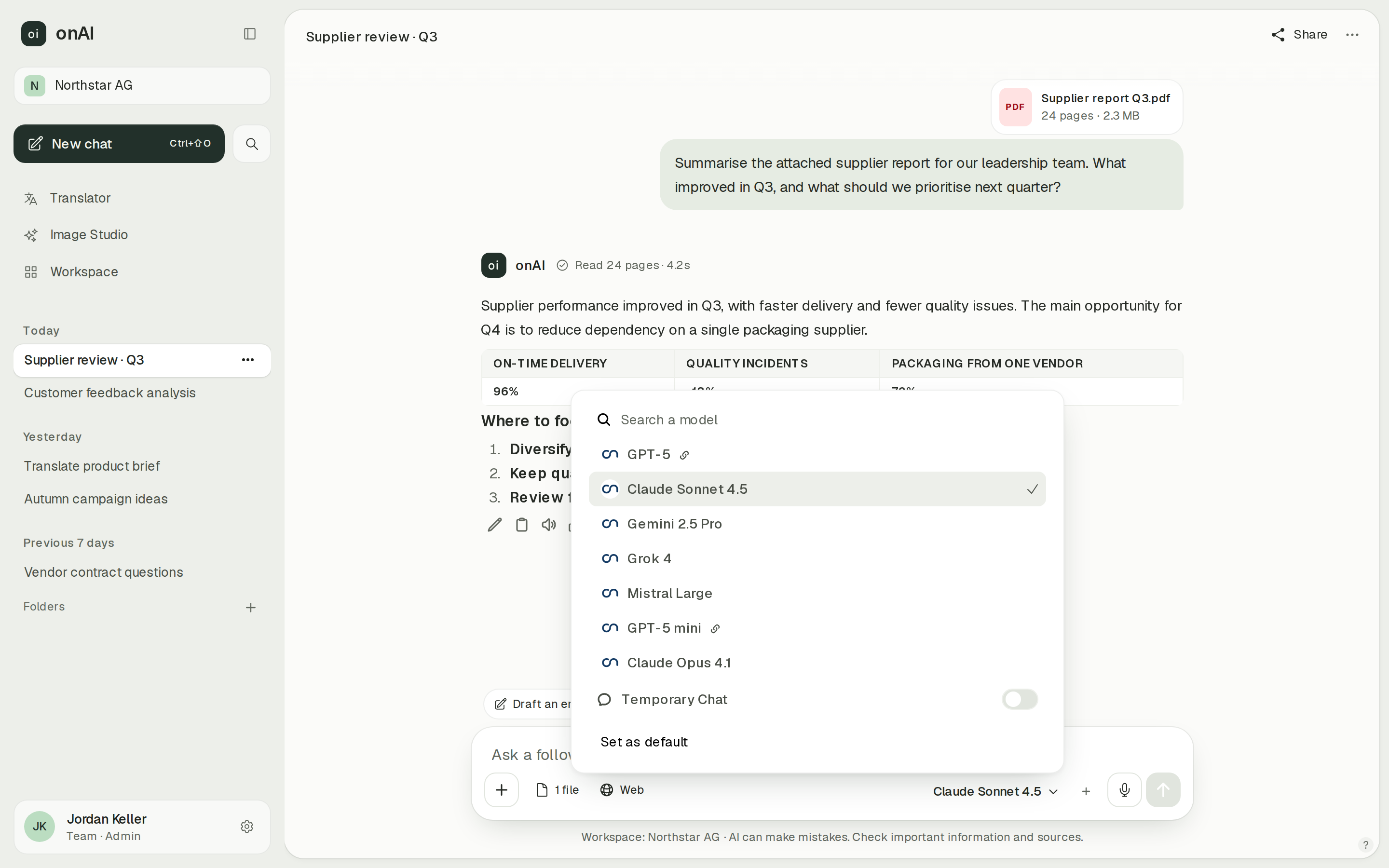
In onAI you choose between Claude, GPT, Gemini, Grok and Mistral. Admins decide per group which models are allowed, and we enable new models shortly after release.
amber offers models from OpenAI, Anthropic, Google, Mistral and Z.ai and can pick a model per request itself. Each person has a daily allowance. After that the always-on models keep running without a limit, while premium models such as Claude Opus 5.5 cost company credits. amber does not say how large the daily allowance is.
- onAI
- Claude, GPT, Gemini, Grok, Mistral Users choose from models approved by admins
- amber
- OpenAI, Anthropic, Google, Mistral, Z.ai Automatic choice per request or your own pick in chat
Translate documents with their layout
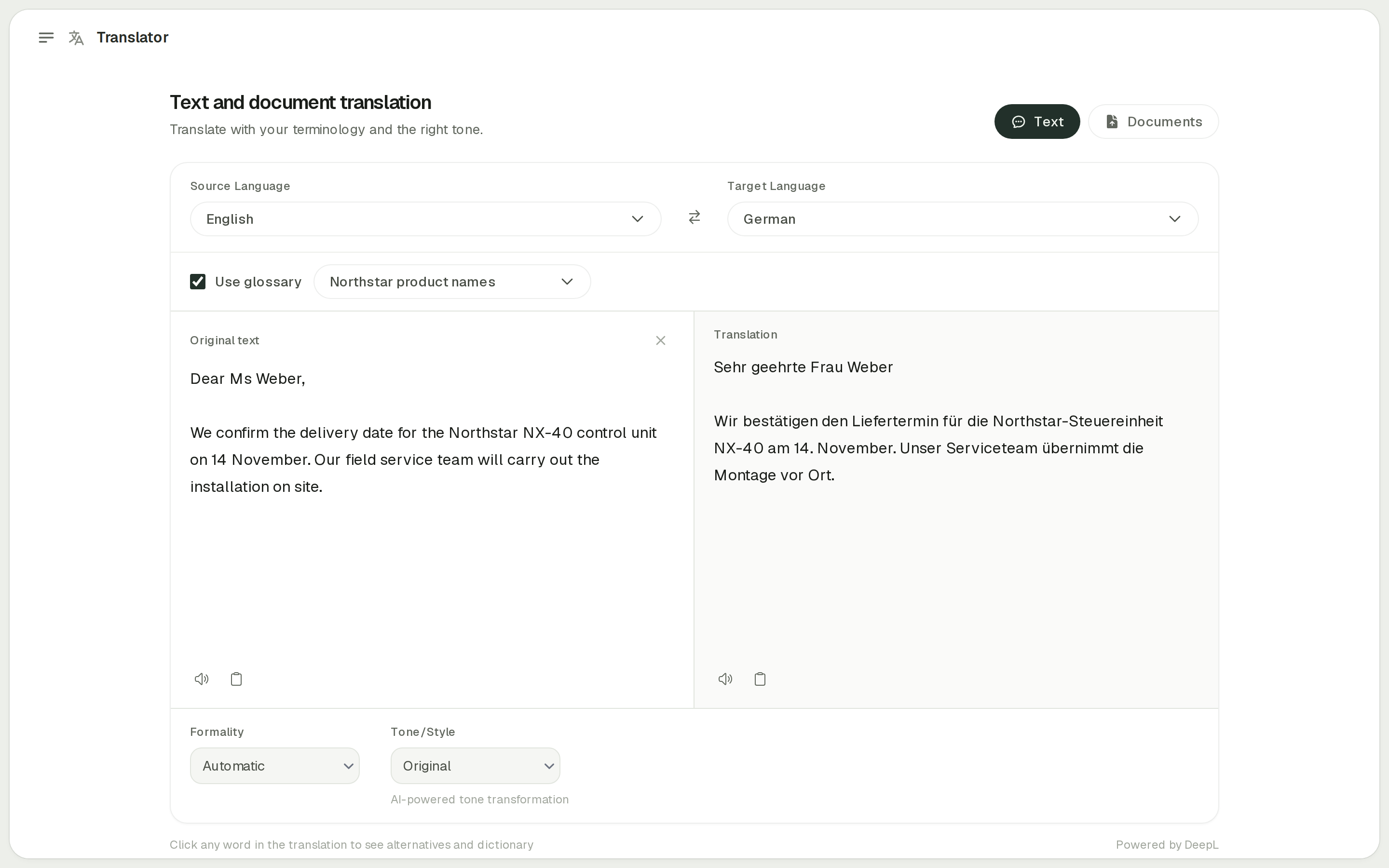
onAI translates with DeepL and splits documents itself, so only the text goes to DeepL. You pay per character instead of at least 50,000 characters per file. PDF, Word, Excel and PowerPoint come back with their layout, Excel formulas keep working, and scans are translated too. Glossaries apply to the whole organisation, with formal or informal address.
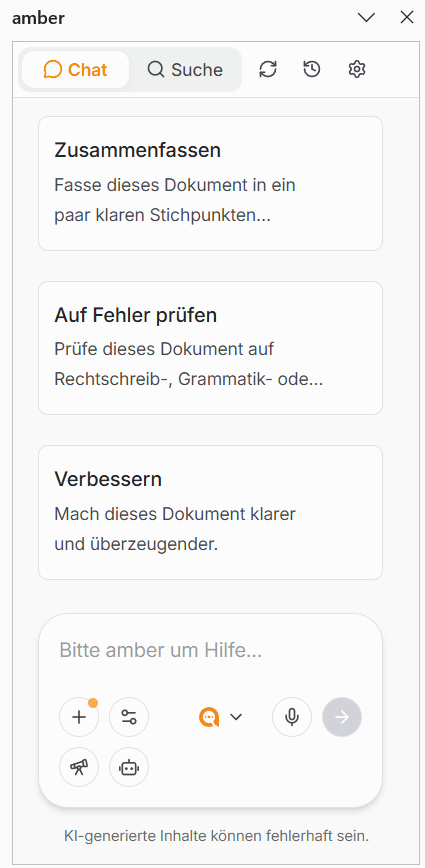
amber helps with writing directly in Word and Outlook. The add-in drafts, shortens, translates and corrects text, and in Outlook you choose the tone of a reply. amber does not describe a separate document translation with layout, glossaries or Swiss spelling.
- onAI
- DeepL translator, billed per character Not 50,000 characters per file; layout, matching font, scans, glossaries
- amber
- Writing help in Word and Outlook Translation through the chat models, no documented layout or glossary feature
Create images and compare models
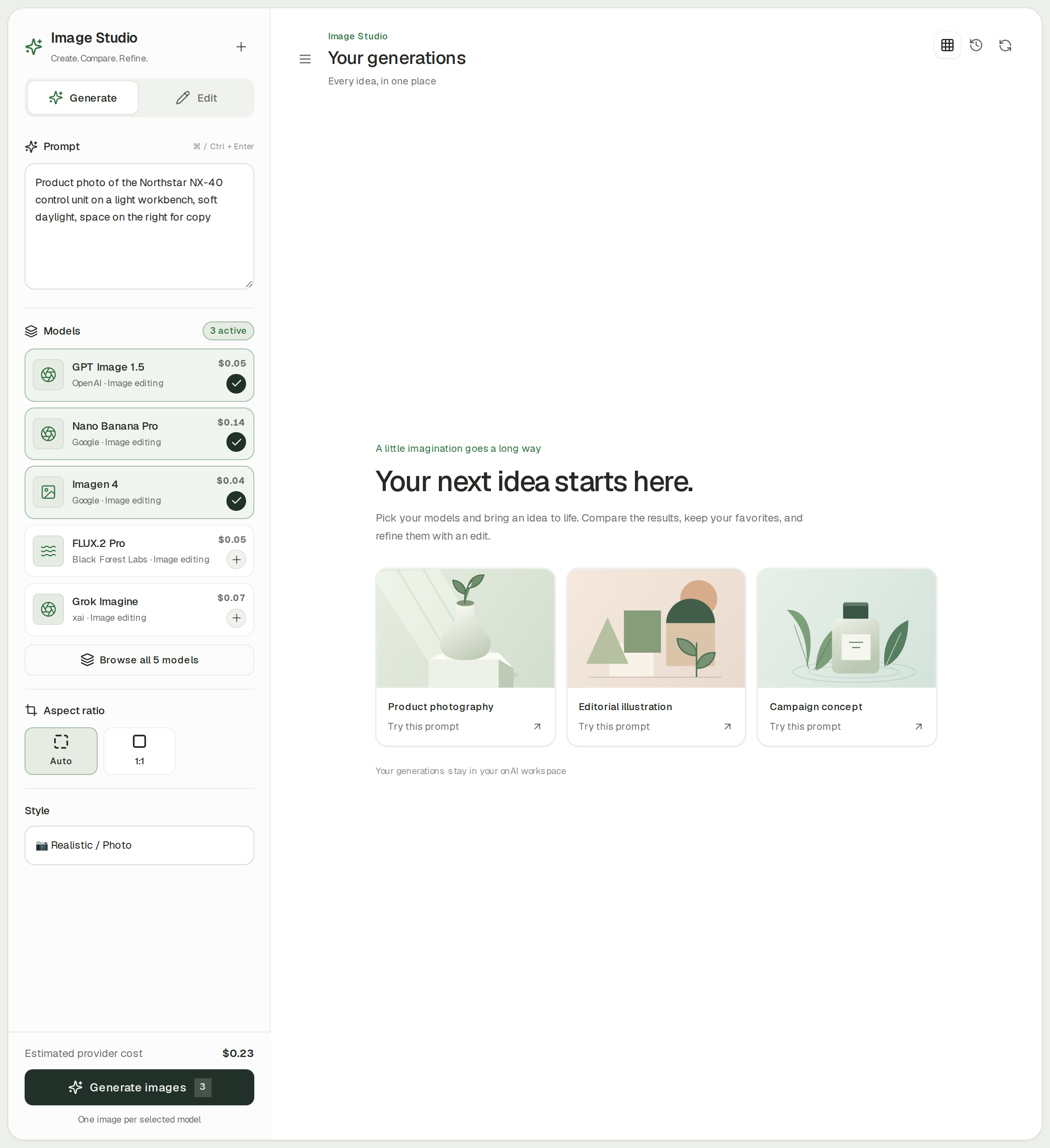
onAI's Image Studio puts Nano Banana 2.1, GPT Image 2.6, FLUX 3 and Grok Imagine Image 2.0 side by side. One prompt goes to up to three models at once, and you refine results with reference images. The price tier sits next to each model before you create. Admins enable the studio per group.
amber also creates images directly in the chat and refines them with follow-up instructions, in 1:1, 16:9 or 9:16. Image models from OpenAI and Google are available. For agents the admin sets the image model.
- onAI
- Image Studio with four leading models Up to three models side by side, price tier before creating, anonymisation
- amber
- Image generation in chat OpenAI and Google image models; refinement through follow-up prompts
Control rights and spend per group
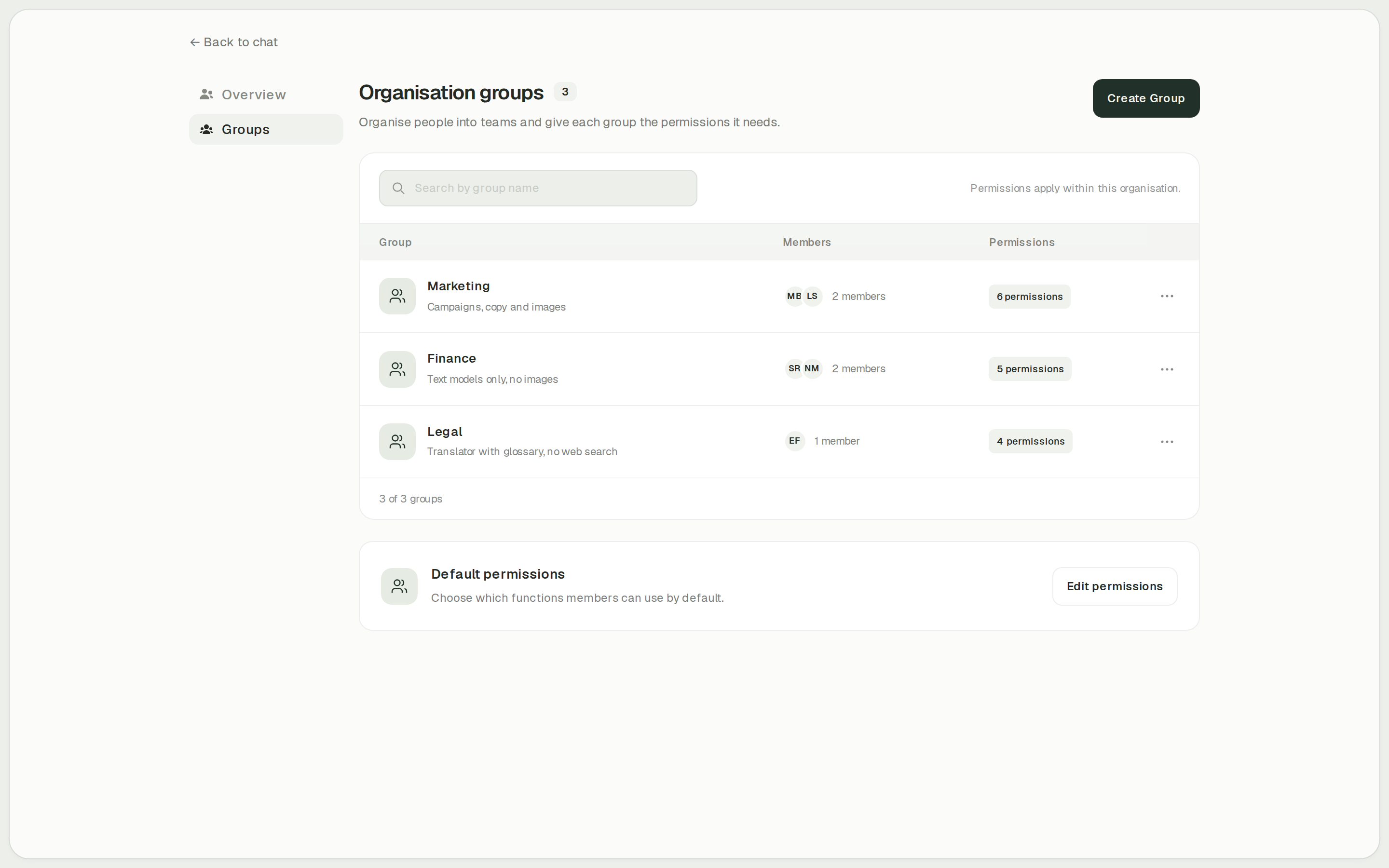
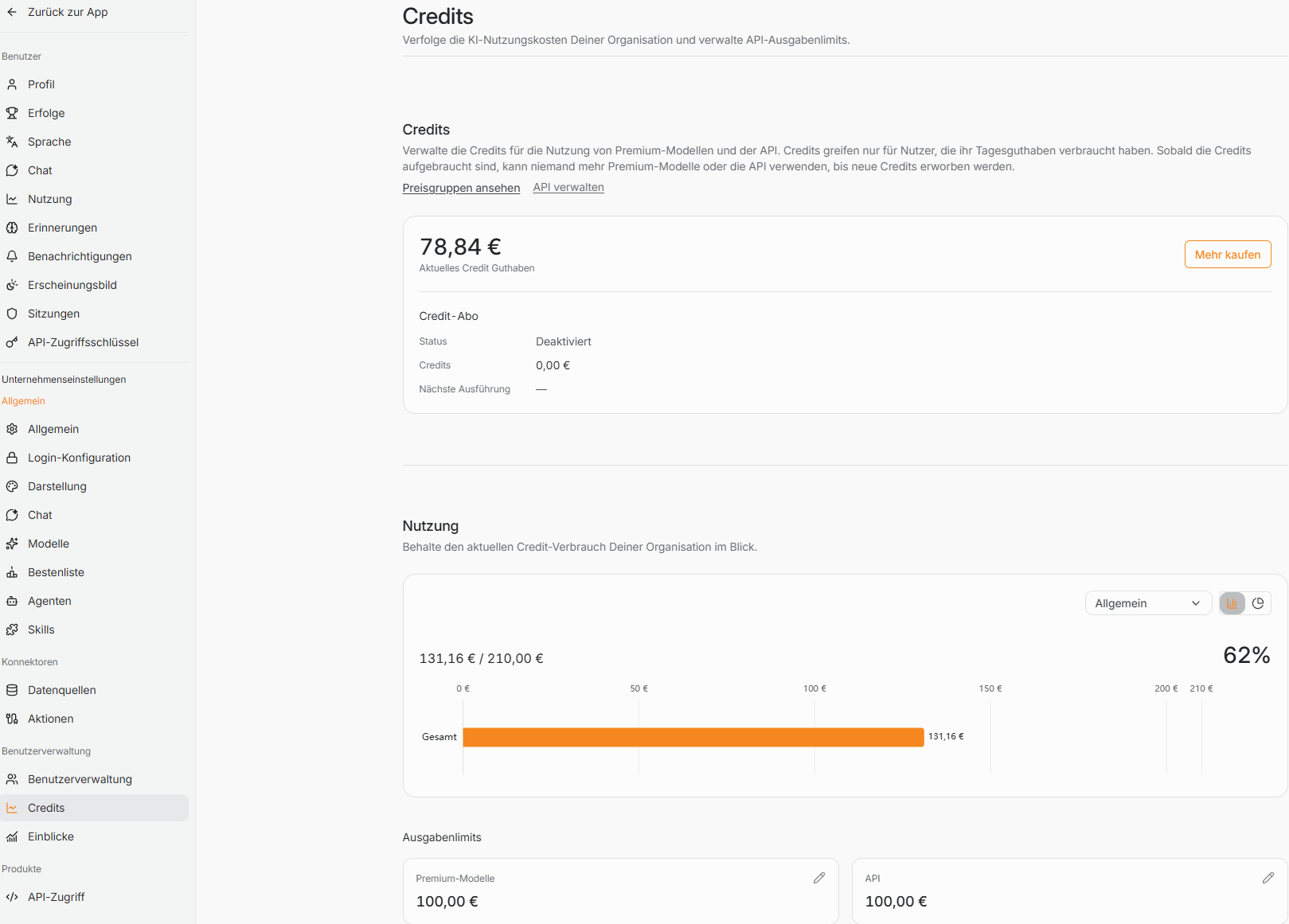
In onAI you enable web search, Image Studio, translator and Microsoft 365 for everyone, for groups or for individuals. Each person has a monthly budget, plus a cost limit per organisation. When the budget runs out, work continues with the base model.
amber assigns licences to individual accounts or to directory groups and has the roles Administrator and Developer. Admins set separate spend limits for premium models and the API, plus personal credit limits. When a limit is reached, users carry on with the always-on models.
- onAI
- Roles, groups, access per person Image Studio, translator, web search, Microsoft 365; effects shown before each change
- amber
- Spend limits for premium models, API Plus personal credit limits per person
Where onAI fits better
onAI fits you if you want to roll out AI at the same price per user for any team size and want translation, images and Microsoft 365 in one tool.
One price for any team size
Business costs €15 per user per month, €12 billed annually, however large the team. You can try it free with €3 of usage per company domain, with no time limit.
Microsoft 365 without an index
onAI searches SharePoint, OneDrive, Outlook, Teams chats and OneNote live with the rights of the person asking. Nothing is copied or indexed, and every answer names its source.
In Outlook, Word, Excel and PowerPoint
The onAI add-ins use your onAI account and the allowed models, and you do not need a Microsoft 365 Copilot licence. IT deploys them centrally.
Where amber fits better
amber fits if you want to bring knowledge from many company systems into one searchable layer, require hosting in Germany and an ISO 27001 certificate, and equip more than 1,500 users.
Search across many systems
More than 70 connectors index SharePoint, Confluence, Jira, Salesforce, network drives and document stores such as d.velop, ELO or DocuWare. Source-system permissions apply in amber too, and answers point to the place in the document.
Certificate and professional secrecy
amber is certified to ISO/IEC 27001:2022, valid until September 2028. From Business, amber commits to § 203 StGB in its data processing agreement, covering staff and sub-processors.
Working together with AI
Group chats and projects bring colleagues, sources and results into one workspace. In group chats amber only searches what all members may see.
What onAI could do better
No certification
onAI is not currently ISO 27001 certified and has no SOC 2 report. A data processing agreement under the Swiss FADP and GDPR and a professional-secrecy agreement are available on request.
Fewer connected systems
onAI reads Microsoft 365 live. Google Workspace and workflows are in a pilot, and connected apps need credentials and rights from IT.
At a glance
| Question | onAI | amber |
|---|---|---|
| Price per user | €15 per user/month €12 annually; AI budget included, then the base model at no extra cost | €17.99 to €10.79 per licence Business, annual; falls with user count, from 50 licences |
| Operation and data location | Swiss contracting party, servers in France OVHcloud; on request a dedicated server or on-premises | Telekom T Cloud, Germany OpenAI, Anthropic and Google models in EU data centres |
| Certification | No ISO 27001 certification No SOC 2 report | ISO/IEC 27001:2022 RSM Certification, valid until 24 Sep 2028; no SOC 2 certificate |
| Document translation | DeepL translator, billed per character Not 50,000 characters per file; layout, matching font, scans, glossaries | Writing help in Word and Outlook Translation through the chat models, no documented layout or glossary feature |
| Image generation | Image Studio with four leading models Up to three models side by side, price tier before creating, anonymisation | Image generation in chat OpenAI and Google image models; refinement through follow-up prompts |
| Company knowledge | Microsoft 365 live, Google Workspace (pilot) With each person's permissions, every answer with a source | More than 70 indexed connectors Business up to 15 systems, Starter only with an add-on |
Research date:
How this page was made
Method: the vendors' public sources, collected and checked by AI agents and assessed against the onAI comparison rubric v1.1.
We compare onAI with amber's Starter, Business and Enterprise plans using public vendor sources that AI agents collected and checked. onAI information comes from onAI. amber's prices come from the price calculator on its website for each user count.
Written by onAI. We make one of the two products compared here, so this is a vendor's comparison. We checked every statement about amber against a public source; the sources are listed in this page's structured data.
Questions you might have
How many licences do we have to buy from amber at minimum?
Starter starts at one user, Business at 50 and Enterprise at 200 licences. Paid contracts run 24 months by default, and the licence count cannot be reduced during the term. onAI Business costs the same per user for any team size.
Is amber suitable for professional secrecy holders?
From Business, amber commits to § 203 StGB in its data processing agreement and binds staff and sub-processors. The agreement does not mention Swiss Art. 321 StGB. onAI offers a professional-secrecy agreement under § 203 StGB or Art. 321 StGB on request.
How can we test both products?
amber offers 30 days free without a credit card, but the self-service platform does not connect company data. You can test onAI free with €3 of usage per company domain, with no time limit, and with a personal demo first if you like.
Do we need a Copilot licence for the onAI add-ins?
No. The onAI add-ins for Outlook, Excel, Word and PowerPoint use your onAI account and the allowed models, without a Microsoft 365 Copilot licence. IT deploys them, and the Office version and Microsoft permissions determine the available features.
Comparing onAI with amber?
Book a demo. We show onAI with your own use cases and answer your data-protection questions.