Comparison
Open WebUI alternative: onAI with support
Open WebUI is a self-hosted interface for AI models. Choose onAI for servers in Europe and direct support in German and English, from €17 per user/month including €5 of model use.
Choose the deployment and who operates it
With onAI, your contracting party is Swiss and the application runs on servers in Europe. If your deployment needs a different arrangement, you can request a dedicated server or installation on your own servers.
Open WebUI gives your team control over where the application, files and indexes run. You also take responsibility for the deployment. External model, search or extraction services can receive data separately, so choosing your own server location does not settle every data-location question.
- onAI
- Swiss contracting party, servers in Europe On request a dedicated server or on-premises
- Open WebUI
- Operator chooses the location Model endpoints and other external services have their own data paths
Approve model access for each group
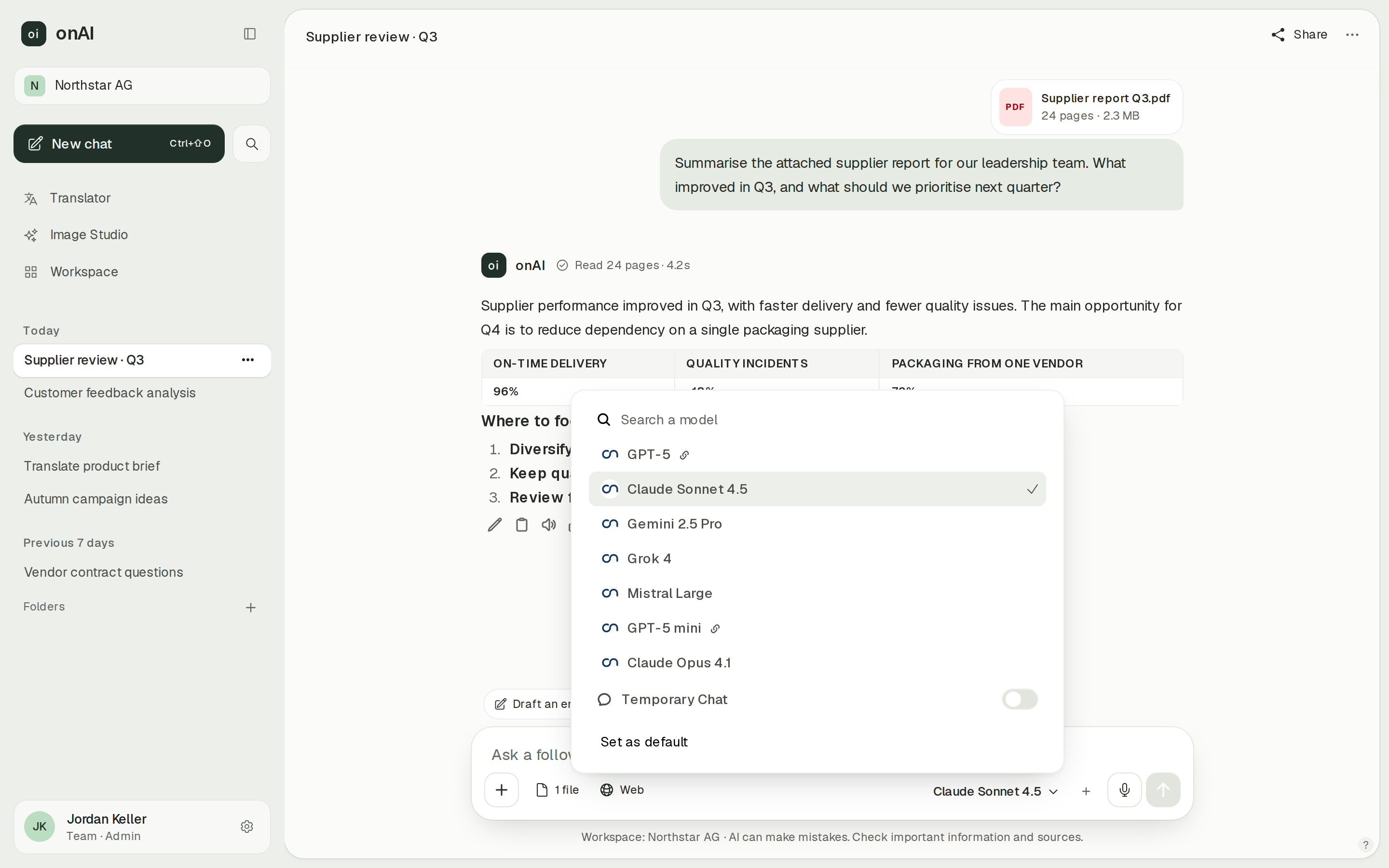
In onAI, administrators decide which models each group may use. We enable new models shortly after release, and your own provider contracts and API keys are possible on request.
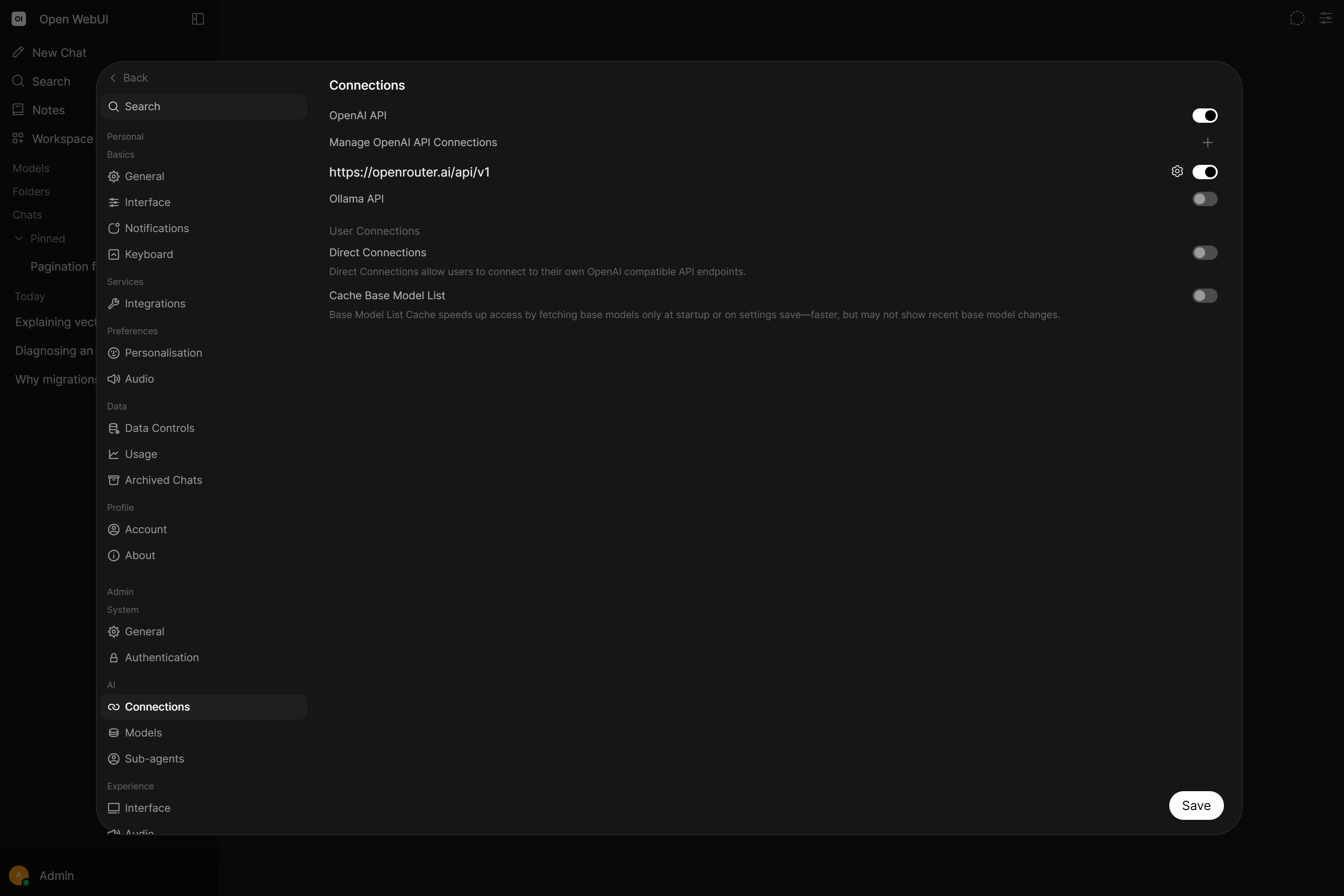
Open WebUI lets users select connected local or cloud models and compare several in a chat. Your administrators configure the endpoints and credentials, which determine the available selection. That suits teams that want to assemble and operate their own model connections.
- onAI
- Models allowed per group Admins allow or block each model
- Open WebUI
- Connected local and cloud models Available models depend on configured endpoints and provider accounts
Compare image results in one studio
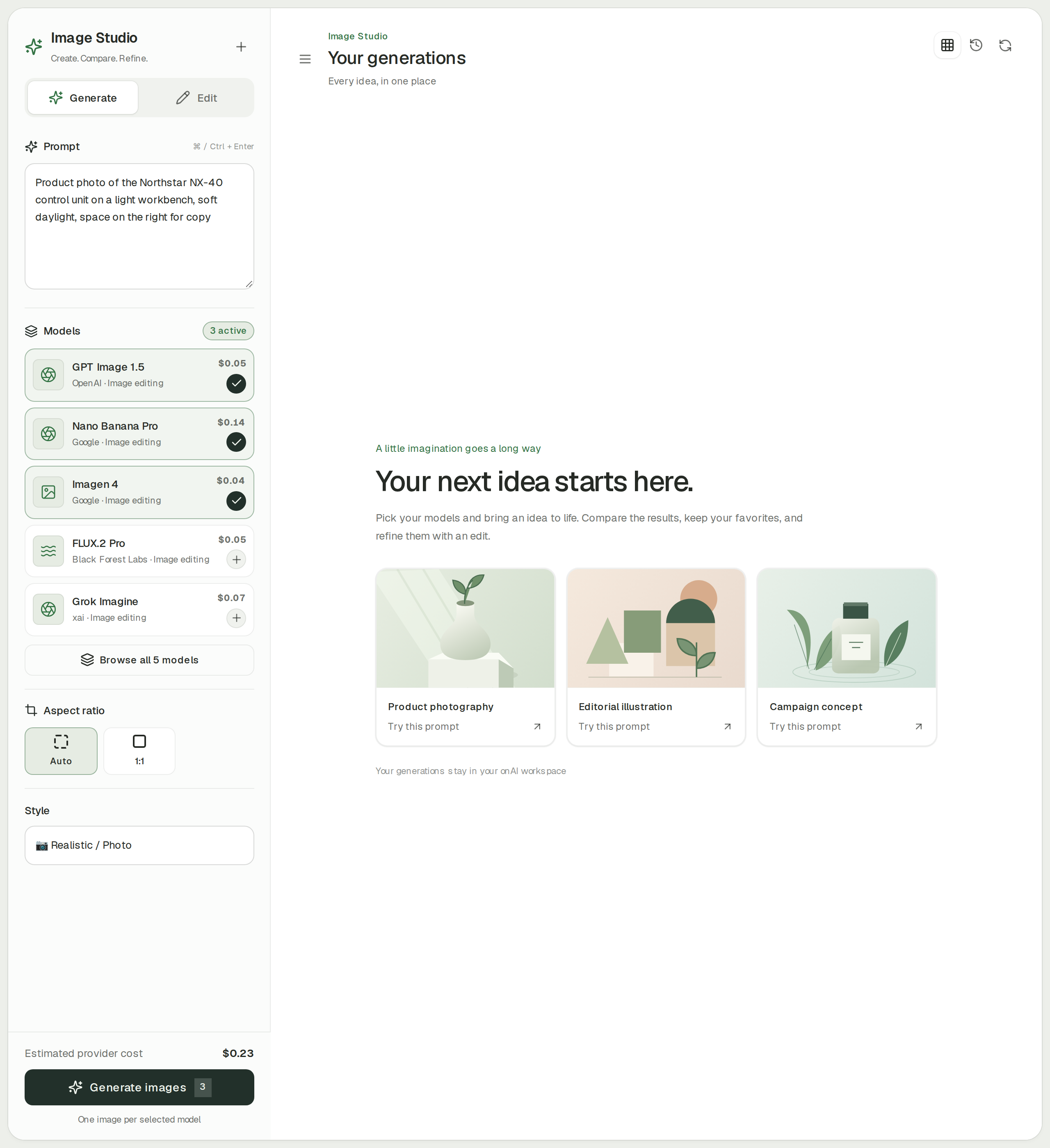
Compare up to three image models side by side in onAI Image Studio. It includes models from OpenAI, Google, Black Forest Labs and xAI, styles with automatic prompt improvement, and editing with up to ten reference images. You see the estimated cost before generating.
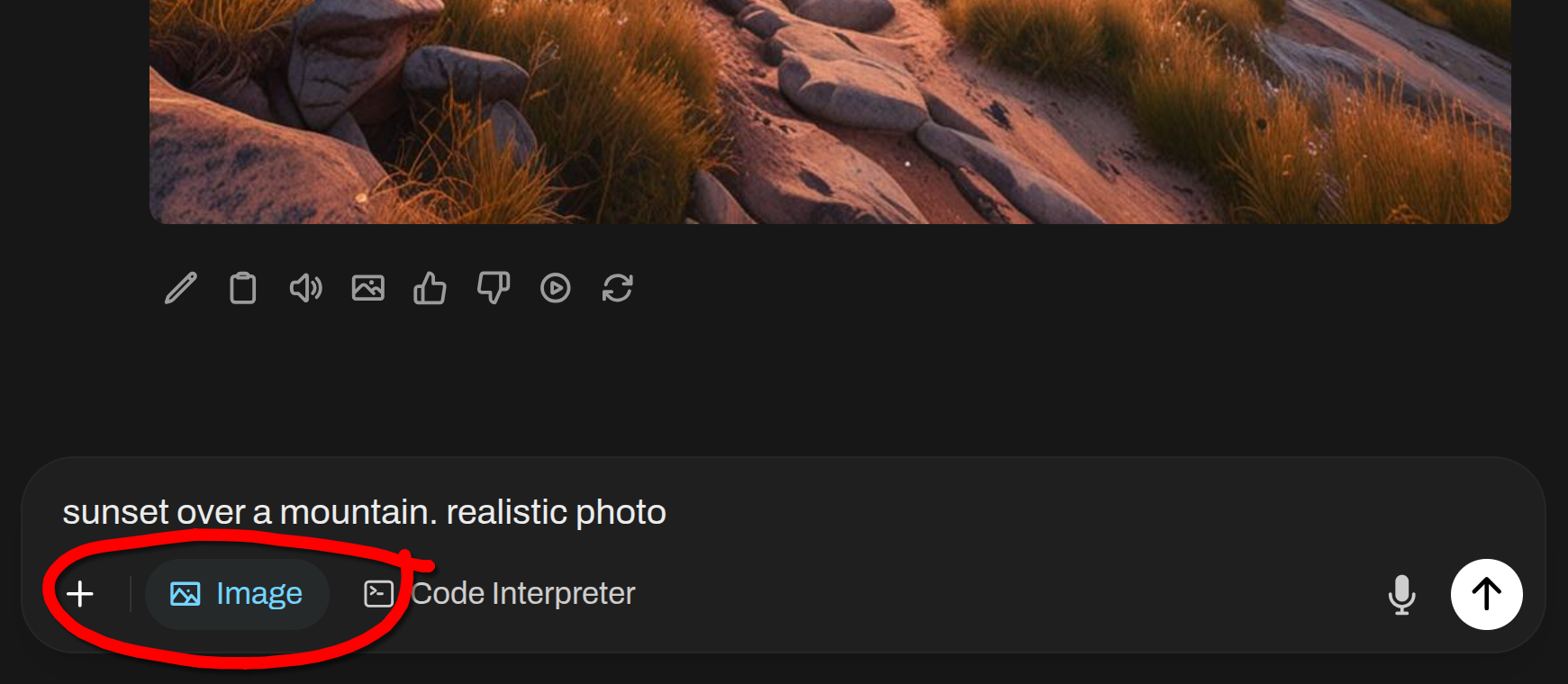
Open WebUI also generates and edits images in chat, including edits to uploaded images and multi-image compositions. An administrator first configures an image engine and the relevant permissions. OpenAI, Gemini, ComfyUI and AUTOMATIC1111 are documented routes. Your chosen service determines the available models, costs and output terms.
- onAI
- Image studio with leading models Three models side by side, styles, editing with reference images
- Open WebUI
- Image generation and editing Administrator configures the engine and enables access
Budget for the service and the operation
onAI starts at €17 per user and month with €5 of model use included; larger teams pay less. A fixed company price is also available. Onboarding and training are included in that fixed price.
Open WebUI standard software has no seat fee when you retain its original branding. Hosting, model inference and operations remain separate costs; Enterprise rights and services have a separate offer. If you already have infrastructure and operating capacity, the software licence can be attractive. For a company rollout, include the people running it in your budget.
- onAI
- From €17 per user/month Includes €5 of model use; lower for larger teams, or a fixed price
- Open WebUI
- Free standard software Original branding retained; hosting, operations and inference cost extra
Set permissions and spending limits
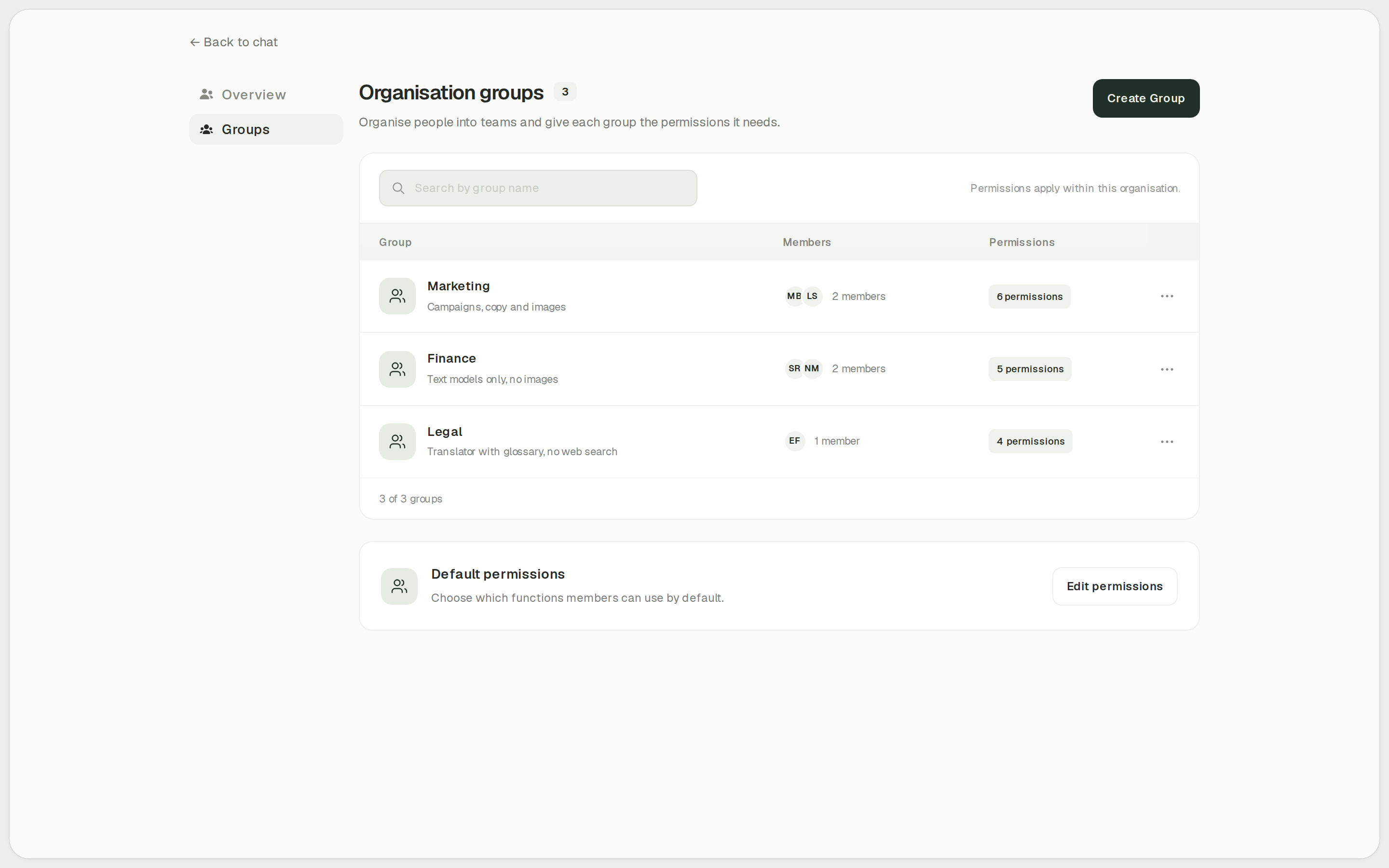
onAI administrators allow models and functions such as images, translation and web search per group. They can set cost limits per organisation and person, then inspect usage by model, feature and person. This gives you a concrete way to define who may use a tool and how much each person may spend.
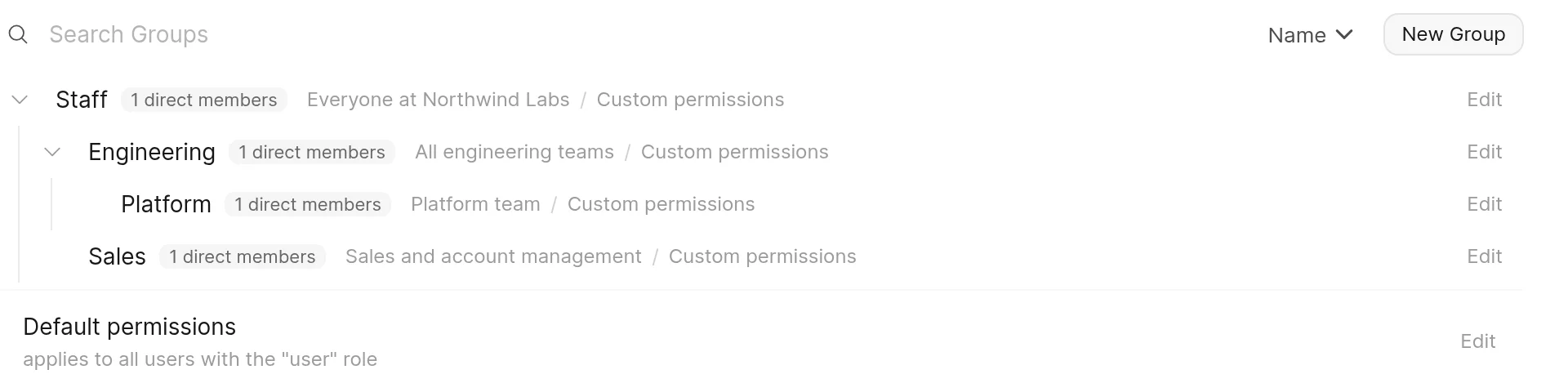
Open WebUI has roles and additive group permissions for functions and shared resources. Its analytics reports activity and provider-reported tokens by user, model and group. Enforced monetary budgets were not established in the documentation check. If these limits matter to your rollout, ask for a demonstration of the intended configuration.
- onAI
- Cost limits per organisation and person
- Open WebUI
- Roles and additive group permissions Groups grant access to features and resources
Case Study
Secure AI for 6,800 employees: how Manor established a privacy‑compliant alternative to ChatGPT across the company with onAI.
Thanks to the latest AI capabilities in onAI, our employees are more productive and use them securely and compliantly — at an affordable fixed price.
Where onAI fits better
Choose onAI if you want to give employees a browser workspace with a direct contact for onboarding and daily use.
Translation for everyday documents
The built-in DeepL translator handles documents with their layout, glossaries and formal or informal address. You can also adjust style and tone.
Help from the team
You reach our team directly in German or English. We agree service levels and response times in the contract, and build custom agents and workflows as a service.
Where Open WebUI fits better
Open WebUI fits an IT team that wants to run the application and connect its own model infrastructure.
Local inference under your operation
Ollama, llama.cpp and vLLM are documented routes for local chat. Local retrieval is also possible with local embedding models and extraction services.
SCIM in your deployment
Open WebUI documents SCIM for creating and deactivating users and managing groups. Enable SCIM and configure its bearer token to use it. Login-time identity groups are another route. Check retained content and ownership when you test user removal.
What onAI could do better
No SCIM provisioning
onAI creates users at first SSO sign-in and takes groups from the directory; it has no SCIM.
The application source is not public
onAI is proprietary software. Its application source is not public; included open-source components keep their own licences.
At a glance
Starting price
- onAI
- From €17 per user/month Includes €5 of model use; lower for larger teams, or a fixed price
- Open WebUI
- Free standard software Original branding retained; hosting, operations and inference cost extra
Deployment location
- onAI
- Swiss contracting party, servers in Europe On request a dedicated server or on-premises
- Open WebUI
- Operator chooses the location Model endpoints and other external services have their own data paths
Local models
- onAI
- Local models with on-premises For example via Ollama
- Open WebUI
- Ollama, llama.cpp and vLLM Operated by you; local retrieval needs local services too
Image tools
- onAI
- Image studio with leading models Three models side by side, styles, editing with reference images
- Open WebUI
- Image generation and editing Administrator configures the engine and enables access
Monetary spending limits
- onAI
- Cost limits per organisation and person
- Open WebUI
- Not stated in docs (as of )
User provisioning
- onAI
- Created automatically at SSO sign-in Groups from the directory; no SCIM
- Open WebUI
- SCIM and login-time groups Enable SCIM and configure its bearer token
"We found no public information on this" and "Not stated in docs" describe our research on the date shown; neither means the product lacks the capability.
Comparing onAI with Open WebUI?
Book a demo. We show onAI with your own use cases and answer your data-protection questions.
Book a demoQuestions you might have
- Is Open WebUI free for a company?
- Standard use has no software seat fee with the original branding retained. Your infrastructure, operations and model services still need a budget; Enterprise rights and services are separate. onAI instead has a per-user offer with included model use or a fixed company price.
- Does self-hosting keep every prompt on our servers?
- The application location and the inference endpoint are separate decisions in Open WebUI. Connected external services can receive prompts or documents; offline operation requires local dependencies. onAI also offers installation on your own servers and local models on request with that deployment.
- Can we use our own provider contracts with onAI?
- Your own provider contracts and API keys are possible on request, for example for Azure or OpenRouter. Open WebUI also supports customer-held credentials and configured endpoints.
- How can our team evaluate onAI?
- We start with a personal demo, followed by trial access for your team. Use it to assess your documents and the tools employees need. If you choose the fixed price, onboarding and training are included.
How this page was made
Research date: • Method: the vendors' public sources, collected and checked by AI agents and assessed against the onAI comparison rubric v1.1.
We compare the self-hosted web application with onAI using public vendor material collected and checked by AI agents. onAI descriptions use owner statements; screenshots illustrate the visible interface, with onAI demo data labelled.
Written by onAI. We make one of the two products compared here, so this is a vendor's comparison. We checked every statement about Open WebUI against a public source; the sources are listed in this page's structured data.