Comparison
nuwacom alternative: onAI from EUR 17
nuwacom is an AI workspace for companies. Choose onAI for DeepL translation and Image Studio, with a Swiss contracting party and servers in Europe.
Compare seats and included model use
onAI starts at EUR 17 per user per month, including EUR 5 of model use. Larger teams pay less, or you can choose one fixed price for the company. Onboarding and training are included in that fixed price.
nuwacom Business Standard costs EUR 25 per user per month, Premium EUR 49 per user per month and Power EUR 99 per user per month, billed annually and excluding VAT. Their monthly usage allowances are 1×, 2× and 5×; absolute token or monetary allowances are not stated. Enterprise starts at 20 users with a separate quote. Compare your expected workload as well as the seat price.
- onAI
- From €17 per user/month Includes €5 of model use; lower for larger teams, or a fixed price
- nuwacom
- Standard EUR 25 per user/month Business; annual billing, excluding VAT; Enterprise quoted separately
Choose the deployment your company needs
Your onAI contracting party is Swiss and the application runs on servers in Europe. You can request a dedicated server or operation on your own servers.
nuwacom Business stores platform content in Azure EU; Enterprise can select Germany with STACKIT. Inference depends on the configured model routes. Dedicated deployment starts at 1,000 users, customer-cloud deployment at 2,000 and on-premises at 4,000. These thresholds are separate from the 20-user Enterprise entry point. The hosted SLA does not cover self-managed operation.
- onAI
- Swiss contracting party, servers in Europe On request a dedicated server or on-premises
- nuwacom
- Azure EU; Enterprise offers STACKIT Enterprise can select Germany; inference depends on the approved model routes
Start with everyday document questions
onAI gives employees an uncluttered interface without technical settings. They can upload PDF, Word or Excel files directly in chat and ask questions about them. Chats can be shared with colleagues by link, so a useful answer can be passed on with its context.
nuwacom also accepts files in chat, including Office documents and media. Its no-code agents combine instructions, knowledge and tools, and can be shared. Shared projects bring chats, documents and guidelines together. If your team needs a reusable process around the answer, test those agents and projects alongside the basic chat.
- onAI
- Ask files in the chat PDF, Word, Excel and more
- nuwacom
- Chat with uploaded files Office, text, image and media formats; parsing fidelity not independently tested
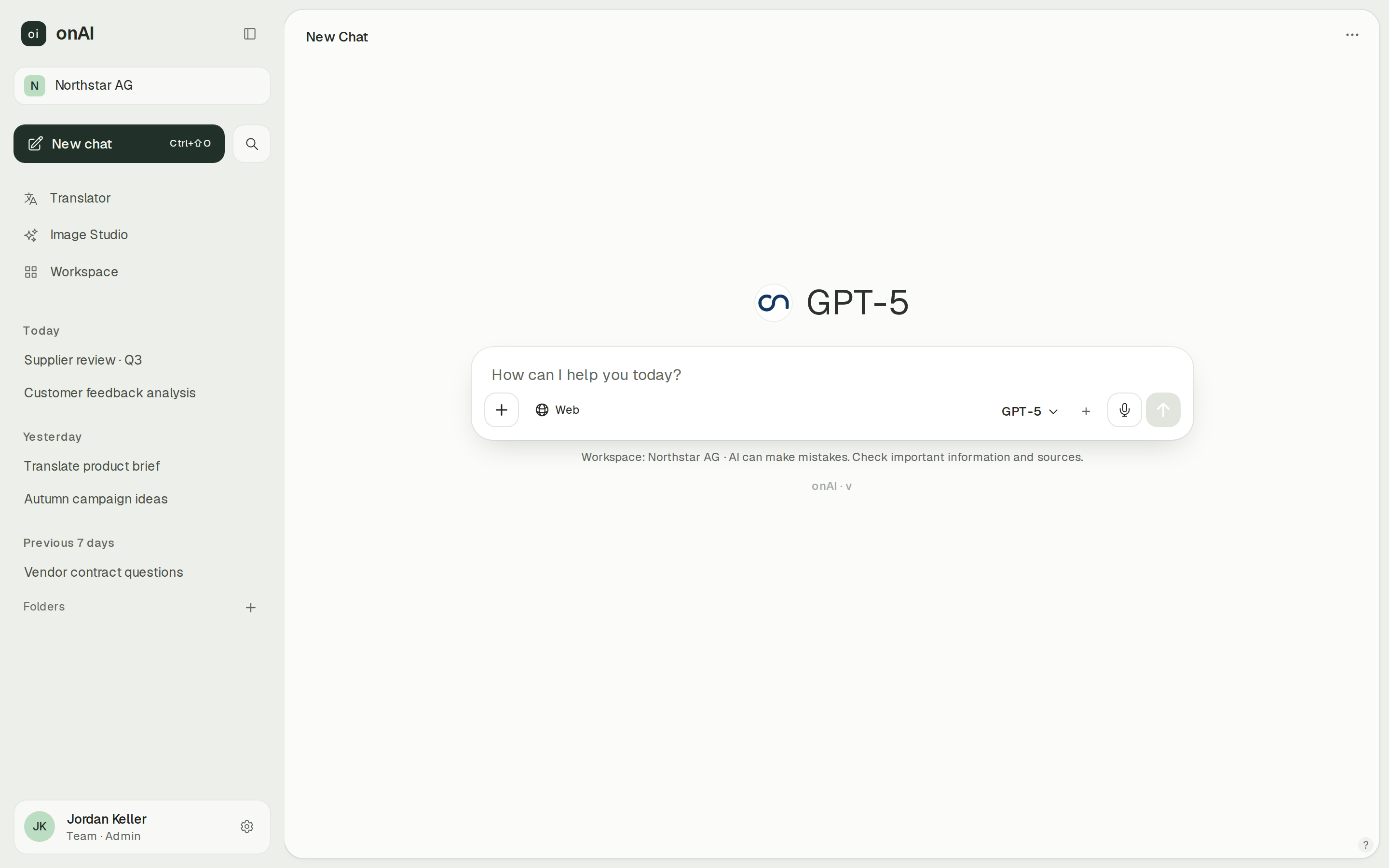
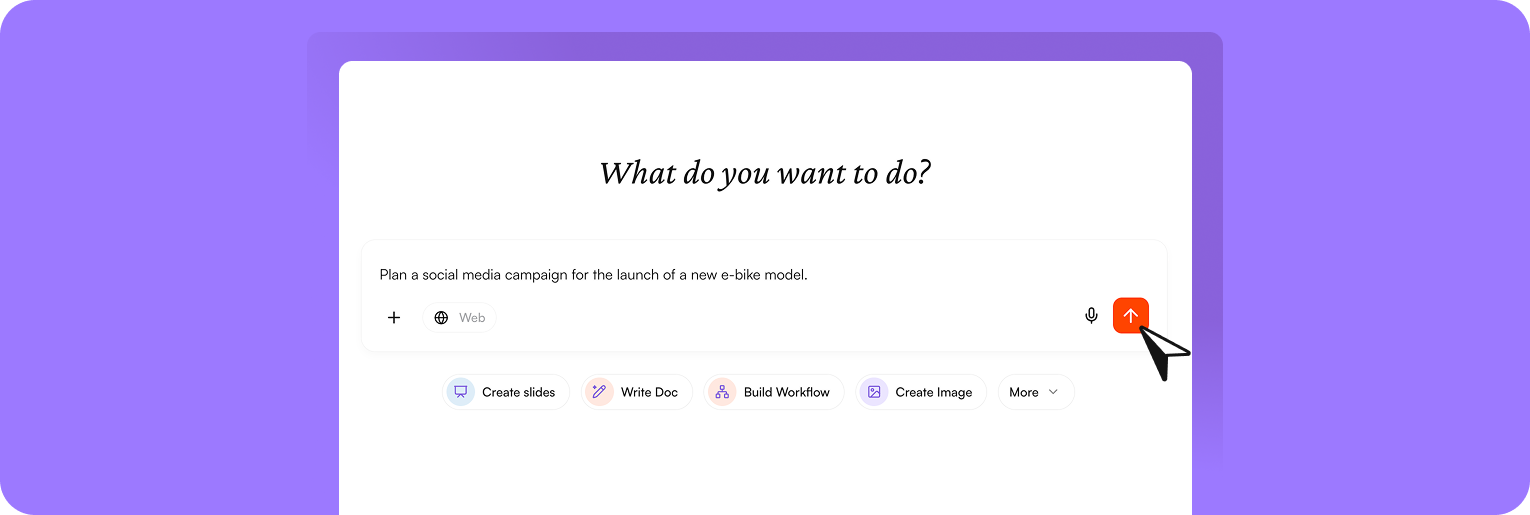
Compare image results in one studio
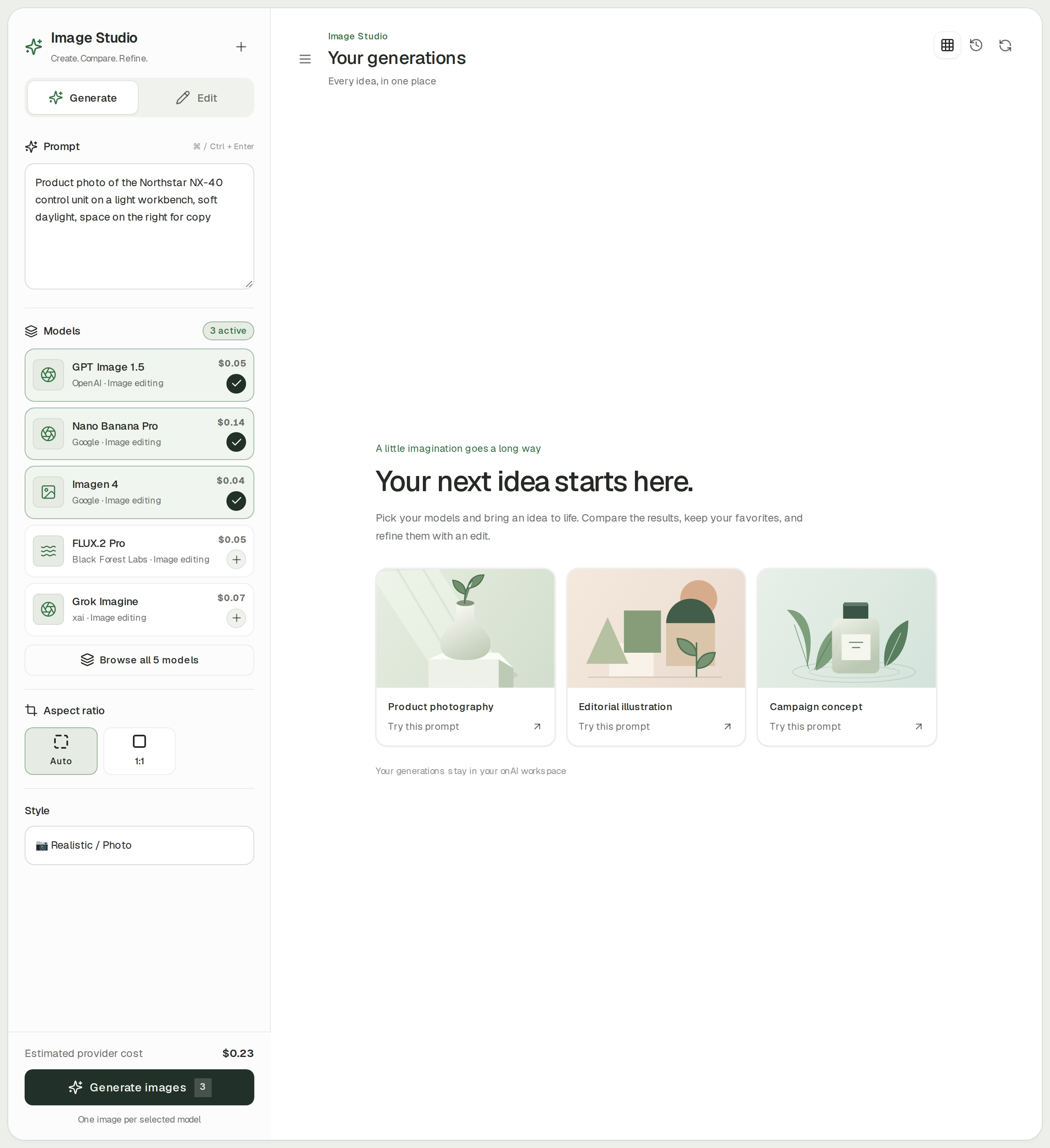
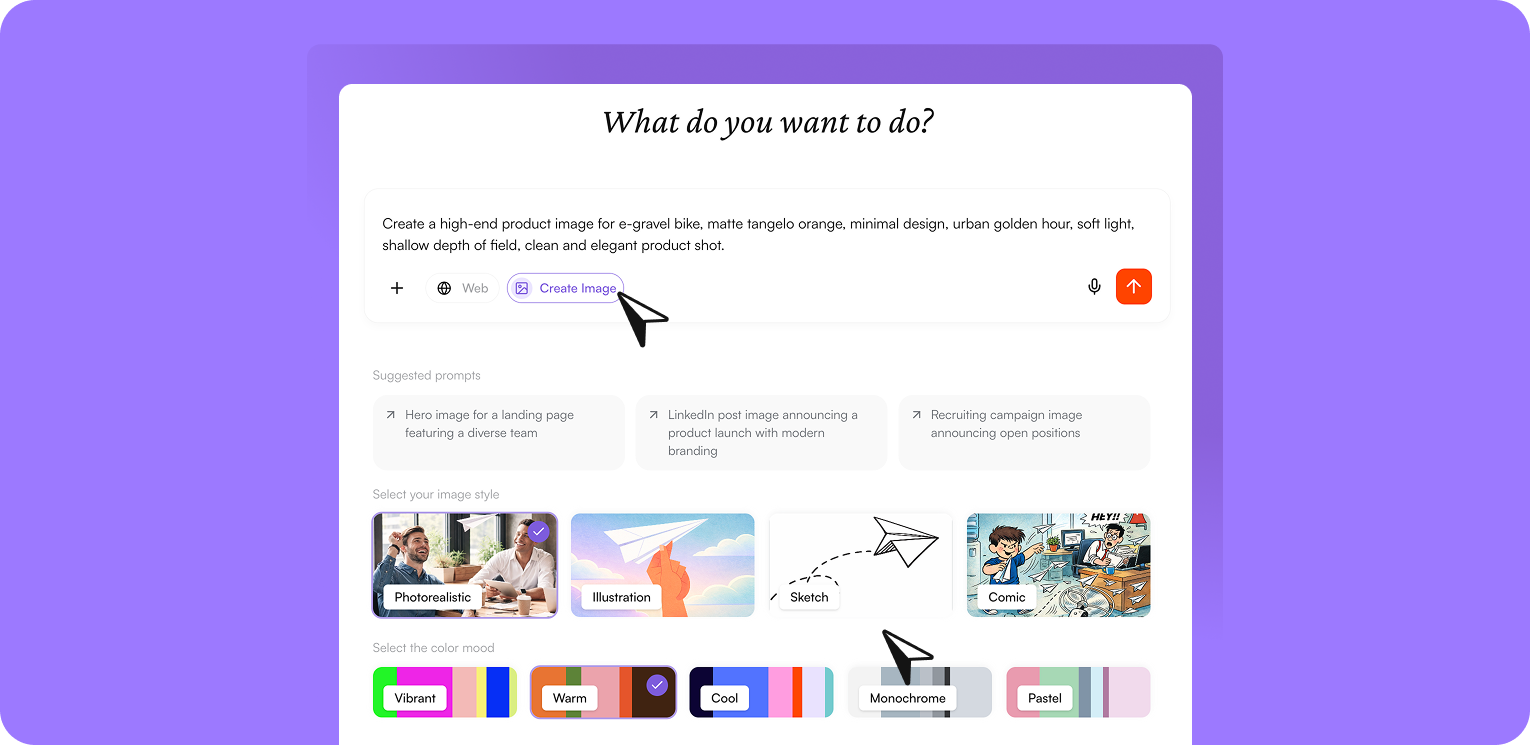
In onAI Image Studio, one prompt can go to up to three image models side by side. Styles can improve the prompt automatically, editing accepts up to ten reference images, and the estimated cost is shown before generation.
nuwacom Business and Enterprise also generate images and edit uploaded references. Administrators enable image models and set the default. Available routes include EU and global processing. The current model and image guides disagree on the default, so this comparison makes no default-region promise. Check the model actually enabled for your workspace.
- onAI
- Image studio with leading models Three models side by side, styles, editing with reference images
- nuwacom
- Image generation and reference edits Business and Enterprise; administrator-enabled model routes, EU or global
Set group permissions before rollout
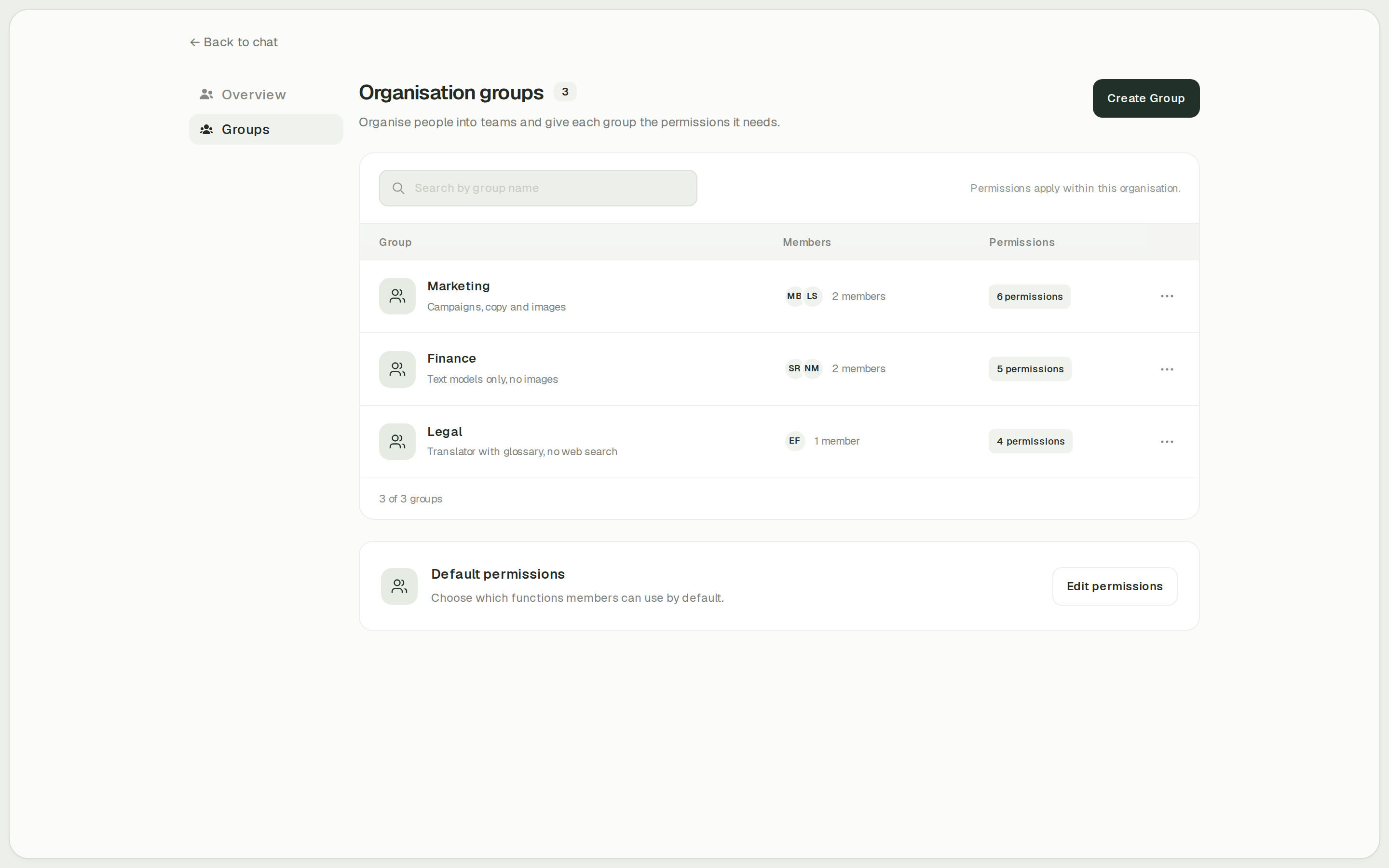
onAI administrators decide per group which features employees can use, including Image Studio, translation and web search. They can also set cost limits per organisation and person. Usage reports break activity down by model, feature and person.
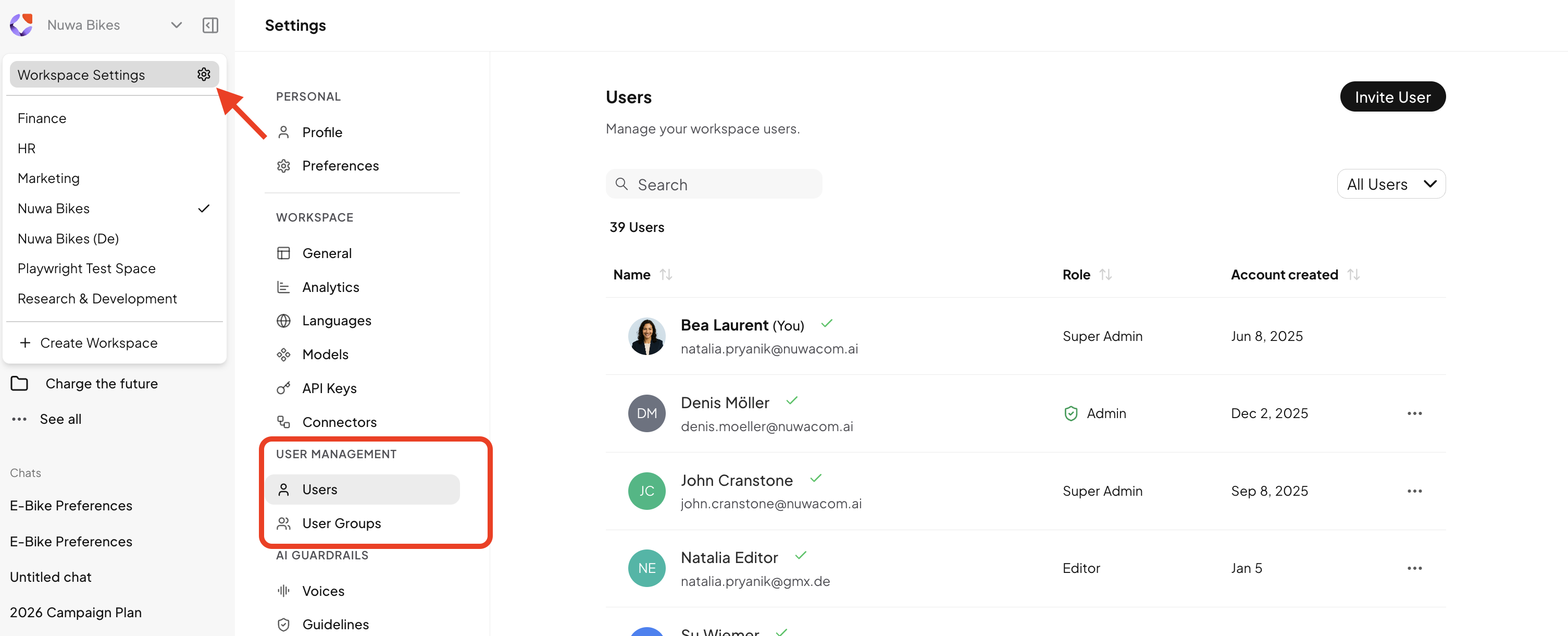
nuwacom Business and Enterprise use roles and groups for read, write and share permissions across agents, workflows, projects and content tools. Administrator permissions cannot be restricted. Separate workspaces do not automatically grant contractual rights to affiliates; a group rollout across legal entities needs that agreement as well as the access setup.
- onAI
- Roles and groups Features enabled per group, for example Image Studio, translator
- nuwacom
- Roles and group permissions Read, write and share permissions; administrators cannot be restricted
Case Study
Secure AI for 6,800 employees: how Manor established a privacy‑compliant alternative to ChatGPT across the company with onAI.
Thanks to the latest AI capabilities in onAI, our employees are more productive and use them securely and compliantly — at an affordable fixed price.
Where onAI fits better
Choose onAI if your company wants daily document and image tools with a dedicated DeepL translator and direct support from the provider.
Translate with company terminology
DeepL translates documents with their layout retained. Use company glossaries, choose formal or informal address and adjust style and tone. Bring a document with recurring terminology to the demo to judge those controls on your own work.
A company price with training
You can agree one fixed price for the company, including onboarding and training. Our team is available directly in German and English. Service levels and response times are agreed in the contract.
Where nuwacom fits better
nuwacom fits teams that want to build and run their own workflows, or connect a company knowledge base with automated synchronisation on Enterprise.
Build workflows yourself
On Business and Enterprise, describe a task in chat and adjust the resulting workflow on a visual canvas. Published workflows can run on schedules or events such as webhooks and processed files. Technical integration setup still needs the relevant administrators and credentials.
Synchronise knowledge on Enterprise
Enterprise adds automated knowledge sync with sources such as SharePoint, OneDrive, Google Drive and Confluence. The connector must be authorised and its sharing configured. Synced knowledge can reach recipients without source-system access, so review the knowledge permissions rather than assuming source permissions carry over.
What onAI could do better
Custom automation is a service
We build custom workflows and automations as a service. onAI has no separate autonomous agent mode; tools run in the normal chat. Evaluate this distinction if your teams want to create and operate longer automated processes themselves.
At a glance
Price and usage
- onAI
- From €17 per user/month Includes €5 of model use; lower for larger teams, or a fixed price
- nuwacom
- Standard EUR 25 per user/month Business; annual billing, excluding VAT; Enterprise quoted separately
Storage and processing
- onAI
- Swiss contracting party, servers in Europe On request a dedicated server or on-premises
- nuwacom
- Azure EU; Enterprise offers STACKIT Enterprise can select Germany; inference depends on the approved model routes
Image tools
- onAI
- Image studio with leading models Three models side by side, styles, editing with reference images
- nuwacom
- Image generation and reference edits Business and Enterprise; administrator-enabled model routes, EU or global
Group permissions
- onAI
- Roles and groups Features enabled per group, for example Image Studio, translator
- nuwacom
- Roles and group permissions Read, write and share permissions; administrators cannot be restricted
Assistants
- onAI
- Own assistants, shared with teams With instructions and knowledge
- nuwacom
- Shared no-code agents Instructions, knowledge and tools; creation and sharing governed by permissions
Comparing onAI with nuwacom?
Book a demo. We show onAI with your own use cases and answer your data-protection questions.
Book a demoQuestions you might have
- Can we price a 200-person rollout from the entry rate?
- The nuwacom Business seat rates specify relative usage; Enterprise is a separate quote from 20 users. Its deployment thresholds are different again. Compare a quote for your users and expected workload with the onAI per-user or company fixed-price offer.
- Does European storage mean every model processes there?
- nuwacom distinguishes EU platform storage from model-specific inference routes. Configure the allowed models for your location requirements. onAI has a Swiss contracting party and servers in Europe; that owner statement does not specify every external model-processing location.
- Can our team compare the products before choosing?
- nuwacom offers a seven-day, no-card trial of Business features with basic AI usage; this is not an evaluation of every Enterprise entitlement. With onAI, a personal demo comes first, followed by trial access for your team. Use the same documents and tasks in both.
How this page was made
Research date: • Method: the vendors' public sources, collected and checked by AI agents and assessed against the onAI comparison rubric v1.1.
Public nuwacom documentation and commercial sources were collected and checked by AI agents. onAI descriptions use owner statements. Captures are unchanged images from current documentation or the onAI application with demo data; they show the visible controls, not an independent performance test.
Written by onAI. We make one of the two products compared here, so this is a vendor's comparison. We checked every statement about nuwacom against a public source; the sources are listed in this page's structured data.