Comparison
Microsoft Copilot alternative: onAI with DeepL
Microsoft Copilot brings AI into Microsoft 365. Choose onAI for built-in DeepL document translation and a Swiss contracting partner.
Compare the whole subscription
onAI starts at €17 per user per month with €5 of model use included. Larger teams pay less, or you can agree one fixed price for the company. Ask for the offer that matches your rollout size and expected use.
Microsoft's German list price for the paid Copilot add-on is €26 per user per month on annual billing, excluding VAT. An eligible Microsoft 365 subscription is separate. Copilot Chat is included with eligible work accounts; usage-based extensions add another billing component.
- onAI
- From €17 per user/month Includes €5 of model use; lower for larger teams, or a fixed price
- Microsoft Copilot
- €26 per user/month, annual Germany; paid add-on, base Microsoft 365 licence separate, excluding VAT
Choose how your workspace runs
With onAI, your contracting partner is Swiss and the service runs on servers in Europe. You can request a dedicated server or run onAI on your own servers. That gives your infrastructure team a deployment choice to discuss before rollout.
Microsoft applies EU Data Boundary commitments to qualifying EU/EFTA configurations. Optional Anthropic processing and Bing web queries fall outside those commitments. Check the enabled model route and web search as well as the tenant's storage commitments.
- onAI
- Swiss contracting party, servers in Europe On request a dedicated server or on-premises
- Microsoft Copilot
- EU/EFTA commitments with exceptions Qualifying EU/EFTA tenants; Anthropic processing and Bing queries excluded
Give employees a clear starting point
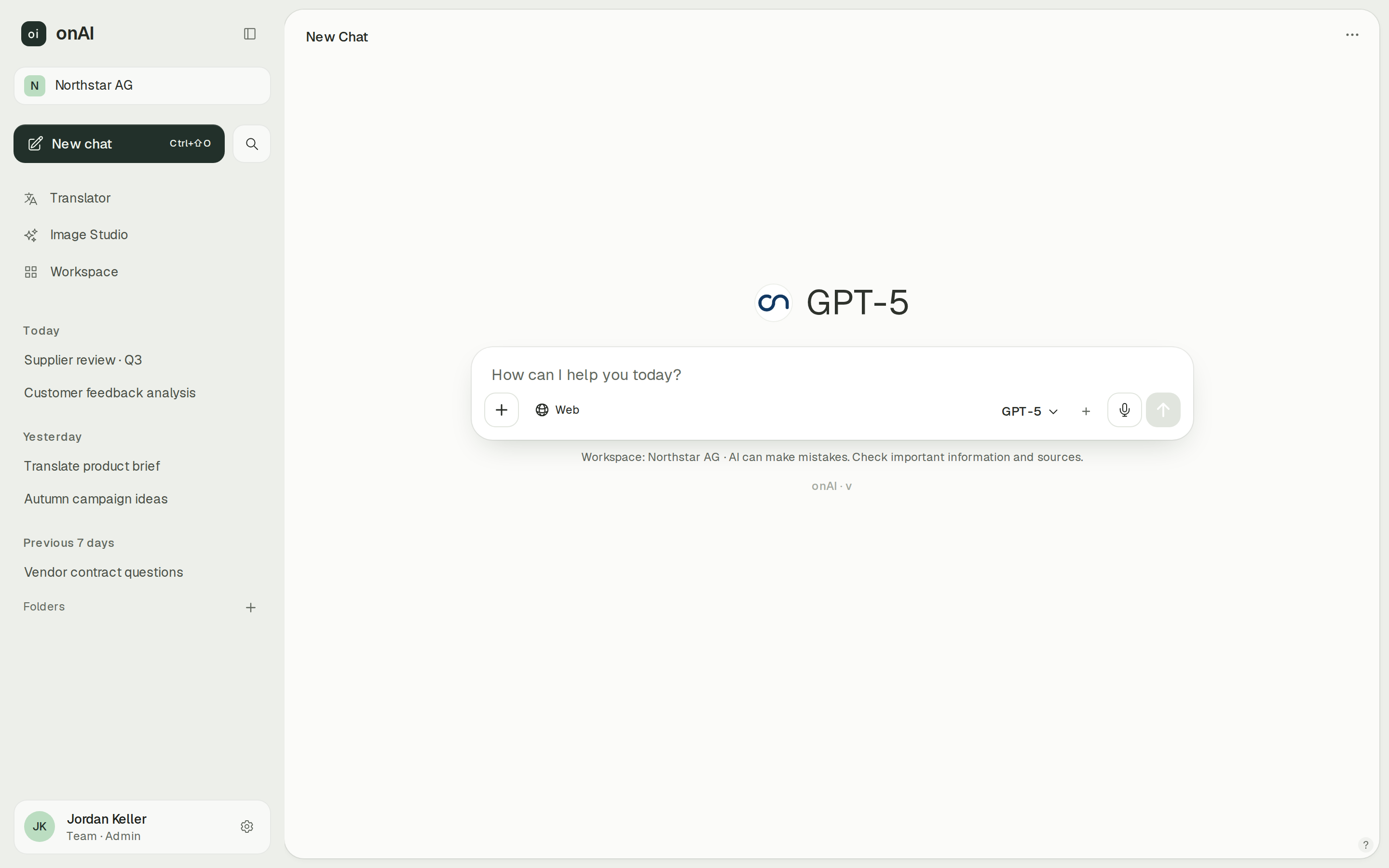
onAI opens in the browser without an installation or technical settings. Employees get an uncluttered starting point for their daily work. Use the demo to judge whether that interface suits people who will use AI occasionally as well as every day.
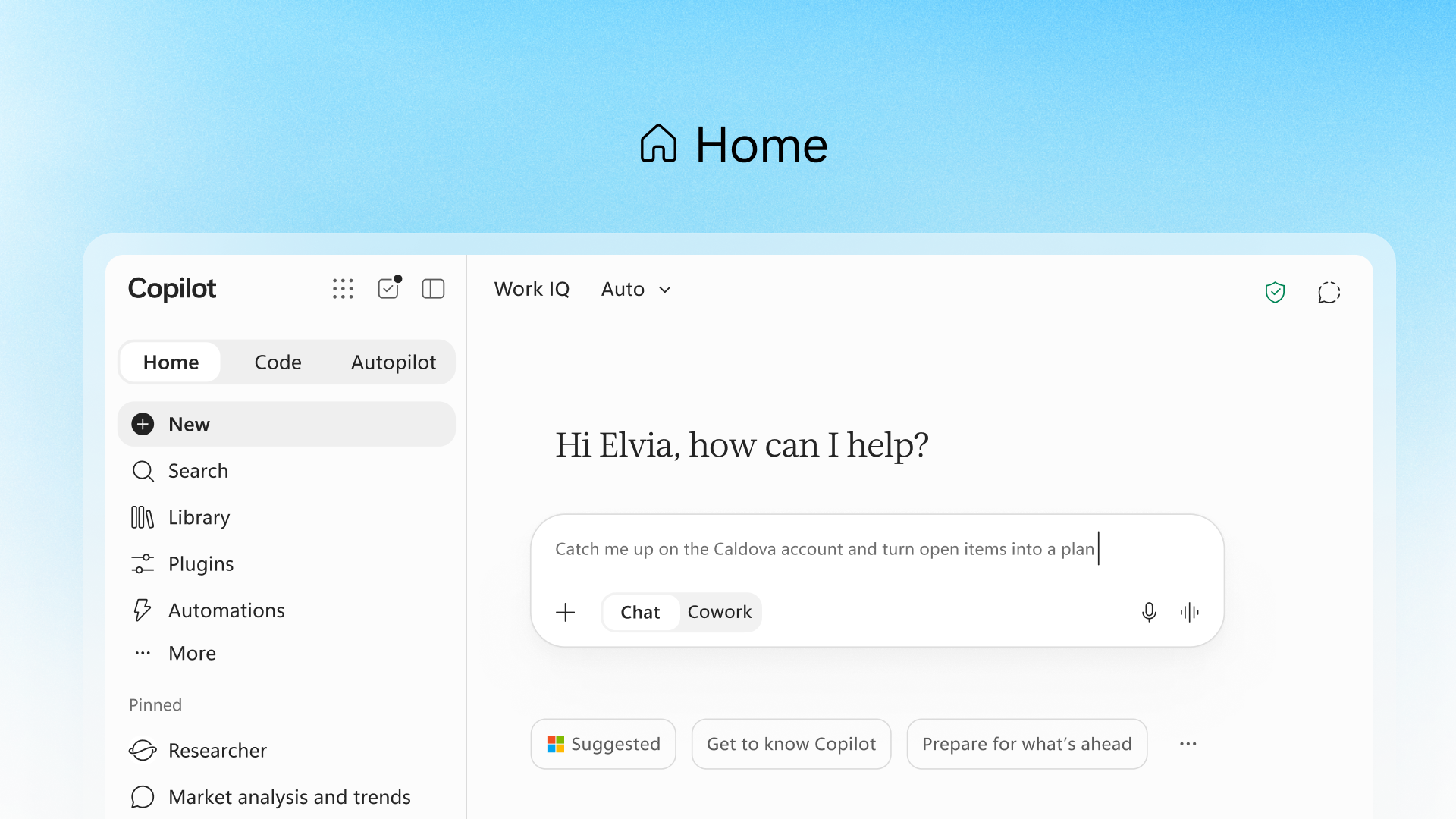
Copilot also offers browser access, alongside desktop and mobile clients. Its paid offering works inside Word, Excel, PowerPoint and Teams. If assistance within those applications is your main requirement, give that workflow particular weight in the evaluation.
- onAI
- Uncluttered interface in the browser No technical settings, nothing to install
- Microsoft Copilot
- Browser, desktop and mobile Client capabilities vary; Agent Builder is unavailable on mobile
Keep document layout and terminology
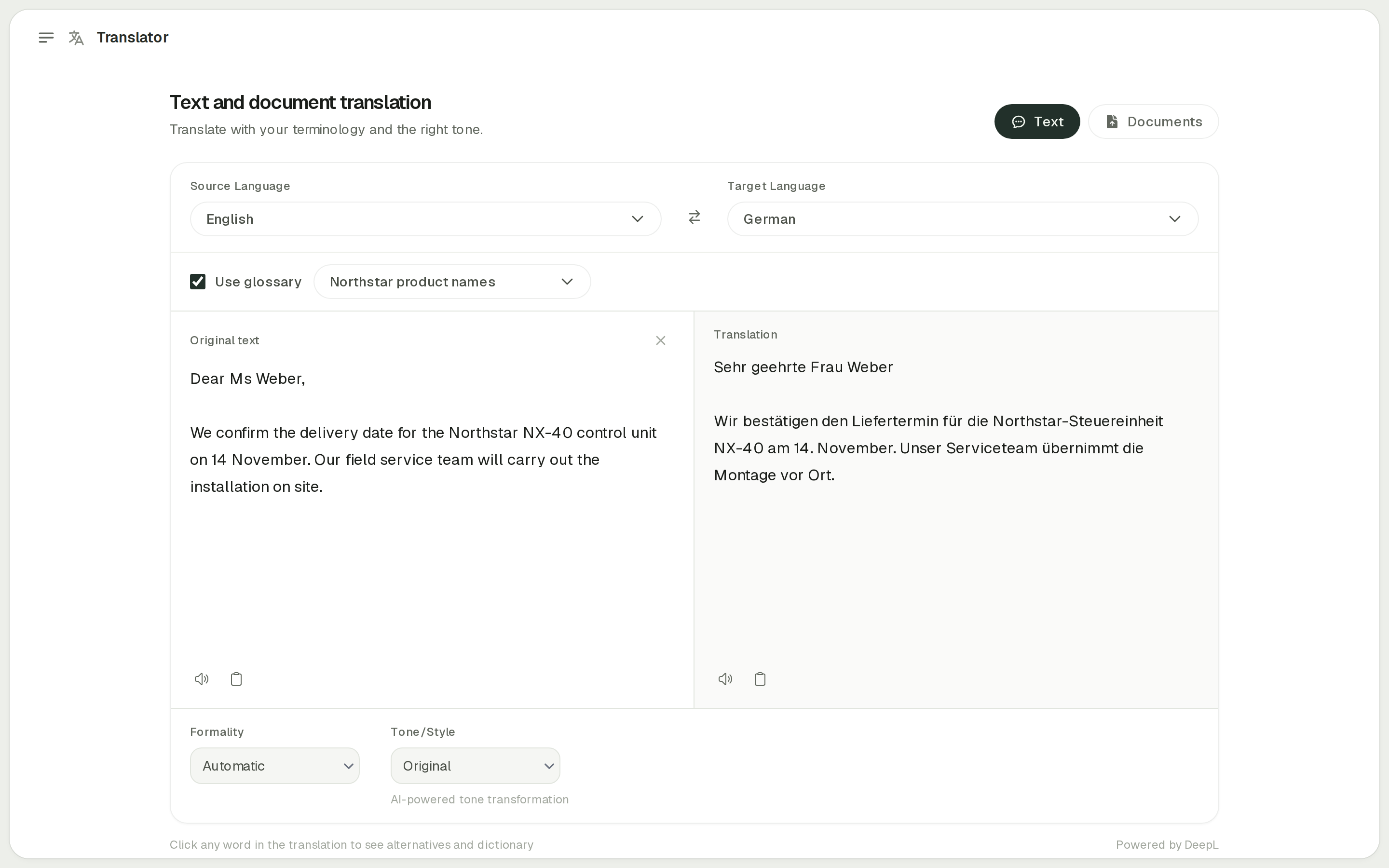
onAI includes DeepL for document translation with the layout retained. You can use glossaries, select formal or informal address and adjust style and tone. These are explicit translator controls for teams that repeatedly work with the same terminology.
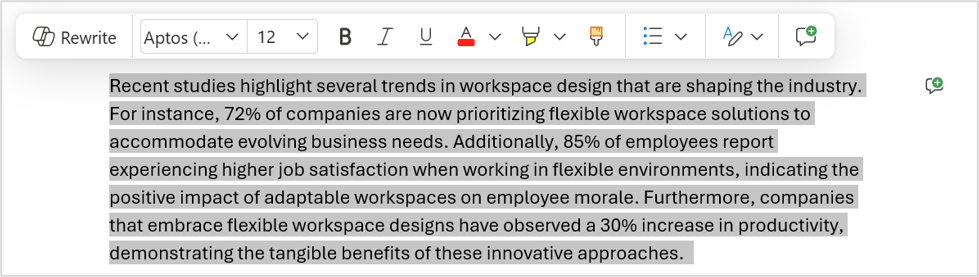
Copilot Chat can translate referenced file content and accept tone or audience instructions. Microsoft also documents a separate Word Translator command for formatted copies and a metered glossary workflow in SharePoint. Retained layout and enforced company glossaries remain unverified for Copilot Chat. Test those requirements in your intended workflow.
- onAI
- DeepL translator built in Documents with layout, glossaries, formality; adjust style and tone
- Microsoft Copilot
- Not stated in docs (as of )
Set permissions and spending boundaries
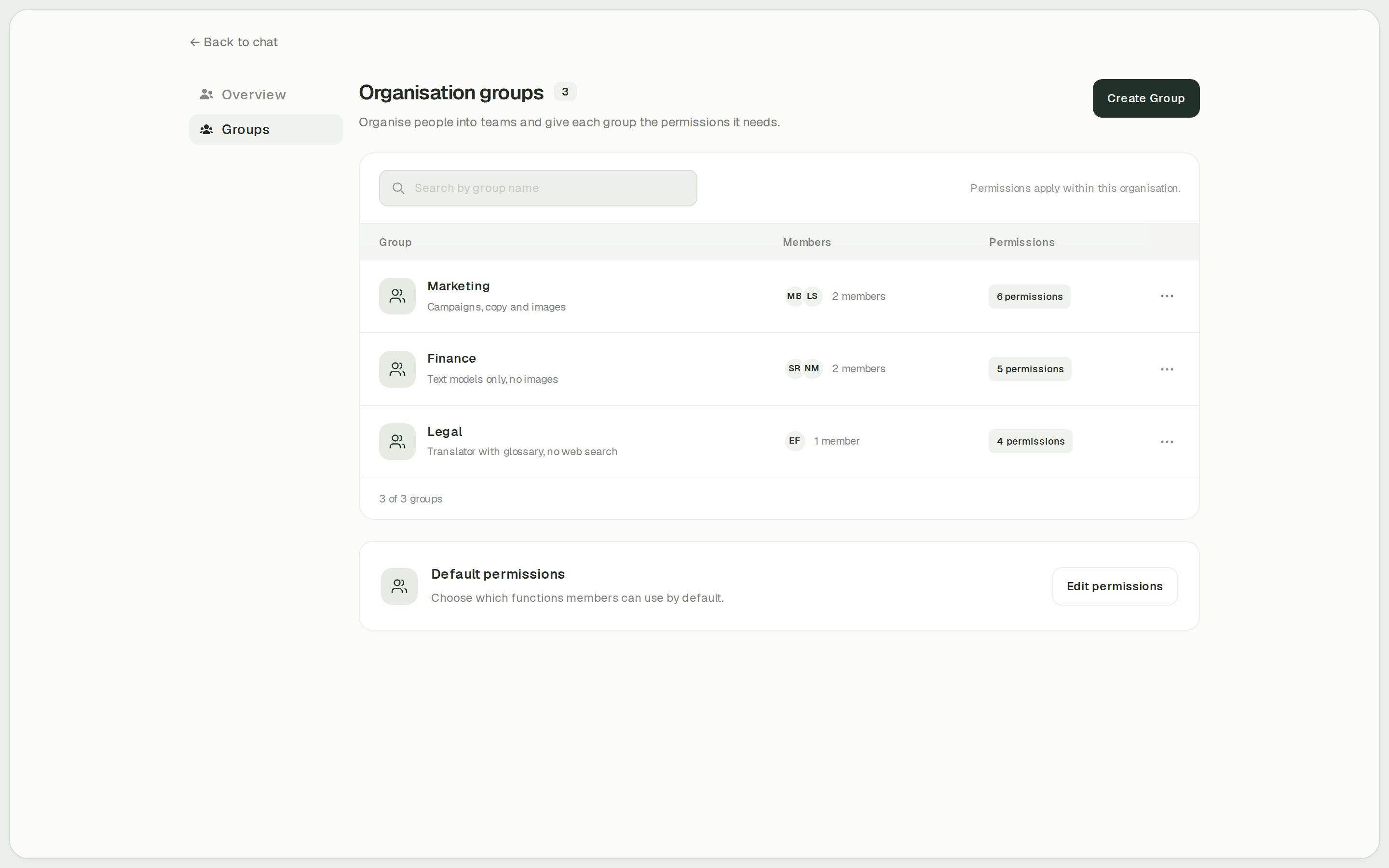
In onAI, administrators decide which groups can use features such as Image Studio, the translator and web search. Cost limits can be set per organisation and person.
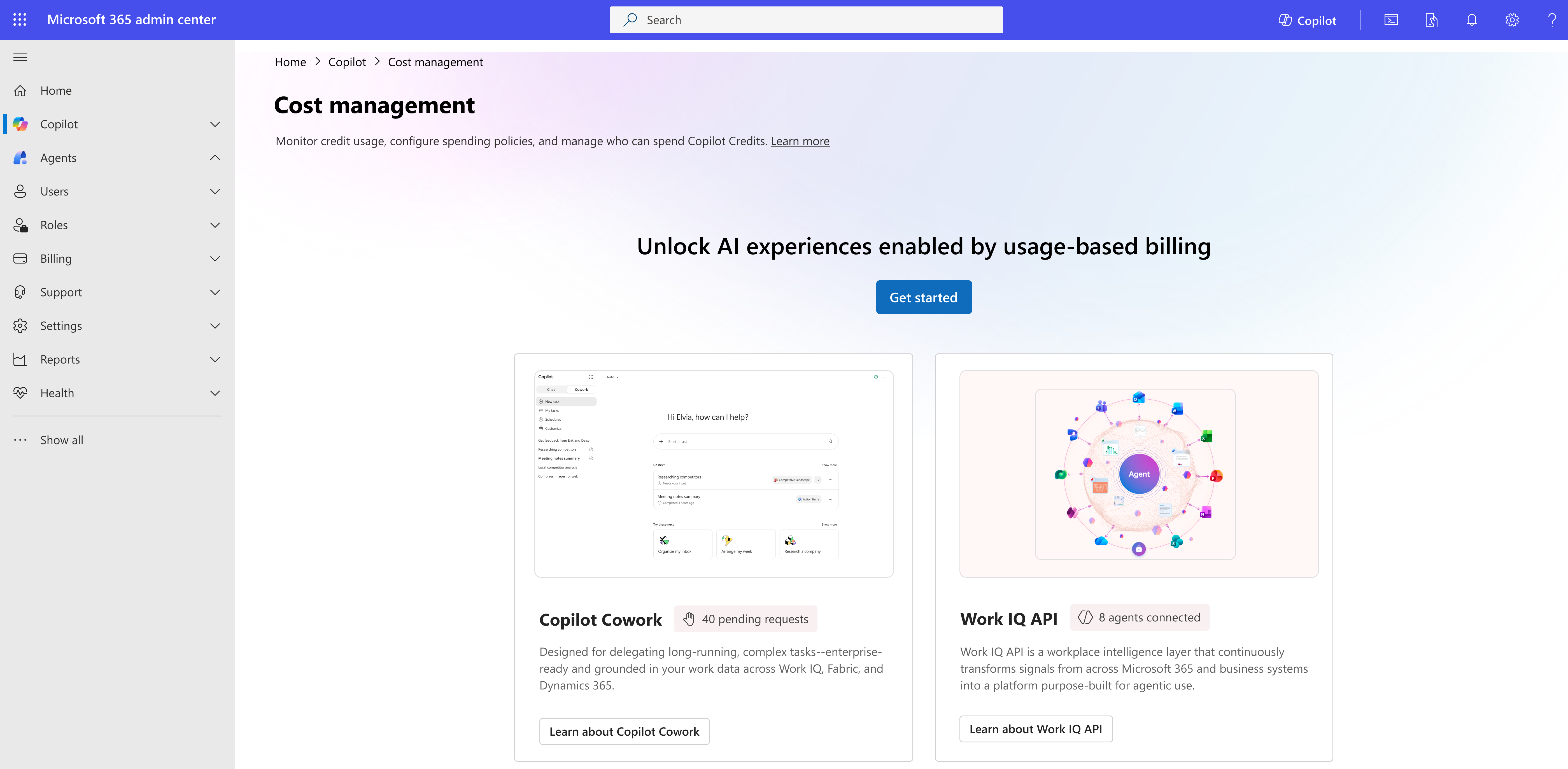
Microsoft documents separate administrative roles and selected group-targeted controls. For metered Copilot services, spending policies support monthly limits and optional per-user limits. Those controls sit within Microsoft 365 administration and its billing setup.
- onAI
- Cost limits per organisation and person
- Microsoft Copilot
- Monthly and per-user spending limits For metered services; enforcement timing not tested
Case Study
Secure AI for 6,800 employees: how Manor established a privacy‑compliant alternative to ChatGPT across the company with onAI.
Thanks to the latest AI capabilities in onAI, our employees are more productive and use them securely and compliantly — at an affordable fixed price.
Where onAI fits better
Choose onAI if you want a Swiss contracting partner, an uncluttered browser workspace and direct contact with the team running it. You can include onboarding and training in a company fixed price.
A translator for company terminology
Use the built-in DeepL translator for documents whose layout matters. Glossaries and formal or informal address give you explicit controls for recurring terminology and tone.
Your choice of deployment
onAI runs on servers in Europe with a Swiss contracting party. If your infrastructure policy requires it, ask us about a dedicated server or running onAI on your own servers.
A direct line during rollout
You can speak to our team in German or English. Onboarding and training are included in the fixed price; we agree service levels and response times in your contract.
Where Microsoft Copilot fits better
Copilot fits teams that want AI inside the Microsoft 365 applications they already work in, with paid work-data grounding and administration through their Microsoft tenant.
Assistance in the original application
The paid offering works in Word, Excel, PowerPoint and Teams. Test it on a document your team edits or a presentation it prepares.
Grounding across Microsoft and external sources
Paid Copilot can use Microsoft Graph work content and licensed connectors for external sources. Synced connectors include services such as Salesforce and ServiceNow; each source has its own authorisation and setup requirements.
What onAI could do better
Custom automation needs our service
We build custom workflows as a service. onAI has no separate autonomous agent mode; tools run in the chat. Include that distinction in your evaluation if you want AI to carry out longer tasks on its own.
No built-in SIEM connection
Audit logging can be switched on, but a built-in SIEM connection is not included. If your security team needs one, make it part of the technical evaluation.
At a glance
Price
- onAI
- From €17 per user/month Includes €5 of model use; lower for larger teams, or a fixed price
- Microsoft Copilot
- €26 per user/month, annual Germany; paid add-on, base Microsoft 365 licence separate, excluding VAT
Hosting and processing
- onAI
- Swiss contracting party, servers in Europe On request a dedicated server or on-premises
- Microsoft Copilot
- EU/EFTA commitments with exceptions Qualifying EU/EFTA tenants; Anthropic processing and Bing queries excluded
Layout and glossaries in document translation
- onAI
- DeepL translator built in Documents with layout, glossaries, formality; adjust style and tone
- Microsoft Copilot
- Not stated in docs (as of )
Spending limits
- onAI
- Cost limits per organisation and person
- Microsoft Copilot
- Monthly and per-user spending limits For metered Copilot services
Getting started
- onAI
- Personal demo, then trial access Trial access for your team
- Microsoft Copilot
- Chat included for eligible accounts Eligible Microsoft 365 work accounts; full paid capabilities differ
"We found no public information on this" and "Not stated in docs" describe our research on the date shown; neither means the product lacks the capability.
Comparing onAI with Microsoft Copilot?
Book a demo. We show onAI with your own use cases and answer your data-protection questions.
Book a demoQuestions you might have
- Does the €26 Copilot price include Microsoft 365?
- No. The German list price of €26 per user per month is for the paid add-on, billed annually and excluding VAT; an eligible Microsoft 365 subscription is separate. onAI starts at €17 per user per month with €5 of model use included, and offers a company fixed price.
- Can we run the platform on our own servers?
- onAI offers operation on your own servers on request. We have not established an equivalent customer-hosted Copilot platform; connecting an on-premises data source does not mean that Copilot itself runs there.
- Will our prompts train AI models?
- onAI does not use your data to train AI models and only uses providers that exclude this by contract. Microsoft states that commercial prompts, responses and Graph data do not train foundation models. Retention and the terms of optional providers need a separate check.
- How can we compare both with our team?
- Eligible Microsoft 365 work accounts can use Copilot Chat without an additional charge, with narrower capabilities than the paid offering. With onAI, a personal demo comes first, followed by trial access for your team.
How this page was made
Research date: • Method: the vendors' public sources, collected and checked by AI agents and assessed against the onAI comparison rubric v1.1.
Microsoft Copilot facts come from public Microsoft documentation and pricing, collected by a research agent and checked by an independent agent. onAI facts are owner assertions. Product images come from Microsoft documentation and the onAI application; onAI captures contain demo data.
Written by onAI. We make one of the two products compared here, so this is a vendor's comparison. We checked every statement about Microsoft Copilot against a public source; the sources are listed in this page's structured data.