Comparison
Omnifact alternative: onAI with DeepL
Omnifact is a company AI platform with Chat and Spaces. Choose onAI for DeepL document translation, Image Studio and direct support in German and English.
Price the offer for your team size
onAI starts at EUR 17 per user per month with EUR 5 of model use included. Larger teams pay less, or choose a fixed price for the company. That fixed price includes onboarding and training, which you can include in the rollout budget.
Omnifact Pro costs EUR 25 per user per month, billed annually and excluding VAT, for up to 50 users. A 200-person rollout needs a separate Enterprise offer. Premium credits are pooled and expire monthly; public pricing and billing examples disagree on their currency, so this comparison does not assign a monetary allowance. Confirm the credit value and recharge terms in your offer.
- onAI
- From €17 per user/month Includes €5 of model use; lower for larger teams, or a fixed price
- Omnifact
- Pro EUR 25 per user/month Annual billing, excluding VAT; up to 50 users; Enterprise quoted separately
Separate workspace storage from model processing
onAI has a Swiss contracting party and runs on servers in Europe. You can request a dedicated server or deployment on your own servers.
Omnifact stores primary hosted workspace content in Azure EU. EU model routes coexist with direct US and global routes, and metadata processing has separate locations. This is not a whole-service EU-only guarantee. Enterprise offers customer-cloud and on-premises deployment; their minimum commitments are not publicly established. Confirm the selected models and deployment in the Enterprise offer.
- onAI
- Swiss contracting party, servers in Europe On request a dedicated server or on-premises
- Omnifact
- Primary workspace storage in Azure EU EU model routes available; direct/global routes and metadata have separate geography
Give everyday work a clear starting point
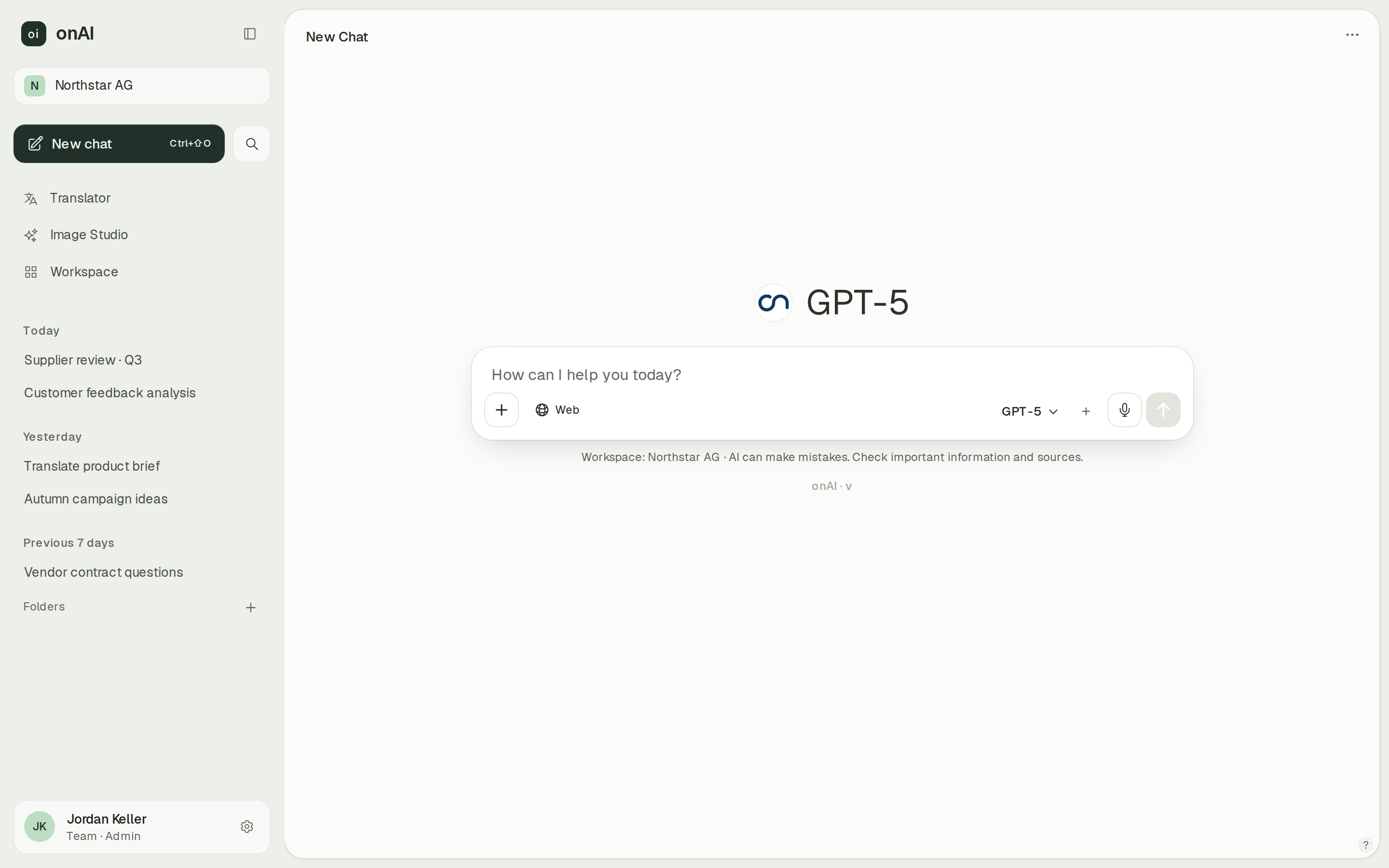
onAI gives employees an uncluttered interface without technical settings. Upload PDF, Word or Excel files directly in chat and ask about them. You can create assistants with instructions and knowledge, then share them with your team.
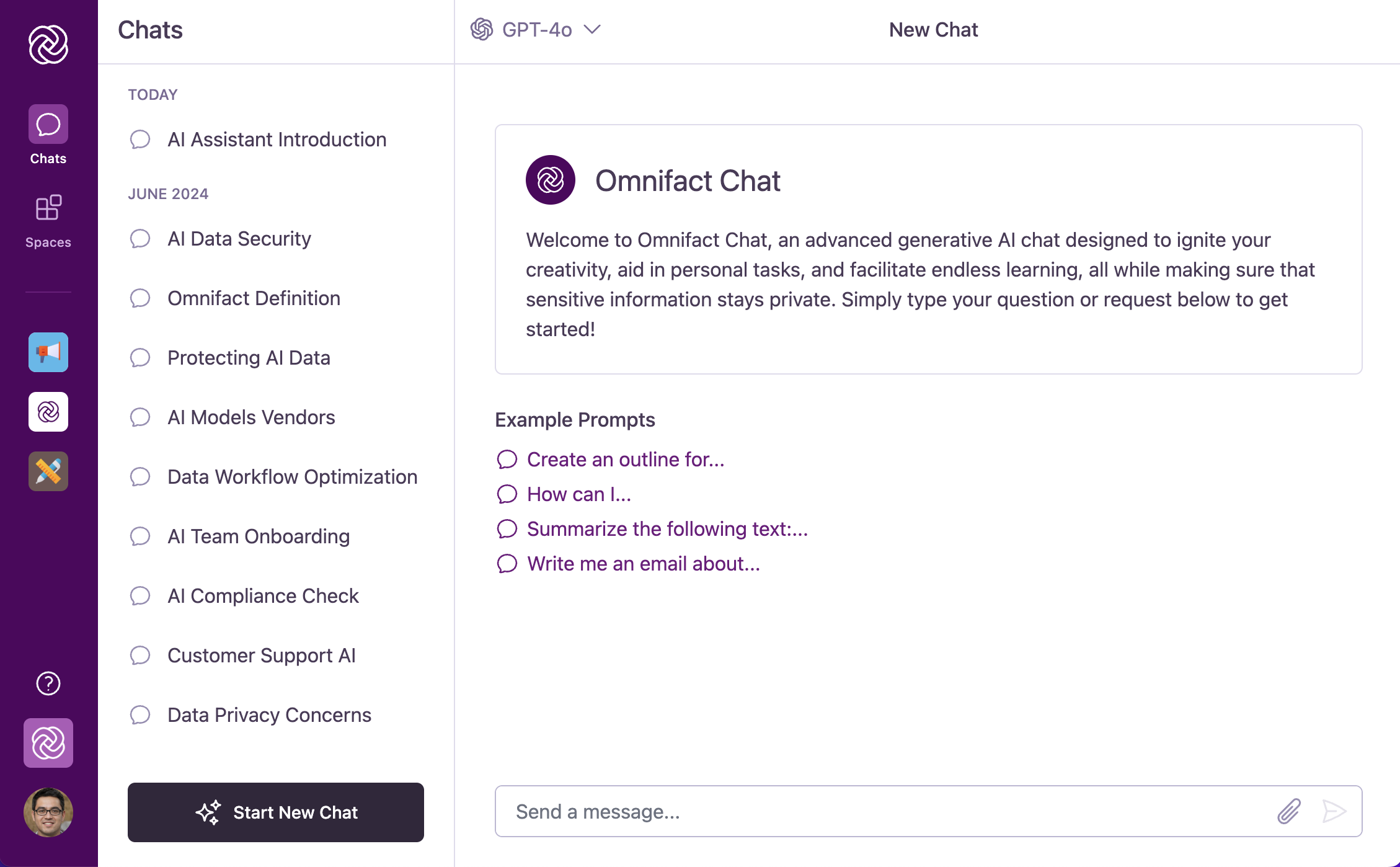
Omnifact Chat is also a conversational workspace. Its Spaces combine custom instructions, uploaded knowledge and starter prompts with shared access. Evaluate a general chat and a Space built for one department to see which arrangement your employees will use.
- onAI
- Uncluttered interface in the browser No technical settings, nothing to install
- Omnifact
- Spaces with instructions and knowledge Shared assistants with starter prompts and configured access
Choose models within your approval rules
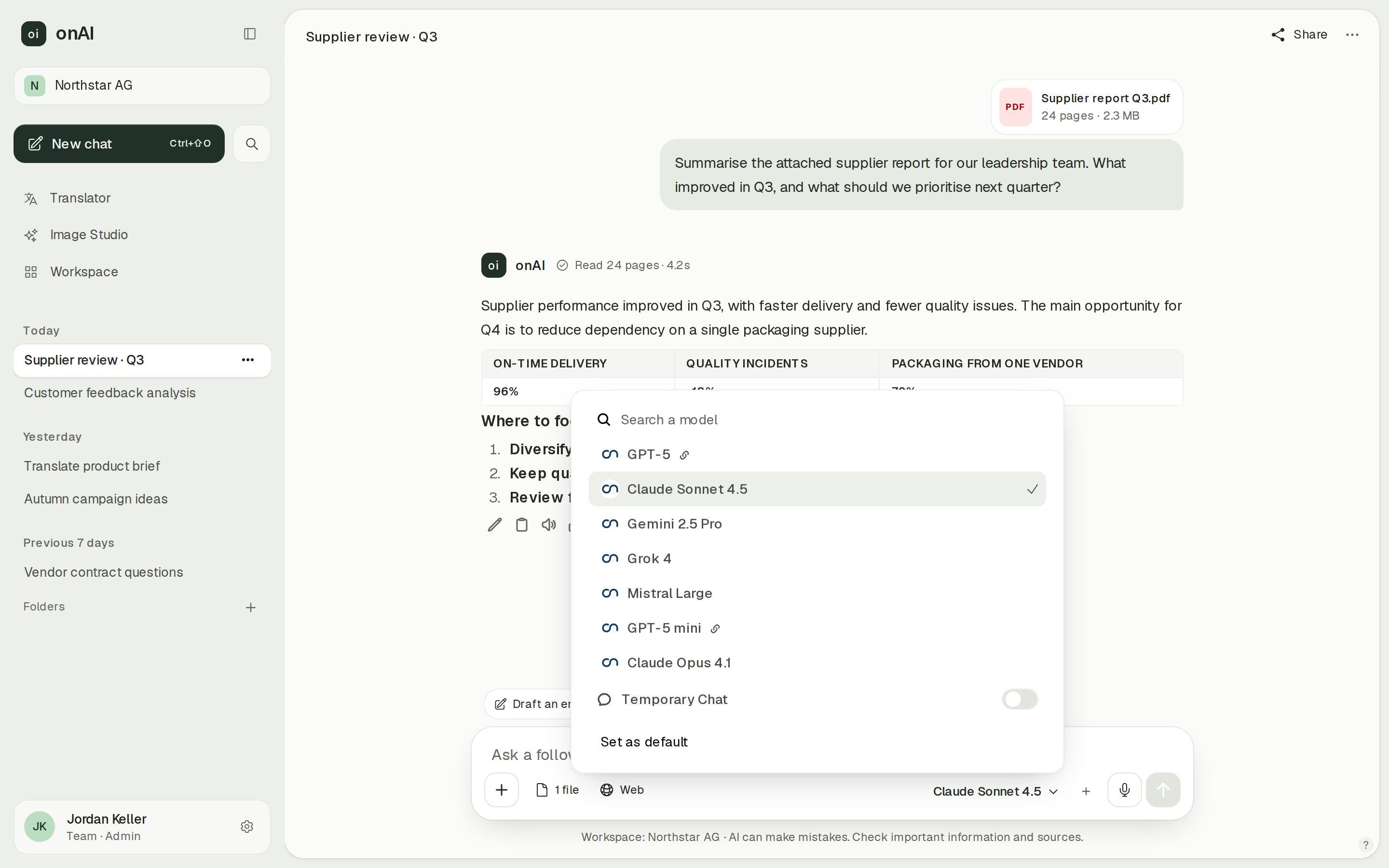
onAI administrators decide per group which models are allowed. We enable new models shortly after release; your own provider contracts and API keys are possible on request. Employees can make their choice within the selection approved for their group.
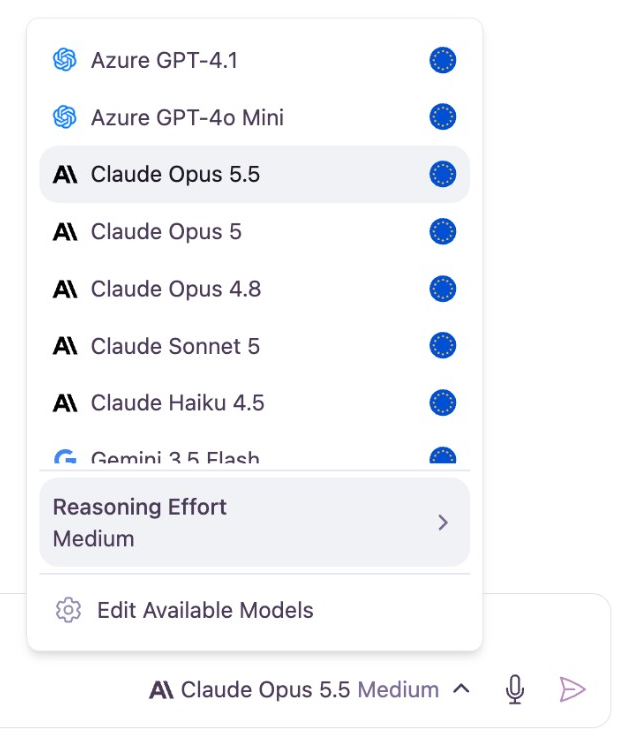
Omnifact users choose models from providers including OpenAI, Anthropic, Google and Mistral. Administrators enable specific models and routes for the organisation; groups grant model tiers and capabilities. Permissions add across groups and base-tier access remains available. Bring your intended group memberships to the evaluation, because an additional group can broaden access.
- onAI
- Models allowed per group Admins allow or block each model
- Omnifact
- Group model tiers; global model settings Group permissions are additive; base-tier access remains available
Manage groups and user access deliberately
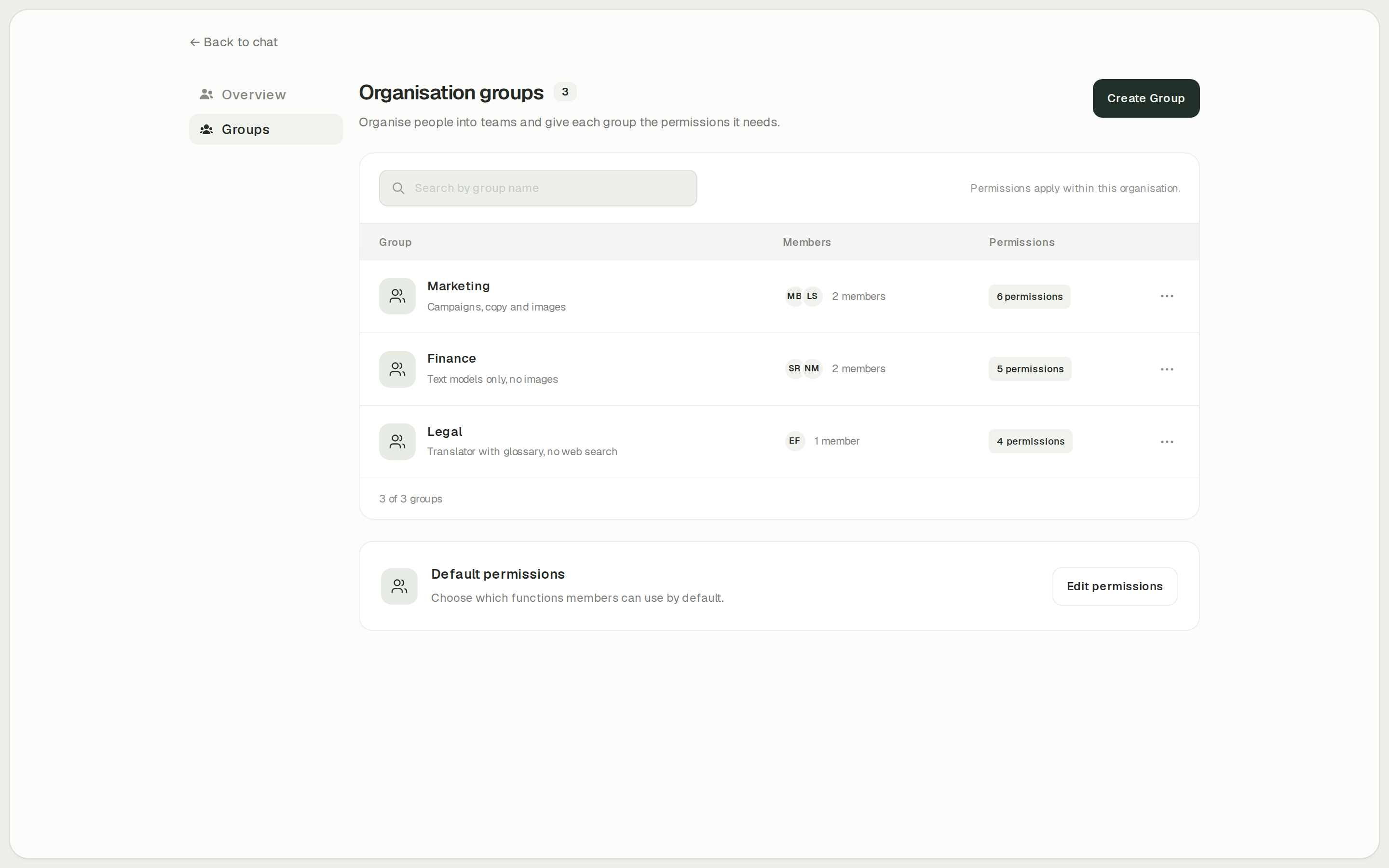
In onAI, administrators allow features such as translation, Image Studio and web search per group. Users are created at first SSO sign-in and groups come from the directory. onAI does not have SCIM; check that requirement before choosing an identity setup.
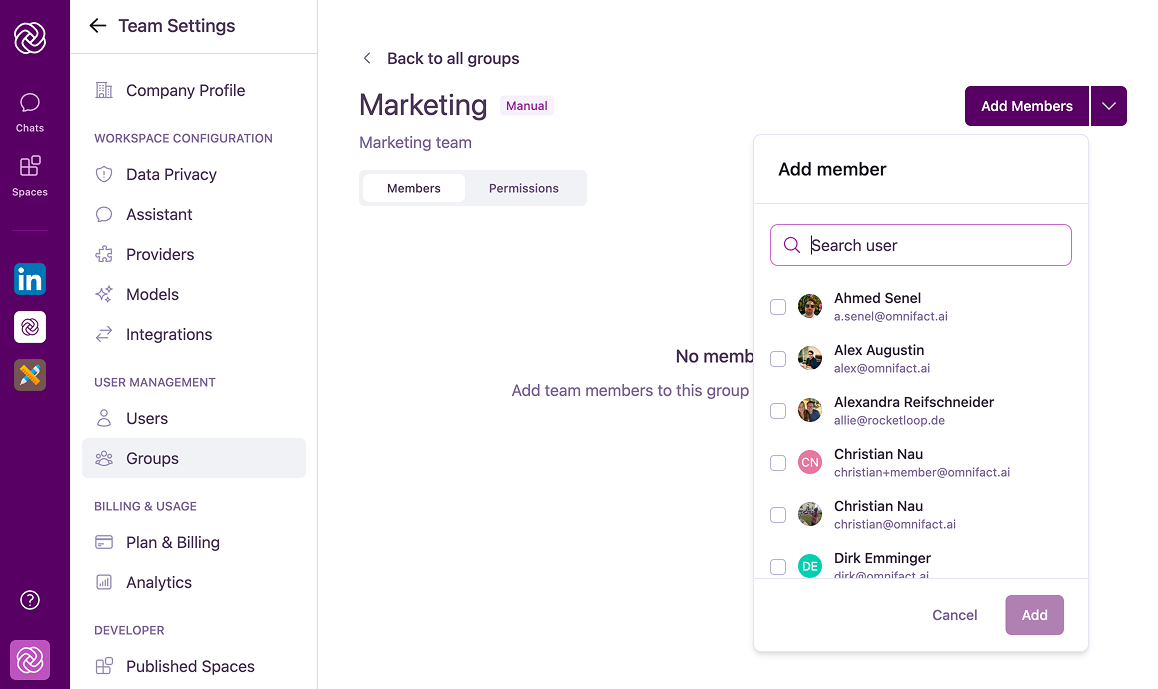
Omnifact has Owner, Admin and Member roles, separate Space roles and additive group permissions. Enterprise adds SAML SSO and SCIM user/group synchronisation. Under SCIM, manual user/profile/role changes are locked, and deactivated users cannot sign in. These Enterprise identity functions should be evaluated with the Enterprise quote, rather than treated as Pro inclusions.
- onAI
- Roles and groups Features enabled per group, for example Image Studio, translator
- Omnifact
- Roles, Spaces and additive groups Owner/Admin/Member; separate Space roles; grants combine across groups
Case Study
Secure AI for 6,800 employees: how Manor established a privacy‑compliant alternative to ChatGPT across the company with onAI.
Thanks to the latest AI capabilities in onAI, our employees are more productive and use them securely and compliantly — at an affordable fixed price.
Where onAI fits better
Choose onAI when the rollout centres on daily document work, translation and images, with direct help from the provider.
Document translation with explicit controls
The built-in DeepL translator preserves document layout and offers company glossaries, formal or informal address, and style and tone adjustments. Test a document containing your terminology, including the output format your team needs to reuse.
Compare image models side by side
In Image Studio, one prompt can run through up to three image models side by side. You see the estimated cost before generation, and image editing accepts up to ten reference images.
Agree rollout support in the company offer
Onboarding and training are included in the fixed company price. You reach the team directly in German and English; service levels and response times are agreed in the contract.
Where Omnifact fits better
Omnifact fits organisations that require SCIM identity management on Enterprise, configured MCP business tools, or a publicly verifiable ISO 27001 certificate.
Enterprise identity provisioning
Enterprise SCIM synchronises users and groups through identity providers such as Entra, Okta or Google Workspace. Synced membership is managed at the identity provider, while Omnifact controls the group permissions. Include those dependencies and the Enterprise entitlement in your rollout plan.
Configure remote business tools
Workspace administrators can add remote MCP servers and set each tool to Always, Approval or Disable. OAuth needs each user to sign in; static credentials are shared centrally and are available across the team. Evaluate that authentication boundary before connecting business actions.
Inspect the public ISO certificate
Omnifact has a public ISO/IEC 27001:2022 certificate covering the ISMS for its Platform and Spaces. It is valid until 6 April 2029, subject to surveillance. Match that scope to your procurement requirement; it does not establish every model provider’s assurance.
What onAI could do better
Identity management without SCIM
onAI creates users at first SSO sign-in and imports groups from the directory. It has no SCIM. If automated SCIM provisioning is mandatory for your rollout, resolve that requirement before choosing.
No ISO 27001 certification
onAI is not currently ISO 27001 certified and has no SOC 2 report. If procurement requires either, include that in the selection decision.
At a glance
Price for the relevant team
- onAI
- From €17 per user/month Includes €5 of model use; lower for larger teams, or a fixed price
- Omnifact
- Pro EUR 25 per user/month Annual billing, excluding VAT; up to 50 users; Enterprise quoted separately
Storage and model routes
- onAI
- Swiss contracting party, servers in Europe On request a dedicated server or on-premises
- Omnifact
- Primary workspace storage in Azure EU EU model routes available; direct/global routes and metadata have separate geography
Model permissions
- onAI
- Models allowed per group Admins allow or block each model
- Omnifact
- Group model tiers; global model settings Group permissions are additive; base-tier access remains available
User provisioning
- onAI
- Created automatically at SSO sign-in Groups from the directory; no SCIM
- Omnifact
- SCIM on Enterprise User and group sync; identity-provider setup required
ISO 27001
- onAI
- No ISO 27001 certification No SOC 2 report
- Omnifact
- ISO/IEC 27001:2022 certified Platform/Spaces ISMS; valid to 6 April 2029, subject to surveillance
Comparing onAI with Omnifact?
Book a demo. We show onAI with your own use cases and answer your data-protection questions.
Book a demoQuestions you might have
- Does the Pro price cover 200 employees and SCIM?
- No. Pro stops at 50 users, and Enterprise adds SSO and SCIM under a separate offer. Compare that Enterprise quote with onAI’s offer for your team; onAI has login-time user creation and directory groups, without SCIM.
- Does Omnifact also create and edit images?
- Yes. Pro and Enterprise support image generation with configured OpenAI or Google models and edits using uploaded references. Group permission and enabled models determine access; model routes can differ by location. onAI Image Studio offers side-by-side generation with up to three models and editing with up to ten reference images.
- How can our team evaluate both?
- Omnifact offers a ten-day Pro trial without a credit card; Enterprise setup is arranged separately. onAI starts with a personal demo, followed by trial access for your team. Use the same files, translation requirements and access groups to compare the workflows.
How this page was made
Research date: • Method: the vendors' public sources, collected and checked by AI agents and assessed against the onAI comparison rubric v1.1.
AI agents collected and checked public Omnifact documentation, pricing, terms and certificate evidence. onAI facts are owner statements. Captures are unchanged documentation images and onAI application images with demo data. Documentation gaps remain open questions and are not treated as missing features.
Written by onAI. We make one of the two products compared here, so this is a vendor's comparison. We checked every statement about Omnifact against a public source; the sources are listed in this page's structured data.