Comparison
Claude alternative: onAI from €17
Claude Team and Enterprise are AI workspaces for companies. onAI offers a DeepL translator, Image Studio and servers in Europe, from €17 per user/month including €5 of model use.
A Swiss provider, servers in Europe
onAI runs on servers in Europe with a Swiss contracting party. You can also request a dedicated server or deployment on your own servers.
Anthropic documents US storage for Enterprise and global inference for its commercial service. Usage-based Enterprise can choose US-only inference, which does not determine storage or third-party processing. If data location is part of your approval, distinguish application storage from model processing and check the exact plan.
- onAI
- Swiss contracting party, servers in Europe On request a dedicated server or on-premises
- Claude Team / Enterprise
- US storage for Enterprise Commercial inference is global by default; US-only option on usage-based Enterprise
Compare included use with access-only seats
onAI starts at €17 per user and month, including €5 of model use. Larger teams pay less, or choose a fixed price for the company. Onboarding and training are included in the fixed price.
Claude Team Standard costs USD 20 per seat/month on annual billing or USD 25 per seat/month on monthly billing. Premium costs USD 100 per seat/month annually or USD 125 per seat/month monthly. Team includes usage and has 2 to 150 seats. Current Enterprise access costs USD 20 per seat/month, billed annually, with all model usage charged separately. For 200 employees, compare Enterprise.
- onAI
- From €17 per user/month Includes €5 of model use; lower for larger teams, or a fixed price
- Claude Team / Enterprise
- Enterprise USD 20 per seat/month Billed annually; all model usage extra; Team includes usage
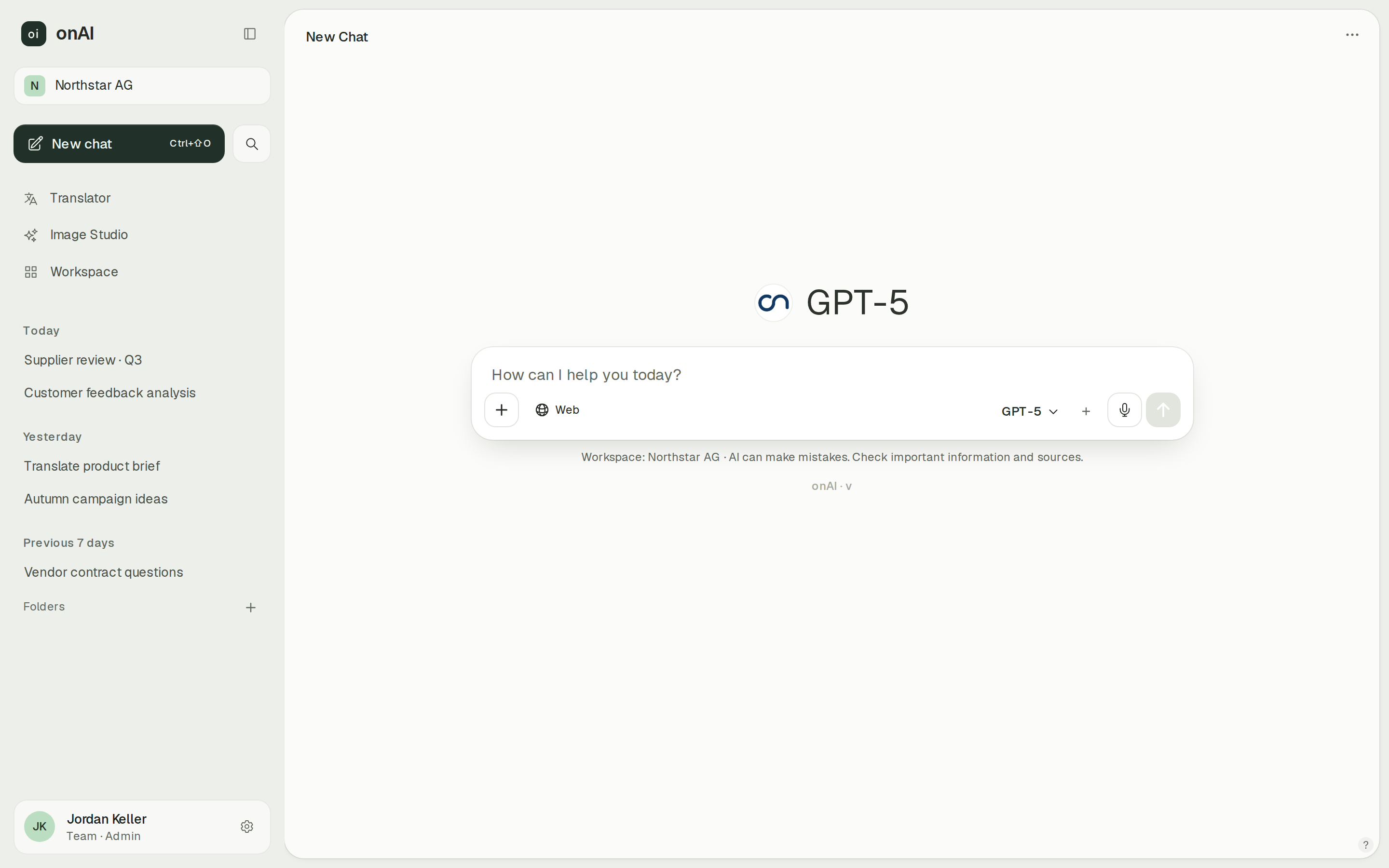
Everyday work through one browser interface
onAI gives employees an uncluttered interface without technical settings. Upload PDF, Word or Excel files directly in chat and ask questions about them. You can share a chat with colleagues by link.
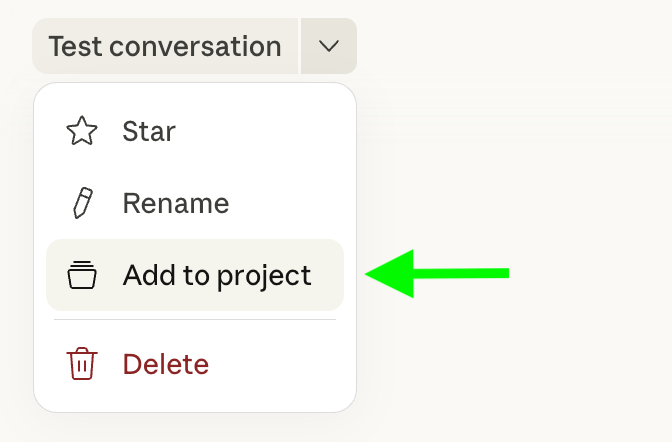
Claude projects retain files and instructions for related chats and can be shared within your organisation. Its code and file tools can also produce Office documents and PDFs.
- onAI
- Uncluttered interface in the browser No technical settings, nothing to install
- Claude Team / Enterprise
- Projects with shared knowledge Persistent files and instructions; sharing within the organisation
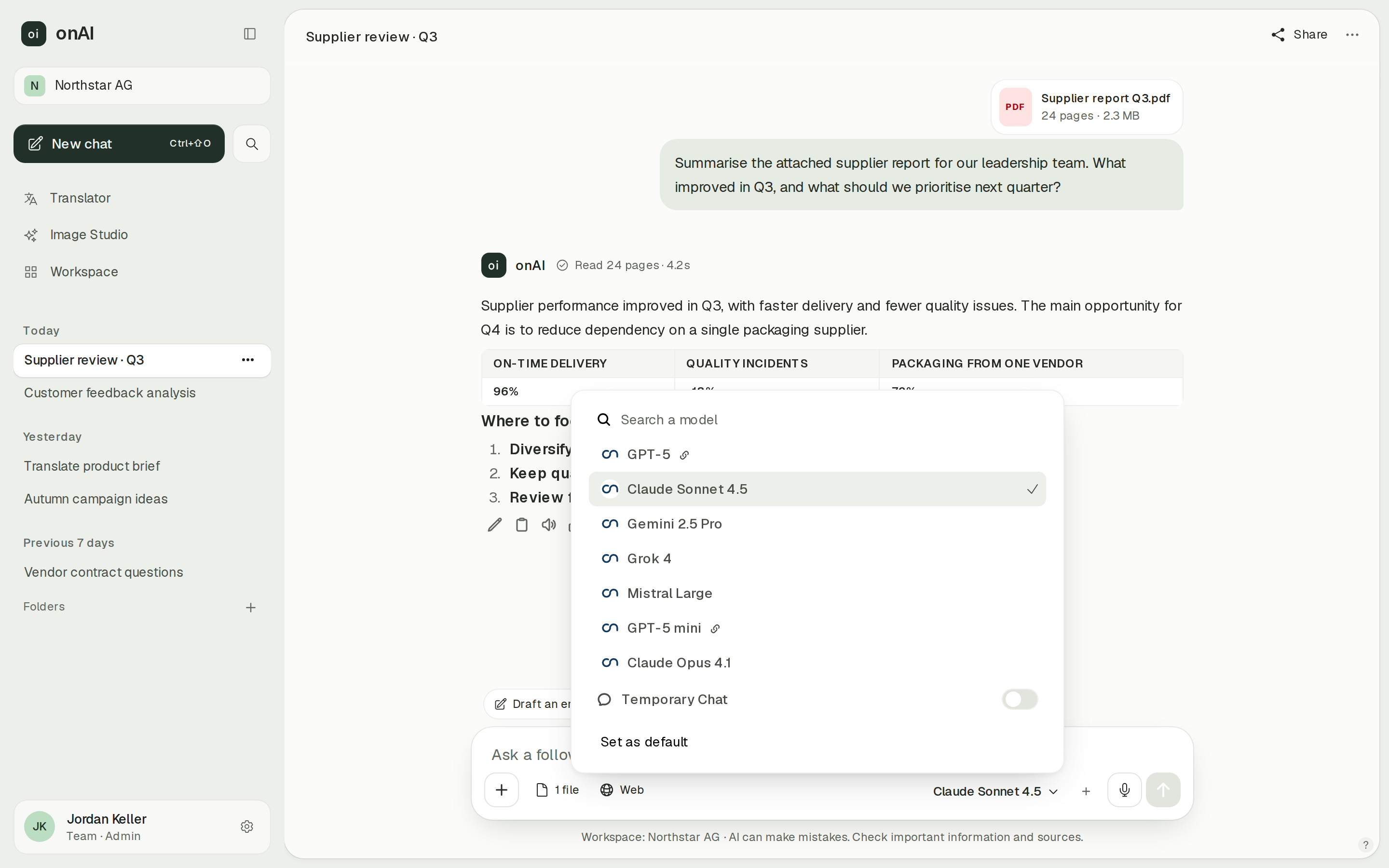
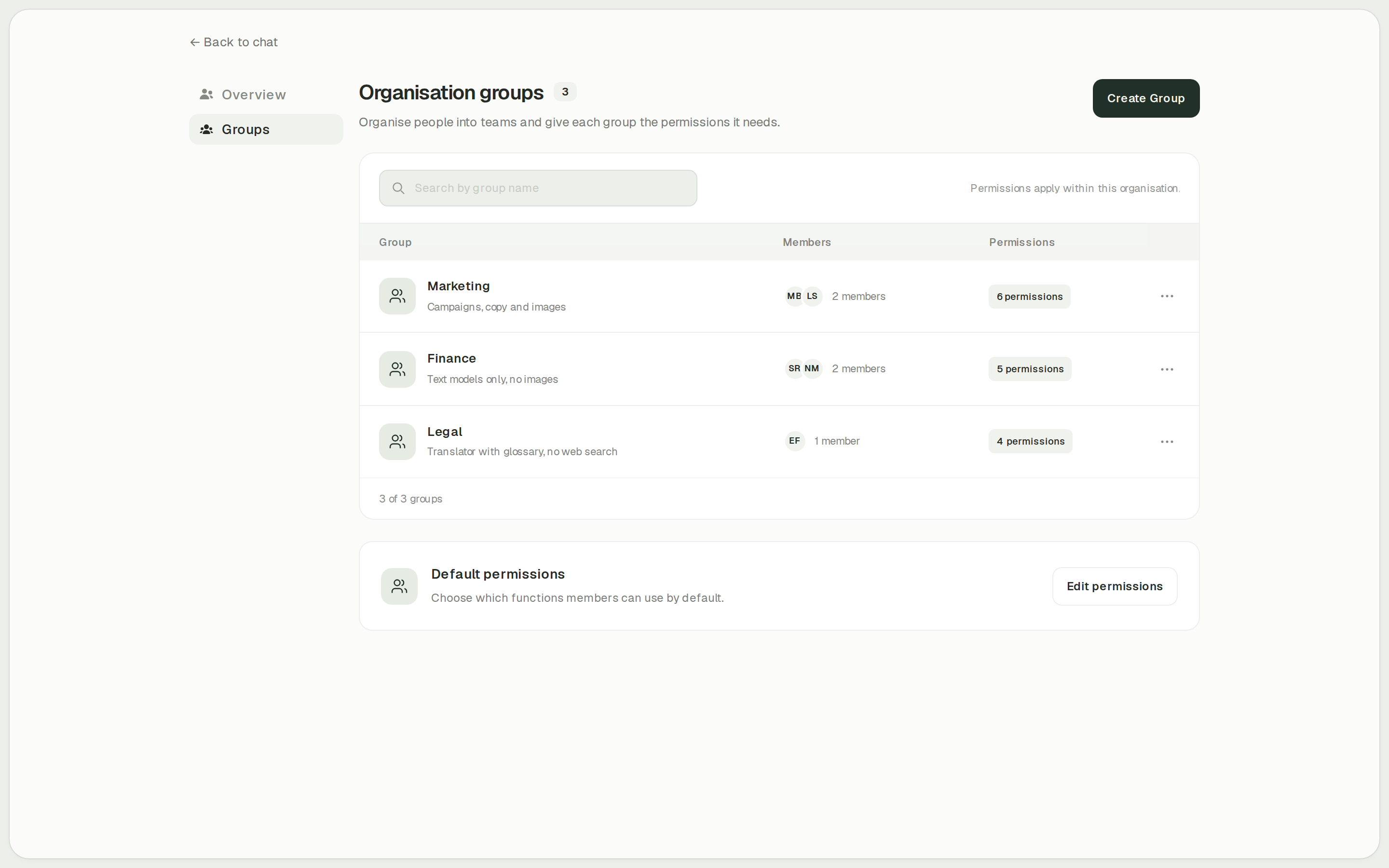
Set the model choices for each group
onAI administrators decide per group which models are allowed. We enable new models shortly after their release; your own provider contracts and API keys are possible on request.
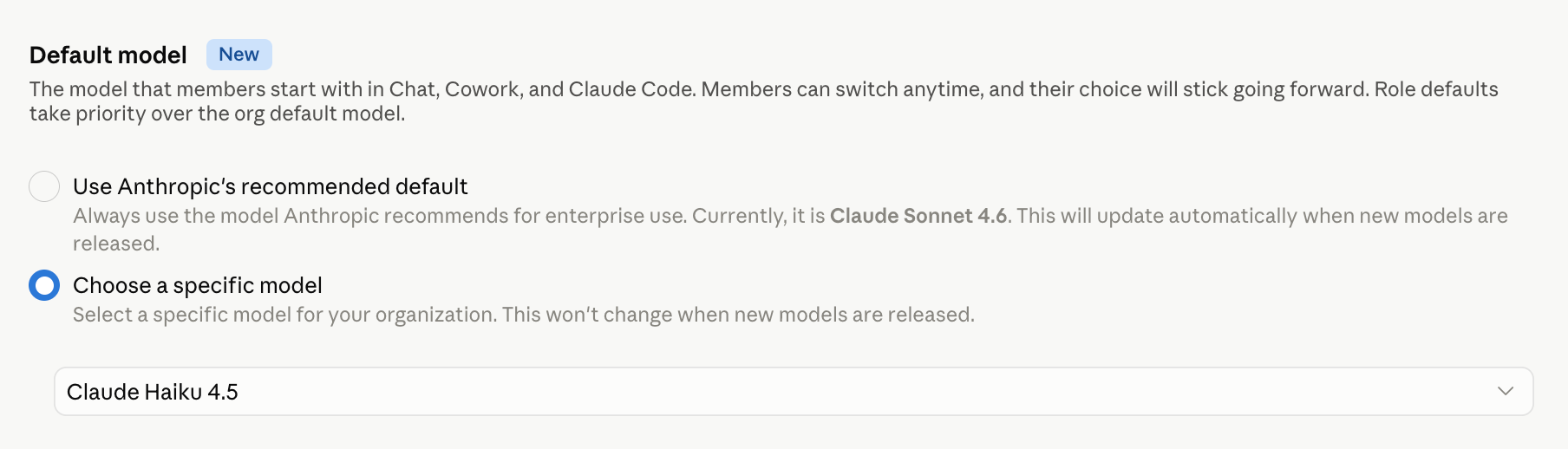
In Claude Enterprise, custom roles control model access and effort settings. Groups can receive roles and shared resources. Team has Owner, Admin and User roles.
- onAI
- Models allowed per group Admins allow or block each model
- Claude Team / Enterprise
- Enterprise model access by role Custom roles and groups; Team has standard organisation roles
Give access, then inspect usage
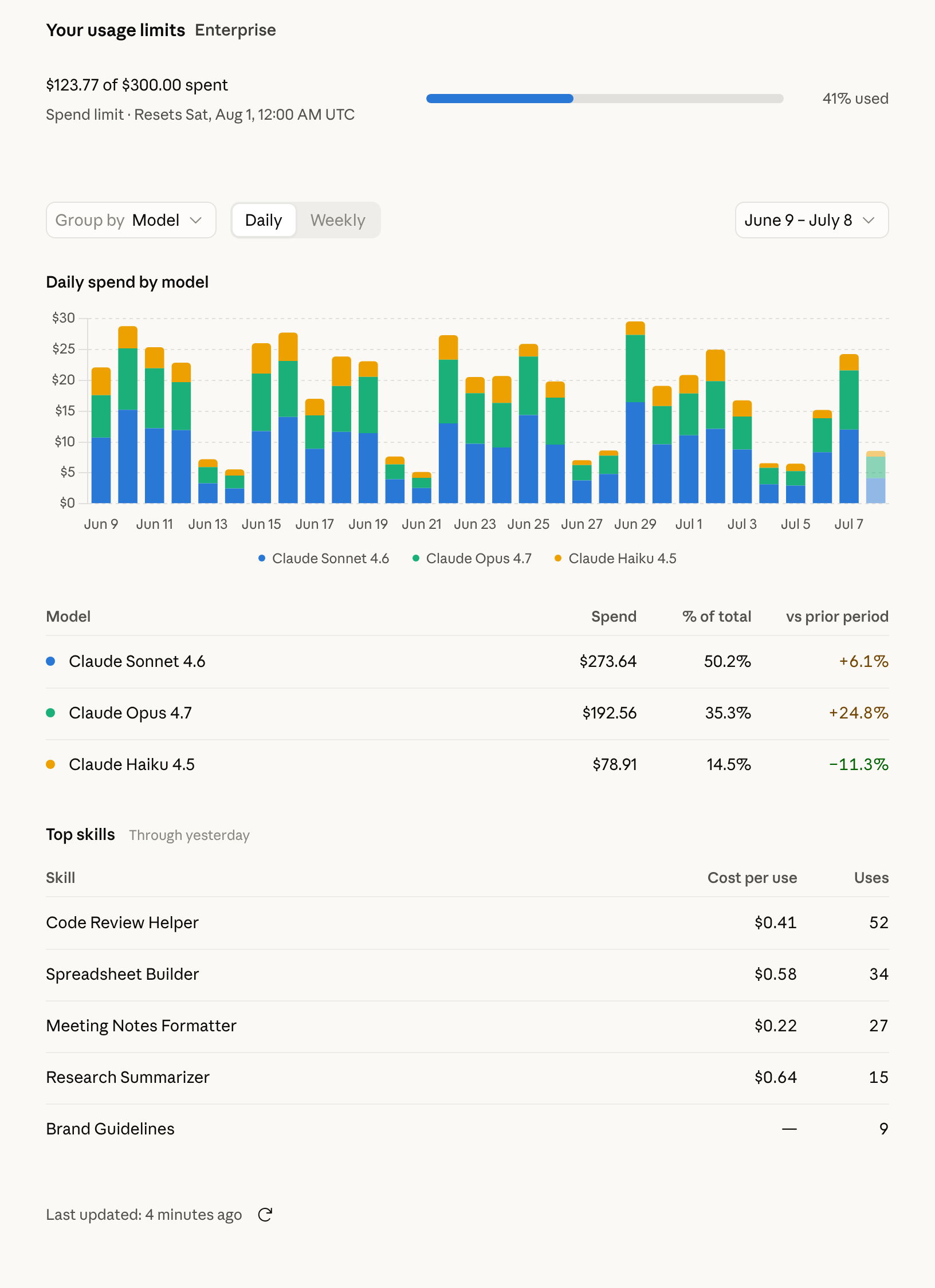
onAI administrators allow features per group and set cost limits per organisation and person. Usage reports break down activity by model, feature and person.
Claude Team and Enterprise provide usage analytics with plan-specific roles and exports. Enterprise also has custom roles and groups; SCIM is available on Enterprise, while Team supports JIT provisioning.
- onAI
- Usage by model, feature, person
- Claude Team / Enterprise
- Usage and spend reports Team and Enterprise analytics differ by plan and role
Case Study
Secure AI for 6,800 employees: how Manor established a privacy‑compliant alternative to ChatGPT across the company with onAI.
Thanks to the latest AI capabilities in onAI, our employees are more productive and use them securely and compliantly — at an affordable fixed price.
Where onAI fits better
onAI fits a company rollout where employees need common writing and document tools, with direct support from the provider.
A dedicated translation workflow
The DeepL translator handles documents with their layout, glossaries and formal or informal address. You can also adjust style and tone. Try a document with your company's terminology to judge whether the workflow fits your daily work.
Image tools in the workspace
Image Studio compares up to three image models on one prompt and shows the estimated cost before generation. Editing accepts up to ten reference images. It fits teams that want to create and revise images alongside their other AI work.
Where Claude fits better
Claude fits teams that specifically want its shared project knowledge and chat-based creation of Office documents. For larger organisations, evaluate the Enterprise administration features separately from the Team plan.
Work inside Microsoft Office
Claude offers native Word, Excel and PowerPoint add-ins on paid Claude plans. You also need a Microsoft subscription and administrator deployment approval where required. In Word, employees can use tracked revisions, comments and company styles while working in the open document.
Enterprise identity lifecycle
Enterprise SCIM can synchronise users and groups and remove users when identity-provider access is revoked. Team does not include SCIM. If automated provisioning is mandatory, this is a plan distinction to settle before comparing prices.
What onAI could do better
Identity management without SCIM
onAI creates users at first SSO sign-in and takes groups from the directory. It has no SCIM. Organisations that require a SCIM lifecycle need to resolve that requirement before rollout.
A deliberately smaller feature set
onAI has fewer features than some platforms and focuses on what employees use daily. Check your specialist workflows in the evaluation; we build custom agents and workflows as a service.
At a glance
Current Enterprise price
- onAI
- From €17 per user/month Includes €5 of model use; lower for larger teams, or a fixed price
- Claude Team / Enterprise
- Enterprise USD 20 per seat/month Billed annually; all model usage extra; Team includes usage
Storage and processing
- onAI
- Swiss contracting party, servers in Europe On request a dedicated server or on-premises
- Claude Team / Enterprise
- US storage for Enterprise Commercial inference is global by default; US-only option on usage-based Enterprise
Model access
- onAI
- Models allowed per group Admins allow or block each model
- Claude Team / Enterprise
- Enterprise model access by role Custom roles and groups; Team has standard organisation roles
Document translation and glossaries
- onAI
- DeepL translator built in Documents with layout, glossaries, formality; adjust style and tone
- Claude Team / Enterprise
- Not stated in docs (as of )
Image generation
- onAI
- Image studio with leading models Three models side by side, styles, editing with reference images
- Claude Team / Enterprise
- No native photo or illustration generation Claude web and desktop; third-party image tools excluded
User provisioning
- onAI
- Created automatically at SSO sign-in Groups from the directory; no SCIM
- Claude Team / Enterprise
- Enterprise SCIM; Team JIT SCIM is not included in Team
"We found no public information on this" and "Not stated in docs" describe our research on the date shown; neither means the product lacks the capability.
Comparing onAI with Claude Team / Enterprise?
Book a demo. We show onAI with your own use cases and answer your data-protection questions.
Book a demoQuestions you might have
- Can Claude Team cover a 200-person rollout?
- Team is limited to 2 to 150 seats. Current Enterprise starts at 20 seats for self-service or 50 through sales, with an annual access-seat commitment and usage billed separately. Compare that Enterprise offer for a rollout of 200 people.
- Which models can each seat use?
- Claude Team and Enterprise offer Anthropic's Opus, Sonnet and Haiku families; on Enterprise, administrators can restrict model access. Fable requires paid credits on Team Standard, has a limited included allowance on Team Premium and is billed at API rates on current Enterprise. In onAI, administrators approve models per group; your own provider contracts and API keys are possible on request.
- Does Claude have the same translation and image workflow?
- onAI has a DeepL translator with document layout and glossaries, plus Image Studio. Claude does not natively generate photos or illustrations; its whole-document translation with preserved layout and company glossaries remains unverified. Test those document requirements before choosing.
- Can our team try onAI before deciding?
- A personal demo comes first, followed by trial access for your team. Bring your documents and the tasks employees actually need to do. Onboarding and training are included if you choose the fixed company price.
How this page was made
Research date: • Method: the vendors' public sources, collected and checked by AI agents and assessed against the onAI comparison rubric v1.1.
We compare Claude Team and current Enterprise with onAI using public vendor material collected and checked by AI agents. onAI descriptions use owner statements. Recorded documentation gaps remain open questions; captures show only the visible interface, with onAI demo data labelled.
Written by onAI. We make one of the two products compared here, so this is a vendor's comparison. We checked every statement about Claude against a public source; the sources are listed in this page's structured data.