Comparison
TypingMind alternative: onAI with DeepL
TypingMind Teams is a chat workspace using your provider API keys. Choose onAI for an uncluttered interface, DeepL translation and direct support, from EUR 17 per user per month including EUR 5 of model use.
Compare the subscription and model bill together
onAI starts at EUR 17 per user per month, including EUR 5 of model use. Larger teams pay less, or choose a company fixed price that includes onboarding and training.
TypingMind Professional costs USD 299 per instance per month with monthly billing, including five users. Each additional user costs USD 8 per month; provider API usage is extra. Business starts at USD 18,700 per year by quote; self-host licensing is separate. Tax handling remains unconfirmed.
- onAI
- From €17 per user/month Includes €5 of model use; lower for larger teams, or a fixed price
- TypingMind / TypingMind Teams
- Professional USD 299 per instance/month Monthly; five users included; USD 8/additional user/month; provider APIs extra
Separate application storage from model processing
onAI runs on servers in Europe with a Swiss contracting party. You can request a dedicated server or operate onAI on your own servers.
TypingMind Teams offers US and opt-in EU cloud instances. Its EU guide warns that model calls may leave the EU; an EU Azure endpoint or private model is a separate choice. Teams self-host is an annual commercial licence. You operate the service and databases; releases follow the cloud by about one to three weeks.
- onAI
- Swiss contracting party, servers in Europe On request a dedicated server or on-premises
- TypingMind / TypingMind Teams
- US or opt-in EU instance Model calls may leave the EU; separate annual self-host licence
Choose models and decide who manages the keys
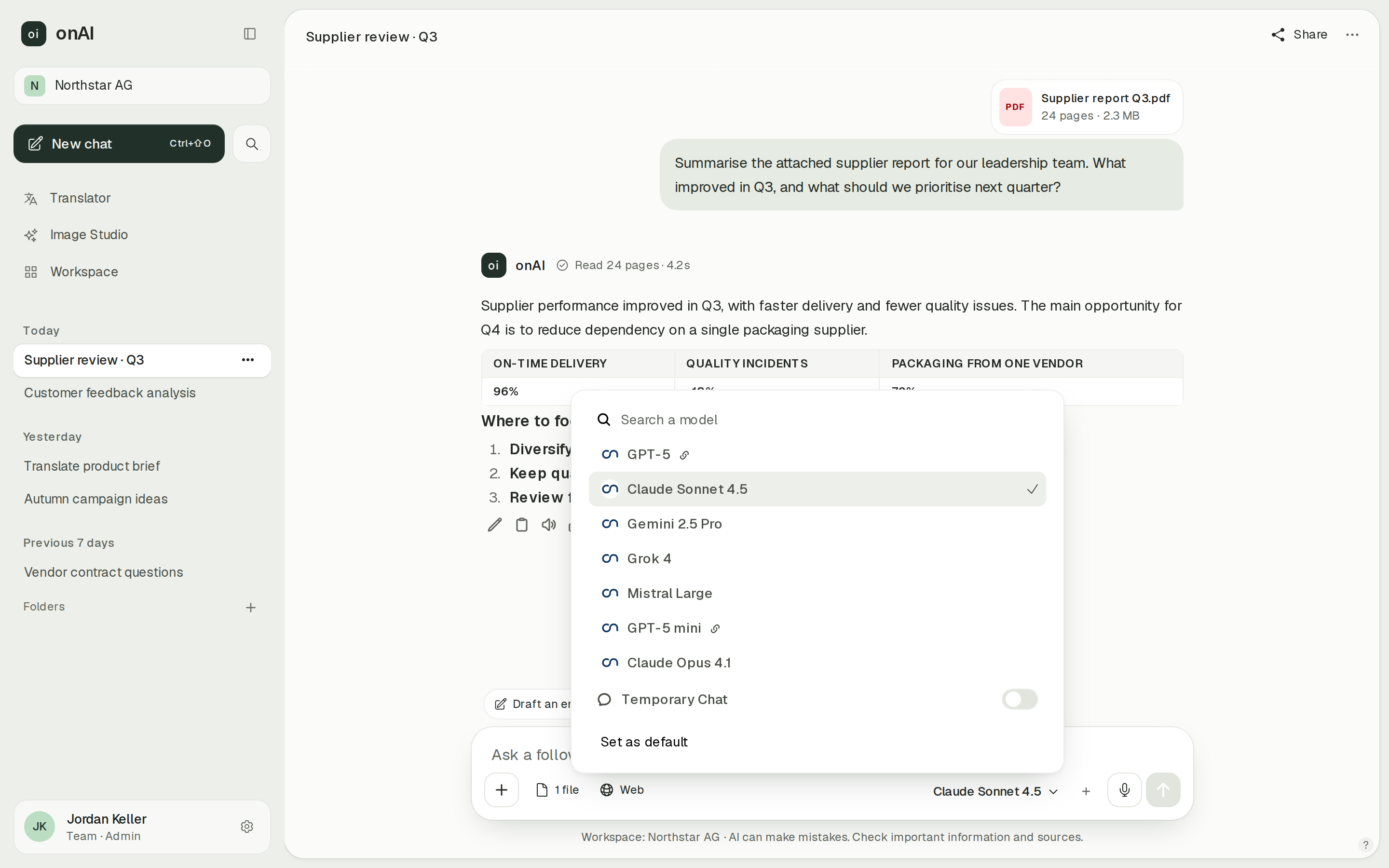
In onAI, employees choose Claude, GPT, Gemini, Grok or Mistral from the models their administrators approve. Administrators allow or block models per group. Your own provider contracts and API keys, such as Azure or OpenRouter, are possible on request.
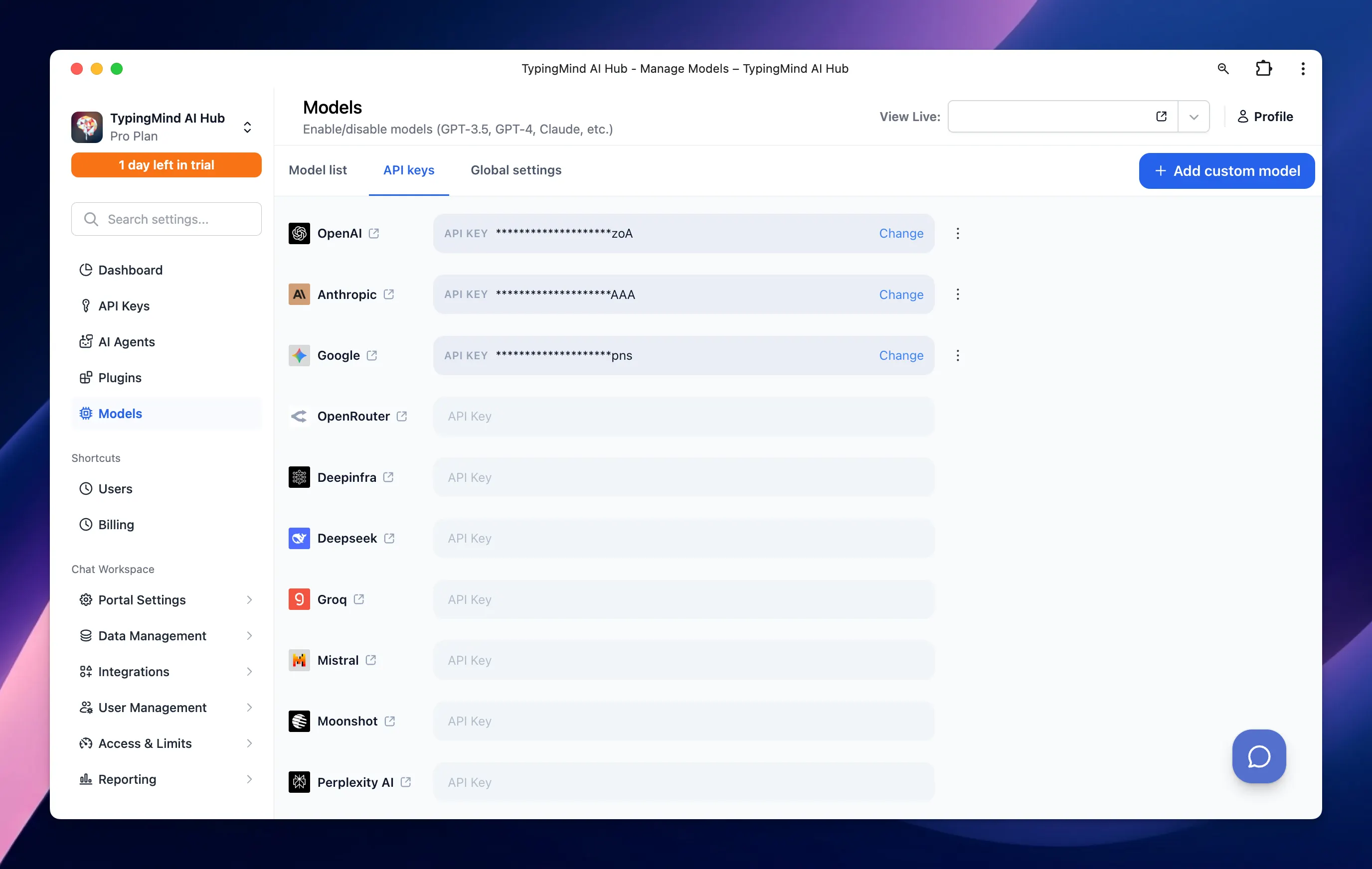
TypingMind Teams administrators supply the organisation's provider keys and enable selectable models. Providers include OpenAI, Anthropic, Google and OpenRouter, plus custom models such as Azure OpenAI. Employees cannot add personal keys in Teams chat. File and tool capabilities depend on the chosen model and endpoint.
- onAI
- Claude, GPT, Gemini, Grok, Mistral Users choose from models approved by admins
- TypingMind / TypingMind Teams
- Models through customer API keys Admins configure providers and available models; usage billed separately
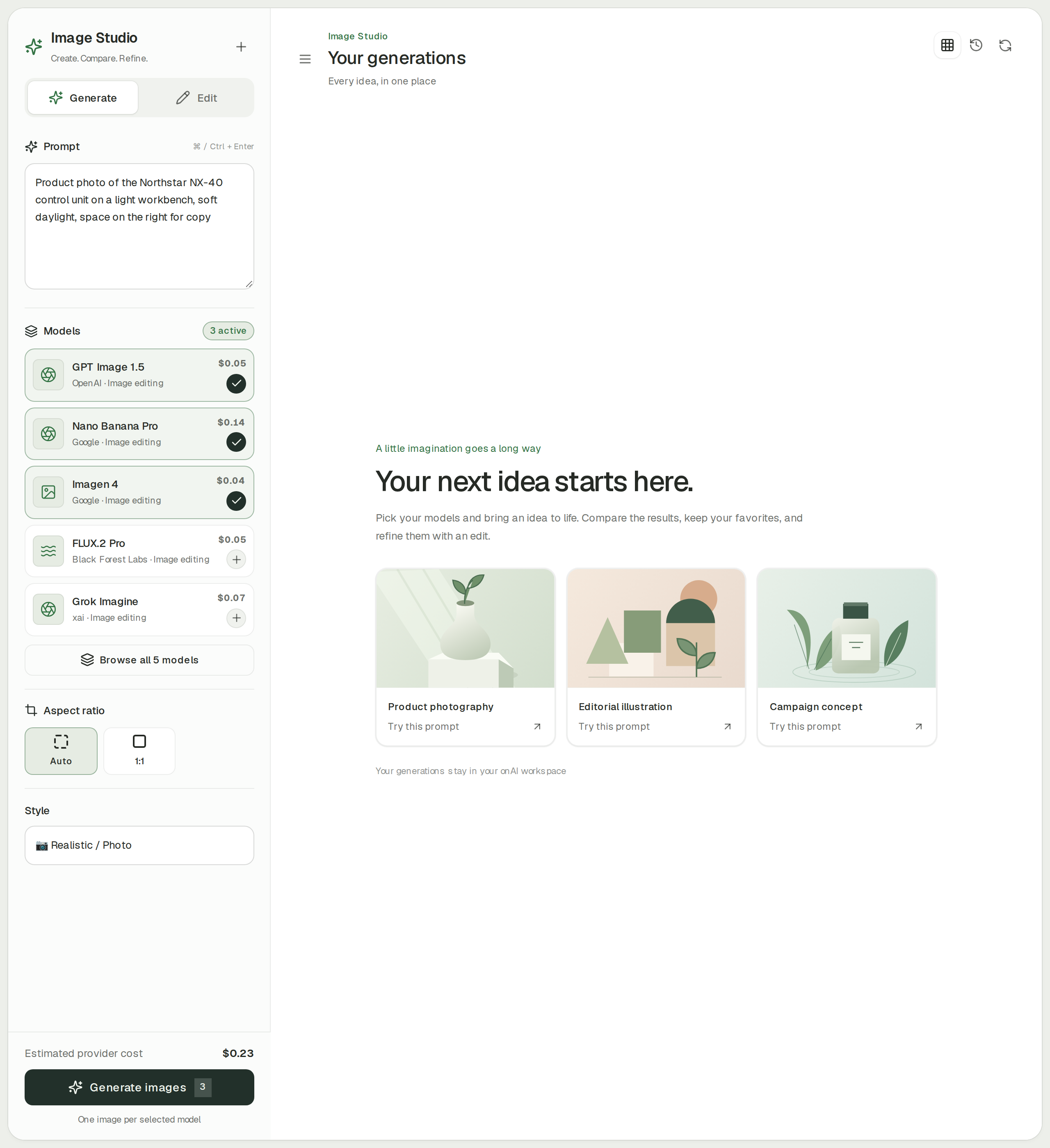
Create and revise images alongside your chat work
onAI Image Studio puts image models from OpenAI, Google, Black Forest Labs and xAI in one place. Send one prompt to up to three models side by side, choose styles with automatic prompt improvement and edit with up to ten reference images. The estimated cost appears before generation.
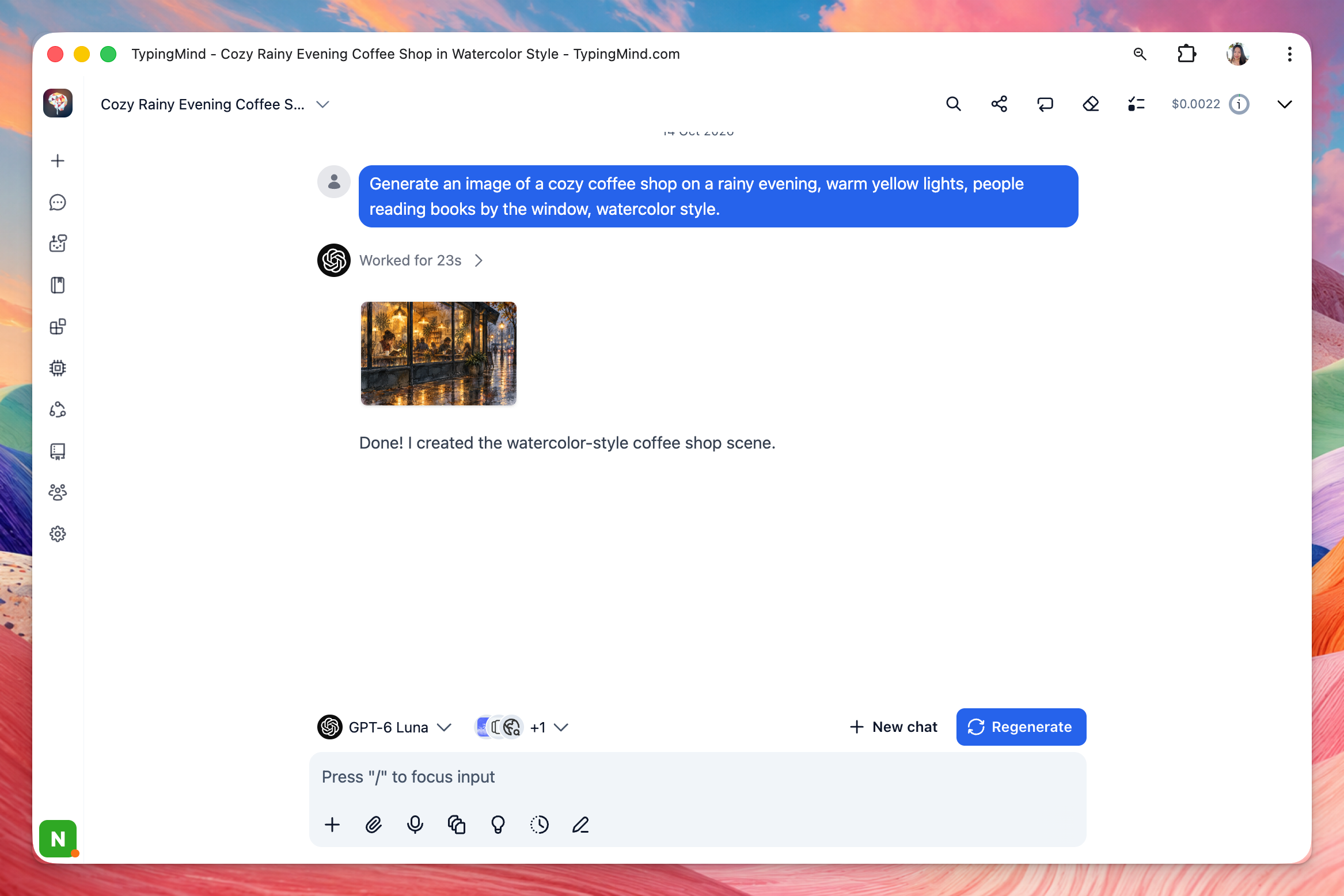
TypingMind's GPT Image 2.5 plugin generates and edits images using your OpenAI API credentials. Editing accepts chat attachments and artifact images. Plugins are available across Teams SaaS tiers; Professional adds group restrictions for the image plugin. OpenAI usage costs extra.
- onAI
- Image studio with leading models Three models side by side, styles, editing with reference images
- TypingMind / TypingMind Teams
- GPT Image generation and editing Customer OpenAI API key; Professional for group-based plugin restrictions
Give groups access and set usage limits
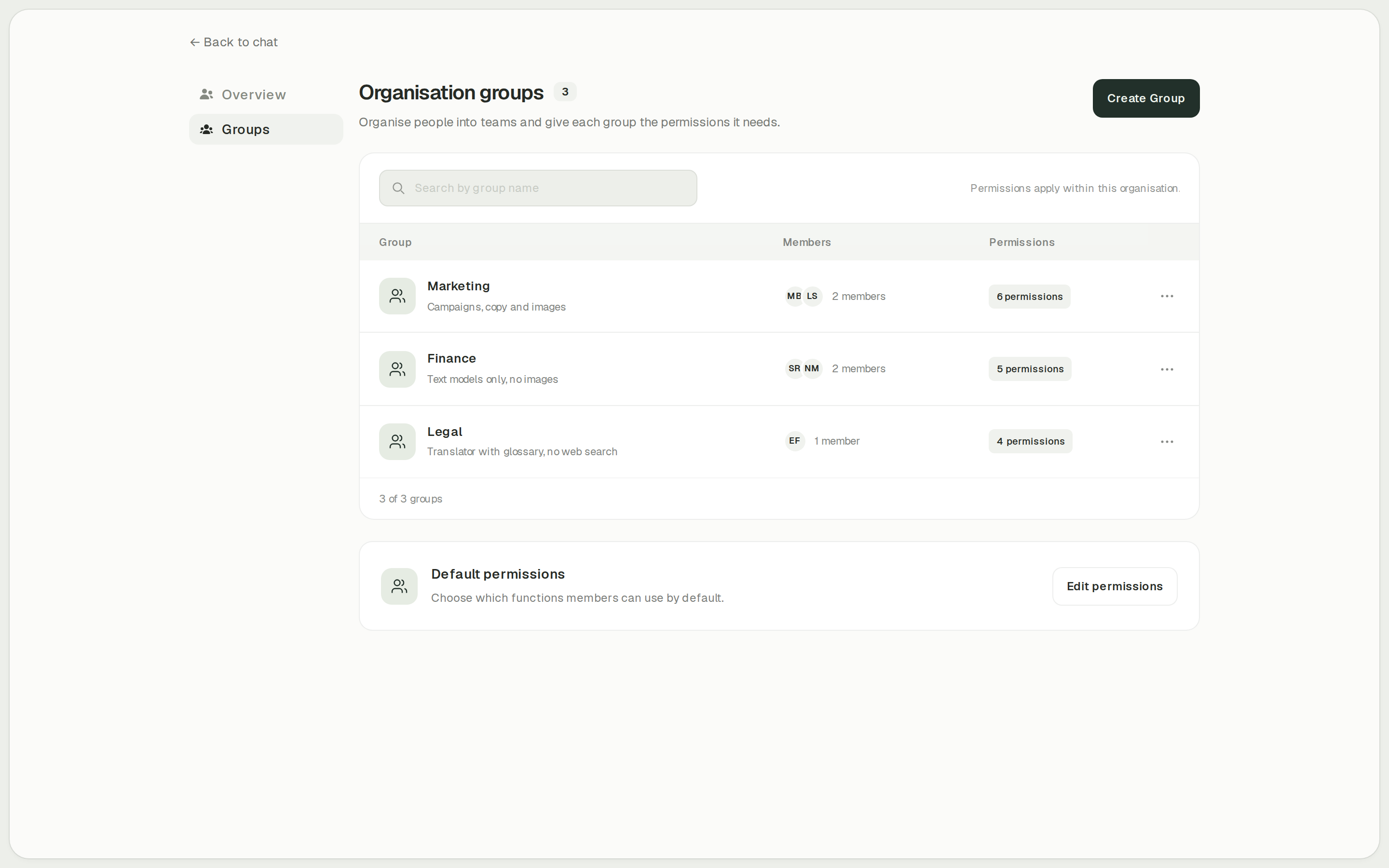
onAI administrators enable features such as Image Studio, translation and web search per group. Set cost limits per organisation and person, and inspect use by model, feature and person.
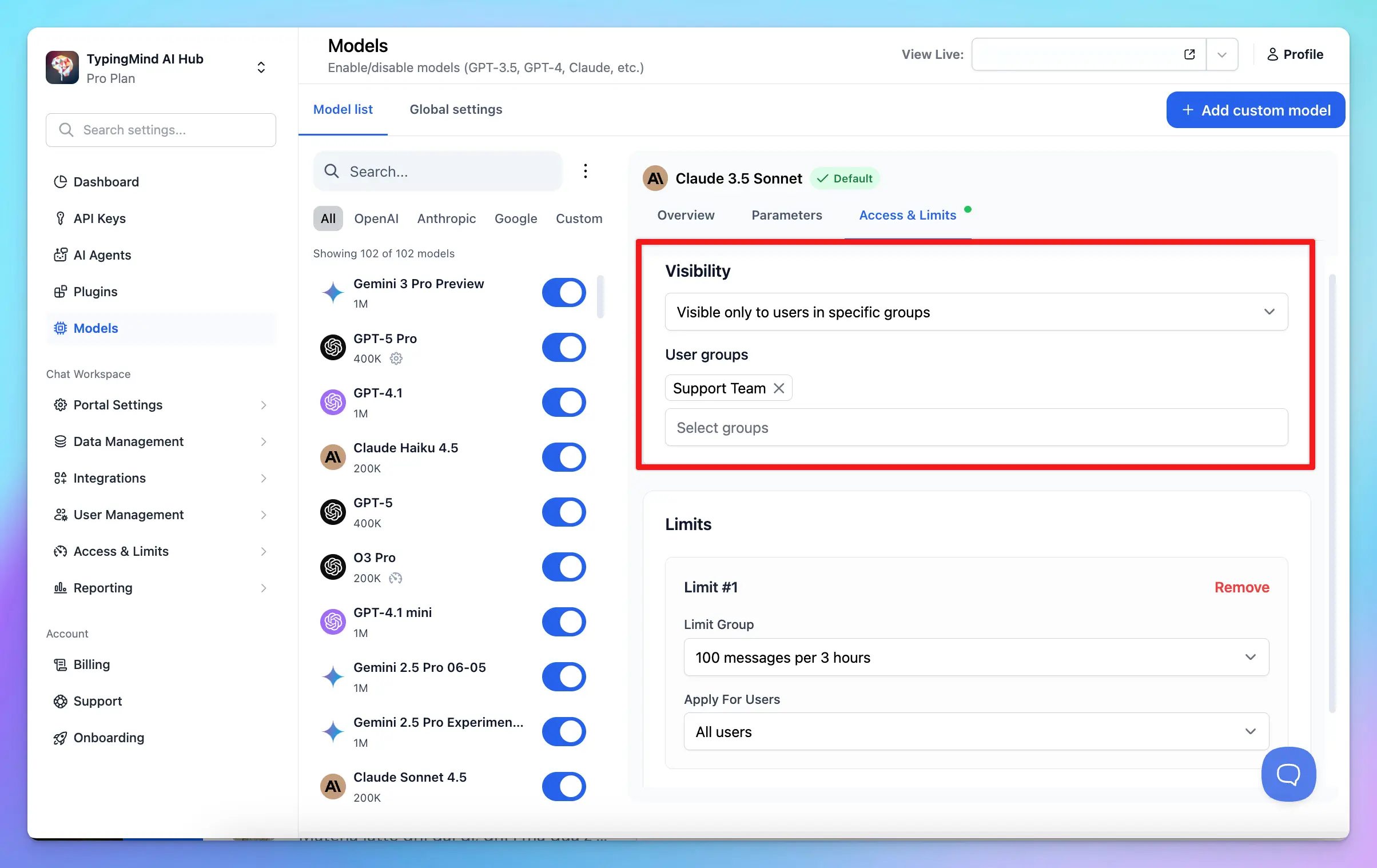
TypingMind Teams Professional also restricts models, agents and plugins by user group. Reusable limit groups set message, character or token allowances per period for users, groups and resources. A monetary spending cap is unconfirmed.
- onAI
- Cost limits per organisation and person
- TypingMind / TypingMind Teams
- Message, character and token limits Professional; reusable limit groups for users and resources
Case Study
Secure AI for 6,800 employees: how Manor established a privacy‑compliant alternative to ChatGPT across the company with onAI.
Thanks to the latest AI capabilities in onAI, our employees are more productive and use them securely and compliantly — at an affordable fixed price.
Where onAI fits better
Choose onAI if you are introducing chat and DeepL to employees and want direct support in German and English. The company fixed price includes onboarding and training.
A dedicated translation workflow
The integrated DeepL translator handles documents with their layout, glossaries and formal or informal address. You can also adjust style and tone.
Direct contact with the team
You reach our team in German or English. We agree service levels and response times in the contract, and build custom agents and workflows as a service.
Where TypingMind fits better
TypingMind Teams fits IT teams managing their own provider accounts and tools, with Professional directory integration. Its separate self-host licence suits organisations prepared to operate the application themselves.
Configure provider connections yourself
Starter, Growth and Professional include administrator key and custom-model setup. Configure Azure OpenAI or another documented route yourself and pay the provider directly.
Professional directory sync
Professional supports SCIM v2 for creating, updating and suspending users, including identity-provider group sync. It also supports SAML SSO and OAuth/OIDC. OAuth revocation alone does not remove an existing Teams user; use the documented SCIM or administrator process for departures.
Remote MCP and custom tools
Teams supports remote HTTP MCP connections, including user OAuth and separate sessions per user and chat. Custom plugins can use HTTP actions or JavaScript. Provider accounts and tool configuration remain your responsibility; Professional supplies group-based plugin restrictions.
What onAI could do better
No SCIM provisioning
onAI creates users at first SSO sign-in and takes groups from the directory. It has no SCIM. Resolve mandatory automated provisioning requirements before rollout.
Custom workflows are a service
We build custom agents and workflows as a service. onAI supports tools and OpenAPI actions, but no MCP client. Teams planning to connect their own MCP servers should include that difference in the evaluation.
At a glance
Professional subscription
- onAI
- From €17 per user/month Includes €5 of model use; lower for larger teams, or a fixed price
- TypingMind / TypingMind Teams
- USD 299 per instance/month Monthly; 5 users; USD 8/additional user/month; provider API usage extra
Application location
- onAI
- Swiss contracting party, servers in Europe On request a dedicated server or on-premises
- TypingMind / TypingMind Teams
- US or opt-in EU instance Model processing depends on provider; self-host licence separate
Provider API keys
- onAI
- Own keys on request For example Azure, OpenRouter
- TypingMind / TypingMind Teams
- Customer keys required Organisation keys set by admins; provider usage billed separately
Image tools
- onAI
- Image studio with leading models Three models side by side, styles, editing with reference images
- TypingMind / TypingMind Teams
- GPT Image generation and editing Customer OpenAI API key; Professional for group restrictions
User provisioning
- onAI
- Created automatically at SSO sign-in Groups from the directory; no SCIM
- TypingMind / TypingMind Teams
- SCIM v2 and group sync Professional; suspends users through the identity provider
Document layout and glossaries
- onAI
- DeepL translator built in Documents with layout, glossaries, formality; adjust style and tone
- TypingMind / TypingMind Teams
- Not stated in docs (as of )
"We found no public information on this" and "Not stated in docs" describe our research on the date shown; neither means the product lacks the capability.
Comparing onAI with TypingMind / TypingMind Teams?
Book a demo. We show onAI with your own use cases and answer your data-protection questions.
Book a demoQuestions you might have
- Does a personal TypingMind licence include Teams administration?
- The personal one-time licence and Teams subscription are separate offers. Use Teams Professional when comparing SSO, directory sync and group controls. onAI offers per-user pricing or a company fixed price.
- Does the EU instance keep all model processing in Europe?
- No. TypingMind's EU guide says model calls may leave the EU; providers and endpoints determine that route. onAI runs on servers in Europe and offers dedicated or on-premises deployment on request.
- Who is responsible for provider training settings?
- TypingMind says it does not train models on conversations; customer-selected providers have their own terms, retention and account settings. Its Teams model route uses your organisation's API keys. onAI does not use your data to train models and only uses providers that exclude it by contract.
- Can we evaluate both with our team?
- TypingMind offers a 14-day self-serve cloud trial without upfront payment; exact SSO and SCIM trial entitlements remain unconfirmed. Self-host has no free trial. With onAI, a personal demo comes first, followed by trial access for your team.
How this page was made
Research date: • Method: the vendors' public sources, collected and checked by AI agents and assessed against the onAI comparison rubric v1.1.
AI agents collected and independently checked public TypingMind sources. onAI statements come from its owner and reviewed public onAI sources. Captures are unchanged documentation images or labelled onAI demo data.
Written by onAI. We make one of the two products compared here, so this is a vendor's comparison. We checked every statement about TypingMind against a public source; the sources are listed in this page's structured data.