Comparison
LibreChat alternative: onAI for your team
LibreChat is an open-source AI chat platform you can host yourself. Choose onAI for an uncluttered workspace, built-in DeepL translation and direct support in German and English.
Compare a service price with running it yourself
onAI starts at EUR 17 per user per month, including EUR 5 of model use. Larger teams pay less, or you can agree one fixed price for the company. Onboarding and training are included in the fixed price.
LibreChat's MIT software has no licence fee, and it ships without a model API key or included provider usage. You arrange hosting and model accounts, plus any external code, OCR, search or image services you enable. For a company rollout, include the work of operating that configuration in your comparison.
- onAI
- From €17 per user/month Includes €5 of model use; lower for larger teams, or a fixed price
- LibreChat
- No software licence fee Self-hosted MIT software; hosting, model use and operations separate
Choose the operator as well as the location
With onAI, your contracting party is Swiss and the application runs on servers in Europe. You can request a dedicated server or operation on your own servers.
LibreChat can also run on your own infrastructure or customer-selected cloud servers. Its operator chooses storage locations and service endpoints. Hosting the application locally does not determine where an external model, OCR, search or code service processes data. Check those routes separately for the tools you enable.
- onAI
- Swiss contracting party, servers in Europe On request a dedicated server or on-premises
- LibreChat
- Locations chosen by the operator External models, OCR, search and code services need separate location decisions
Give employees a prepared place to work
onAI gives employees an uncluttered browser interface without technical settings. They can upload PDF, Word or Excel files directly in chat and ask questions about them. Shared assistants can carry your instructions and knowledge, so a recurring task has a prepared starting point.
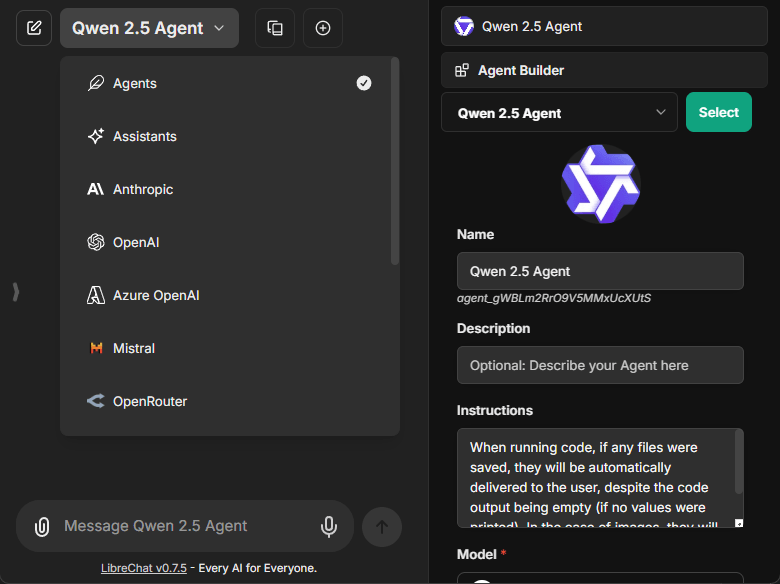
LibreChat also serves a browser application. Its Agents combine instructions, a model, knowledge and tools, with version history and a permissioned internal catalogue. Your team can prepare Agents for employees to select.
- onAI
- Uncluttered interface in the browser No technical settings, nothing to install
- LibreChat
- Agents with instructions, knowledge and tools Shared through a permissioned internal catalogue
Decide which models employees can choose
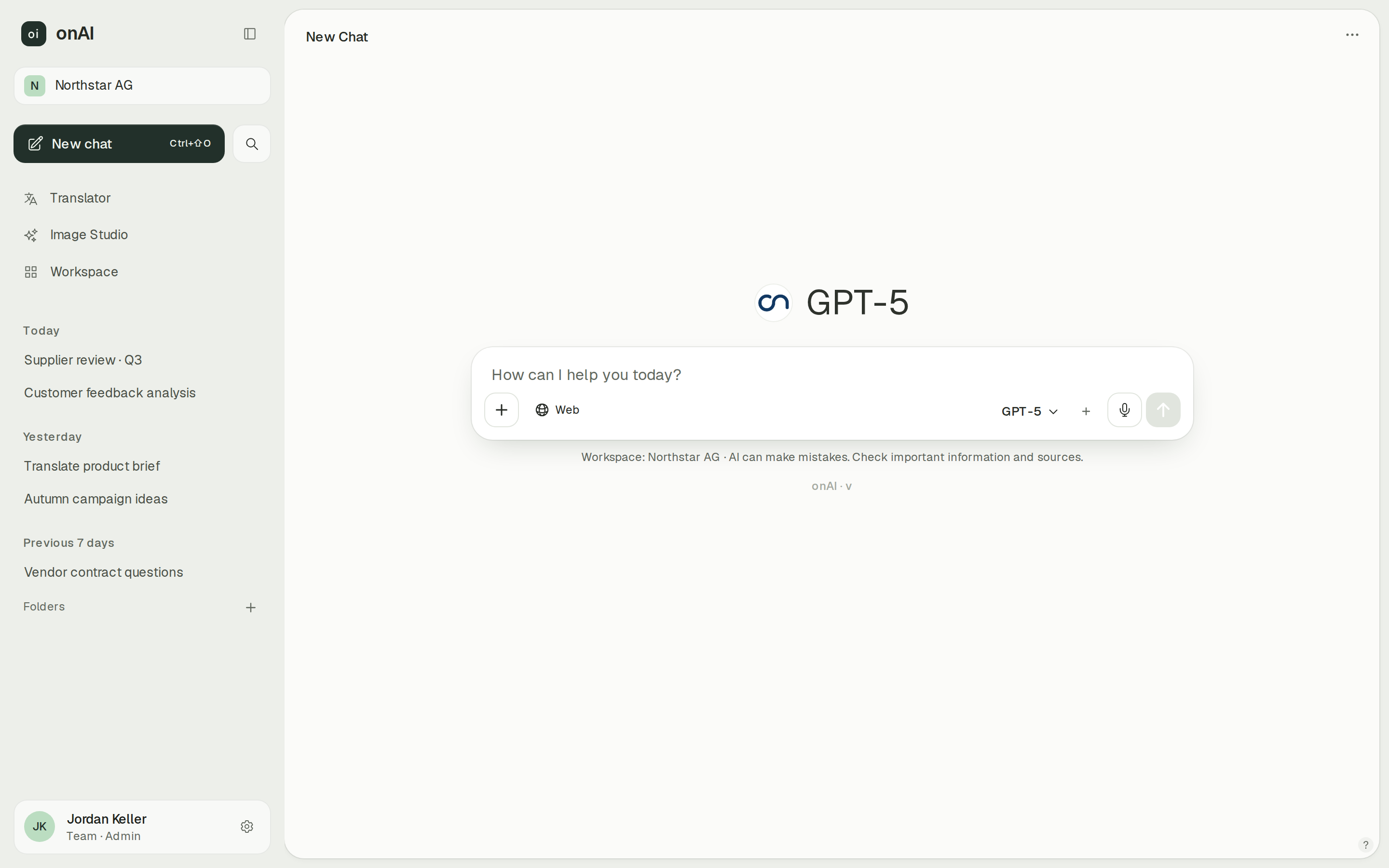
onAI administrators allow or block models per group. We enable new models shortly after their release. Your own provider contracts and API keys are possible on request; local models can be connected when onAI runs on-premises.
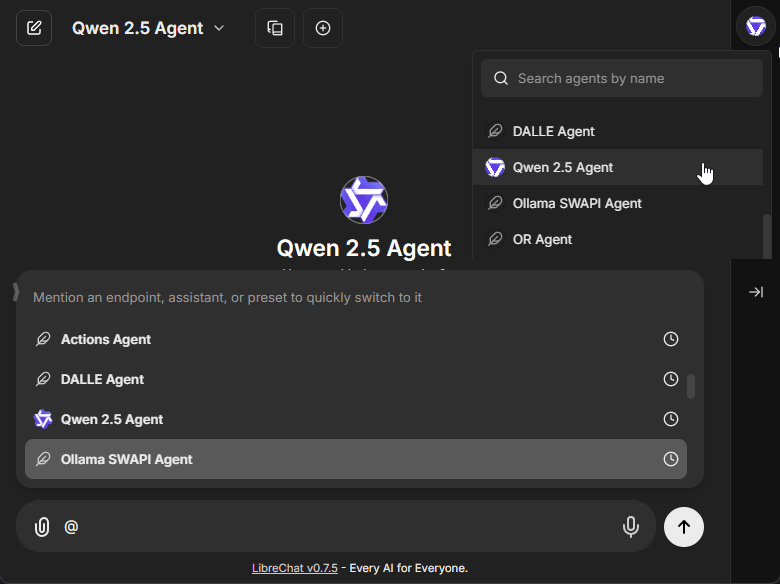
LibreChat connects configured providers such as OpenAI, Anthropic, Google and Azure OpenAI, as well as compatible custom endpoints. The available models depend on your credentials and provider access. Users choose an endpoint and model unless administrators enforce model presets or a fixed Agent.
- onAI
- Models allowed per group Admins allow or block each model
- LibreChat
- Model presets can be enforced Available endpoints and models depend on configured credentials and provider access
Set limits and inspect model use
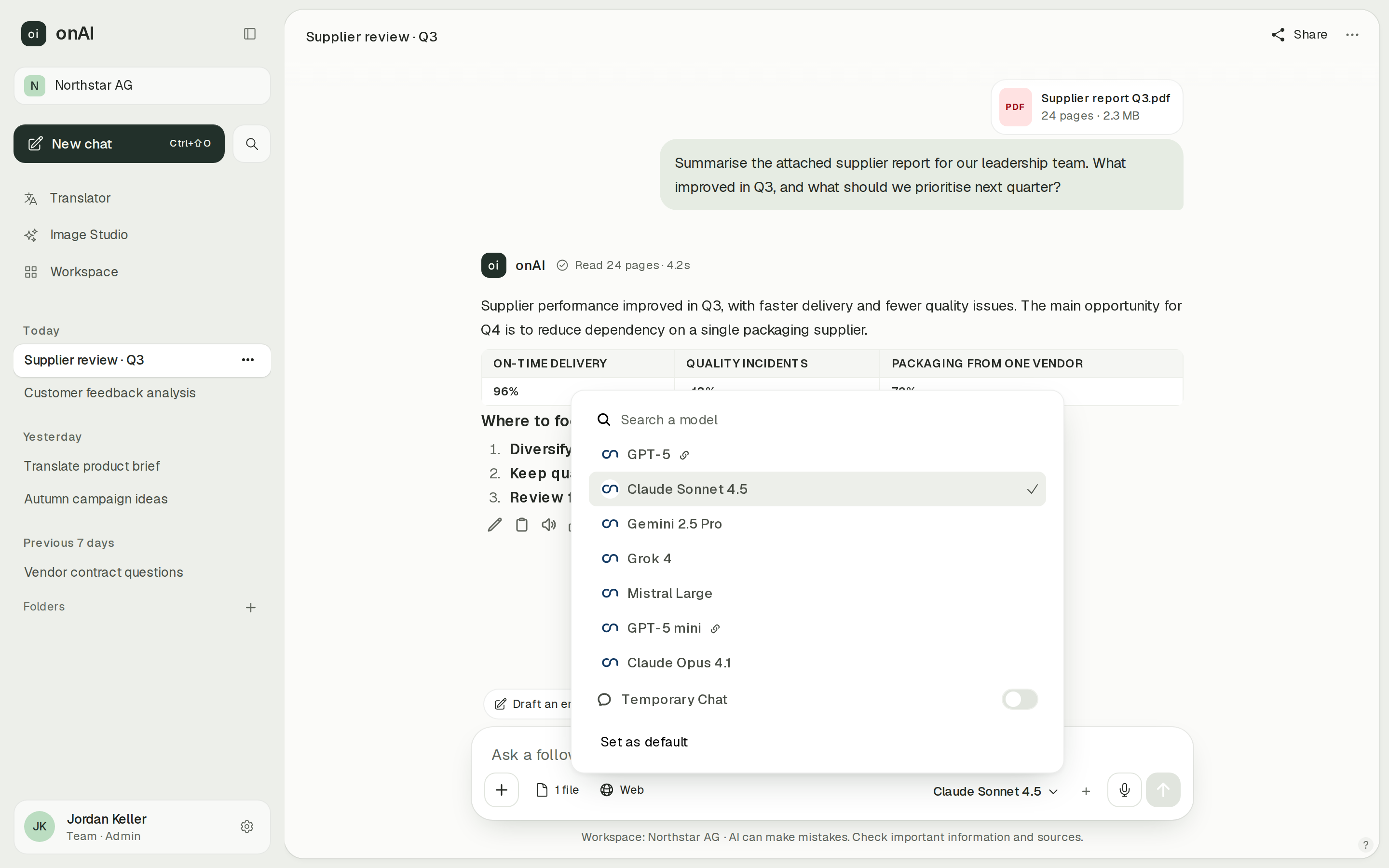
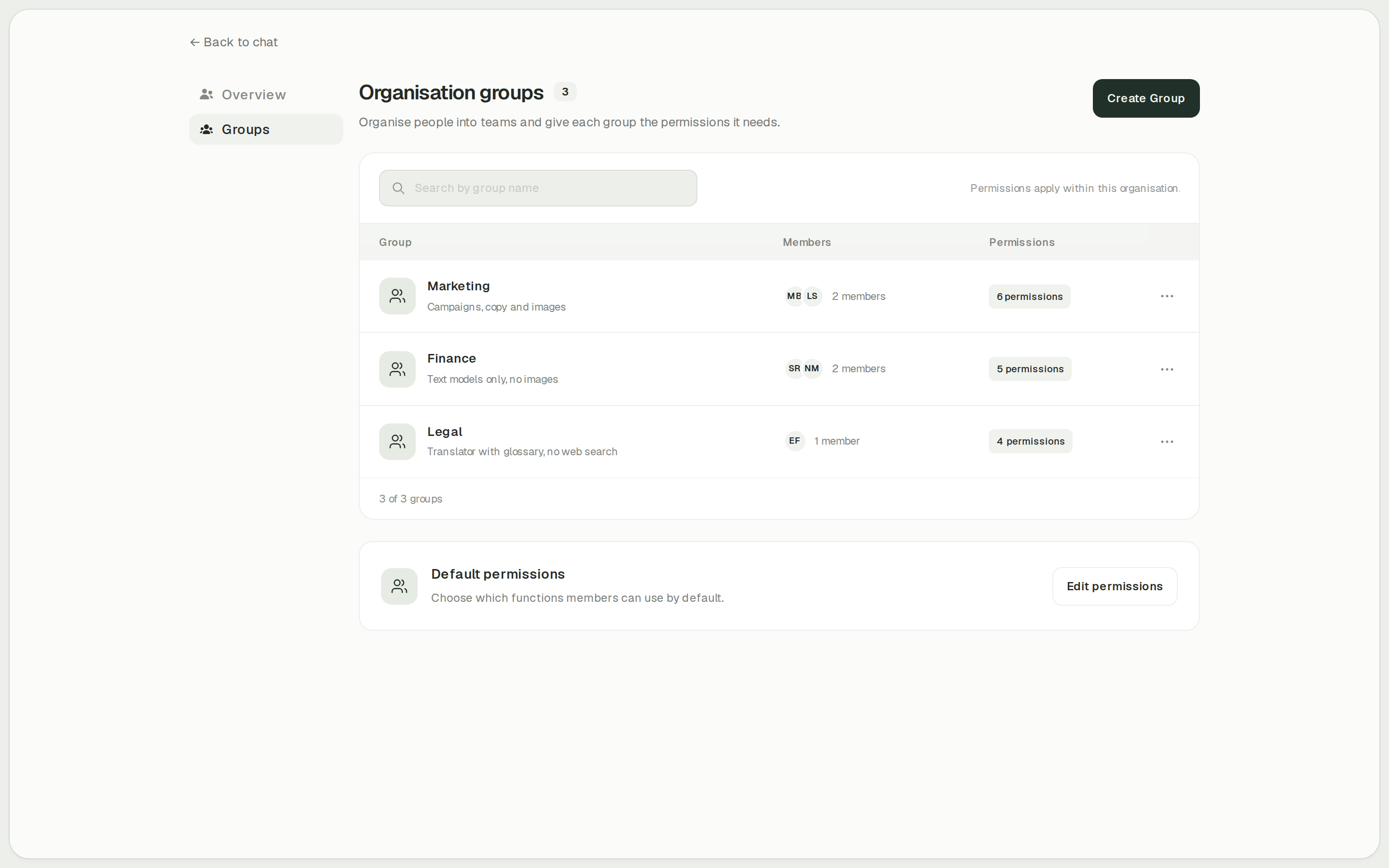
onAI has cost limits per organisation and person, with usage reports by model, feature and person. Administrators also enable features per group, such as Image Studio, translation or web search. You can set access rules and review the resulting use in the same workspace.
LibreChat can track tokens and estimate costs from configured provider prices. Operators can enable user credit balances and automatic refills. Insufficient credits can block a request. These estimates are separate from your actual provider invoices. LibreChat also documents roles, groups and resource permissions for controlling access.
- onAI
- Cost limits per organisation and person
- LibreChat
- Optional user credit balances Configured token prices estimate spend; insufficient balances can block requests
Case Study
Secure AI for 6,800 employees: how Manor established a privacy‑compliant alternative to ChatGPT across the company with onAI.
Thanks to the latest AI capabilities in onAI, our employees are more productive and use them securely and compliantly — at an affordable fixed price.
Where onAI fits better
Choose onAI if you want daily employee tools with a direct line to the provider. We agree service levels and response times in the contract; the company fixed price includes onboarding and training.
A dedicated document translator
onAI includes DeepL for documents with their layout, company glossaries and formal or informal address. You can adjust style and tone. For teams translating the same specialist terminology repeatedly, these controls belong in the evaluation alongside chat quality.
Image models side by side
Image Studio sends one prompt to up to three models side by side and shows the estimated cost before generation. Editing accepts up to ten reference images. You can create and revise images in the workspace employees also use for their other AI tasks.
Where LibreChat fits better
LibreChat fits a technical team that wants to inspect and adapt the code, run the application itself and configure its own model and tool connections.
Adapt the MIT source
The main repository permits modification and redistribution under MIT, provided you retain the copyright and permission notices. This fits an organisation that needs to maintain its own application changes. Separate services and components need their own licence check.
Connect tools through MCP
LibreChat Agents can use configured MCP servers over local or remote transports, with credentials and OAuth where configured. Agents also support custom API Actions. Choose this route when your technical team wants to build and maintain those connections; permissions and authentication depend on each server setup.
What onAI could do better
Source code is not public
onAI is proprietary software and its source code is not public. If maintaining your own fork is a requirement, that is a material difference. Included open-source components keep their own licences.
No MCP connection
onAI supports tools and custom OpenAPI actions, but it does not support MCP. If your existing integrations require MCP servers, include that requirement before choosing a platform.
At a glance
Software and service price
- onAI
- From €17 per user/month Includes €5 of model use; lower for larger teams, or a fixed price
- LibreChat
- No software licence fee Self-hosted MIT software; hosting, model use and operations separate
Storage and processing locations
- onAI
- Swiss contracting party, servers in Europe On request a dedicated server or on-premises
- LibreChat
- Locations chosen by the operator External models, OCR, search and code services need separate location decisions
Model selection
- onAI
- Models allowed per group Admins allow or block each model
- LibreChat
- Model presets can be enforced Available endpoints and models depend on configured credentials and provider access
Shared assistants
- onAI
- Own assistants, shared with teams With instructions and knowledge
- LibreChat
- Agents with instructions, knowledge and tools Shared through a permissioned internal catalogue
Spending limits
- onAI
- Cost limits per organisation and person
- LibreChat
- Optional user credit balances Configured token prices estimate spend; insufficient balances can block requests
Source licence
- onAI
- Proprietary, source not public Open-source components under their own licences
- LibreChat
- MIT-licensed main repository Modification and redistribution allowed; preserve copyright and permission notices
Comparing onAI with LibreChat?
Book a demo. We show onAI with your own use cases and answer your data-protection questions.
Book a demoQuestions you might have
- Is LibreChat free for company use?
- The main MIT software has no per-user licence fee. Hosting, provider usage and any external tool services are separate responsibilities. Compare their total cost with onAI's offer for the same people and tasks.
- Can onAI also use local models?
- Yes. With on-premises deployment, onAI can connect local models, for example through Ollama. Your own provider contracts and API keys are also possible on request.
- Does a local application keep all processing local?
- A local LibreChat server does not by itself determine the processing location of connected model, OCR, search or code services. The operator selects those services separately. Review the enabled connections as well as application storage.
- How can our team evaluate the choice?
- You can self-install LibreChat without paying a software licence. With onAI, a personal demo comes first, followed by trial access for your team. Use the same documents and tasks to compare the prepared employee experience.
How this page was made
Research date: • Method: the vendors' public sources, collected and checked by AI agents and assessed against the onAI comparison rubric v1.1.
AI agents collected and independently checked public LibreChat documentation and pinned source evidence. onAI facts are owner statements. This comparison covers customer-operated LibreChat; optional external services have separate terms. Captures are unmodified repository files, and onAI demo data is labelled.
Written by onAI. We make one of the two products compared here, so this is a vendor's comparison. We checked every statement about LibreChat against a public source; the sources are listed in this page's structured data.