Comparison
Glean alternative: onAI with DeepL
Glean combines enterprise search, an AI assistant and agents. Choose onAI for daily document work, DeepL translation and images, with direct support and pricing from EUR 17 per user per month including EUR 5 of model use.
Choose where the application runs
onAI runs on servers in Europe, with a Swiss contracting party. On request, you can have a dedicated server or run onAI on your own servers.
Glean uses single-tenant cloud infrastructure. Glean Hosted runs in its cloud accounts; Customer Hosted runs in your GCP or AWS account and is operated by Glean. Hosting regions are selectable. Model processing depends on the provider and key mode, so an EU application region alone does not settle every data flow.
- onAI
- Swiss contracting party, servers in Europe On request a dedicated server or on-premises
- Glean
- Region-selectable single-tenant cloud Glean Hosted or Glean-managed customer GCP/AWS; model regions depend on route
Compare the seat fee and the usage bill
onAI starts at EUR 17 per user per month, including EUR 5 of model use. Larger teams pay less, or choose a fixed price for the company. Onboarding and training are included in the fixed price.
Glean Core Suite combines a per-user monthly seat fee with a Model Hub Usage commitment. Enterprise Flex combines seats with pooled FlexCredits. The contracted seat price is quote-only; public model rates do not give you a complete company price. Ask for the same employee count and expected use in both offers, with billing period and VAT specified.
- onAI
- From €17 per user/month Includes €5 of model use; lower for larger teams, or a fixed price
- Glean
- Quote plus model usage Core Suite seats and usage commitment; Enterprise Flex uses pooled credits
Give employees a place to start
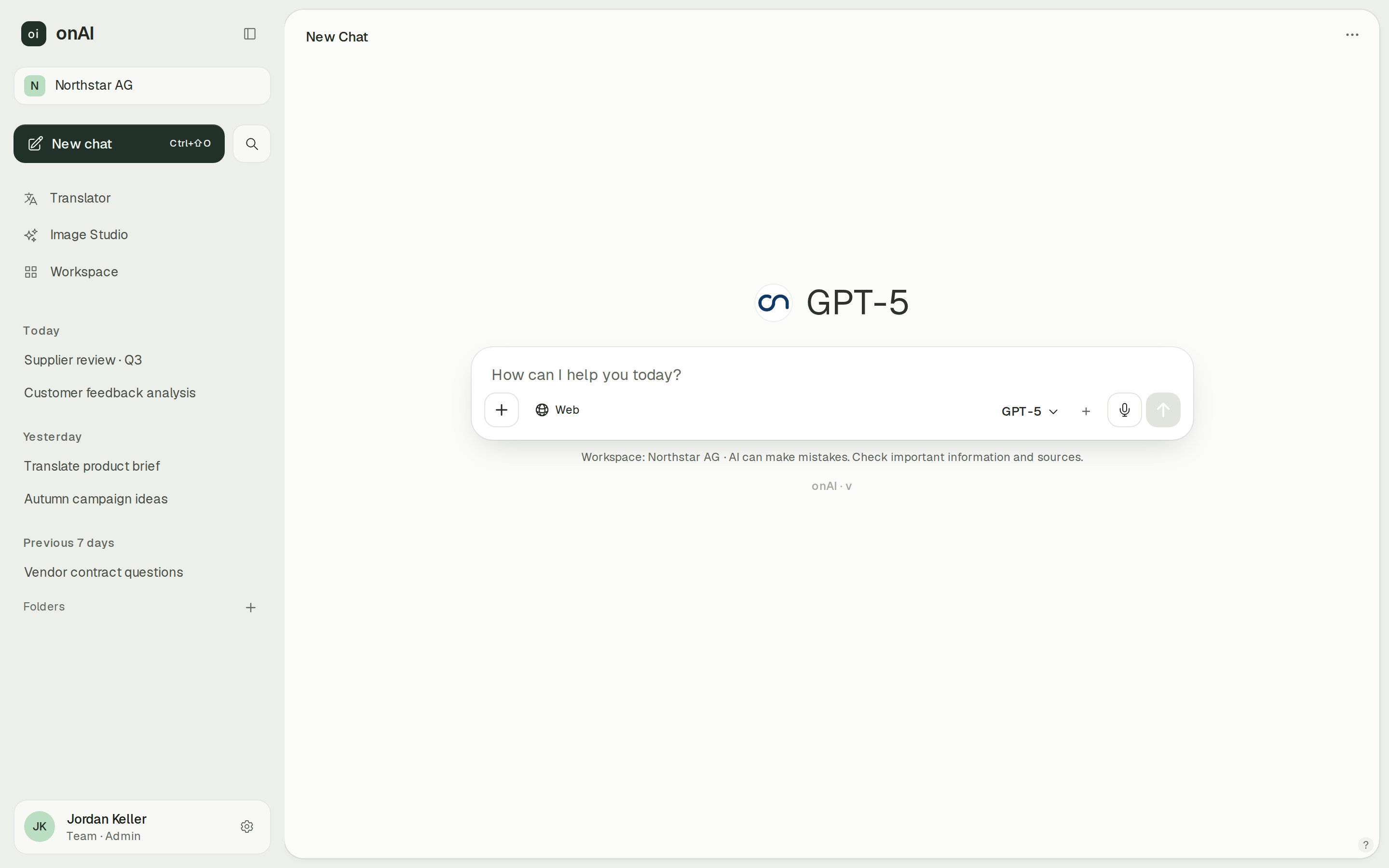
onAI gives employees an uncluttered interface without technical settings. Upload PDF, Word or Excel files directly in chat and ask questions about them. A chat link lets colleagues see the conversation you share, including the context behind an answer.
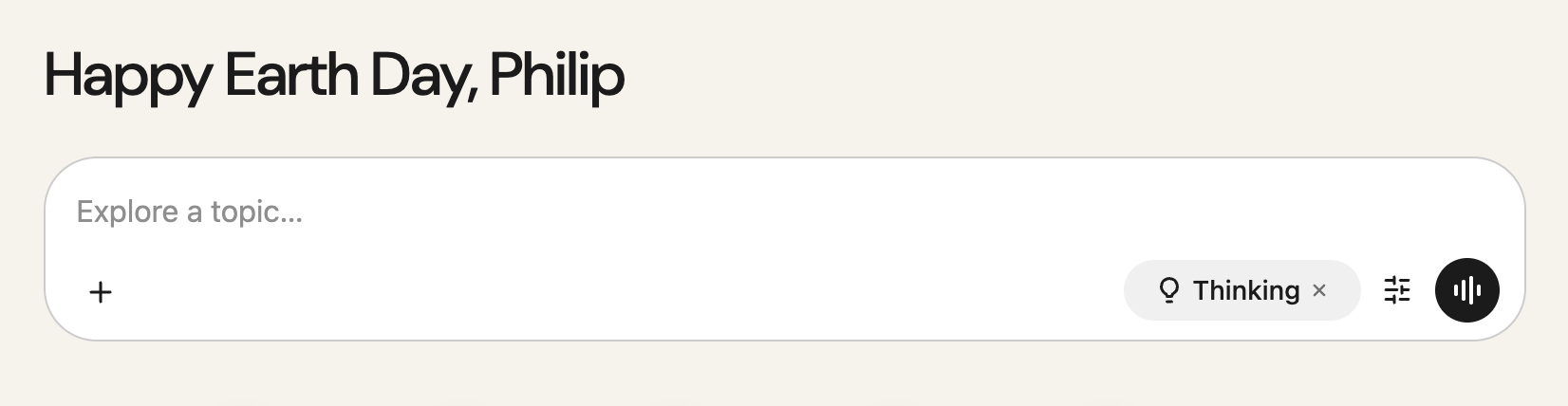
Glean provides a browser app, Windows and macOS clients, and iOS and Android apps for an active SSO-configured tenant. Once an administrator enables uploads, Assistant accepts Office files and PDFs, with upload limits that depend on model context. Scanned PDFs need OCR enabled by an administrator or support.
- onAI
- Uncluttered interface in the browser No technical settings, nothing to install
- Glean
- Web, desktop and mobile Mobile needs an active SSO-configured tenant
Choose among the models your administrators allow
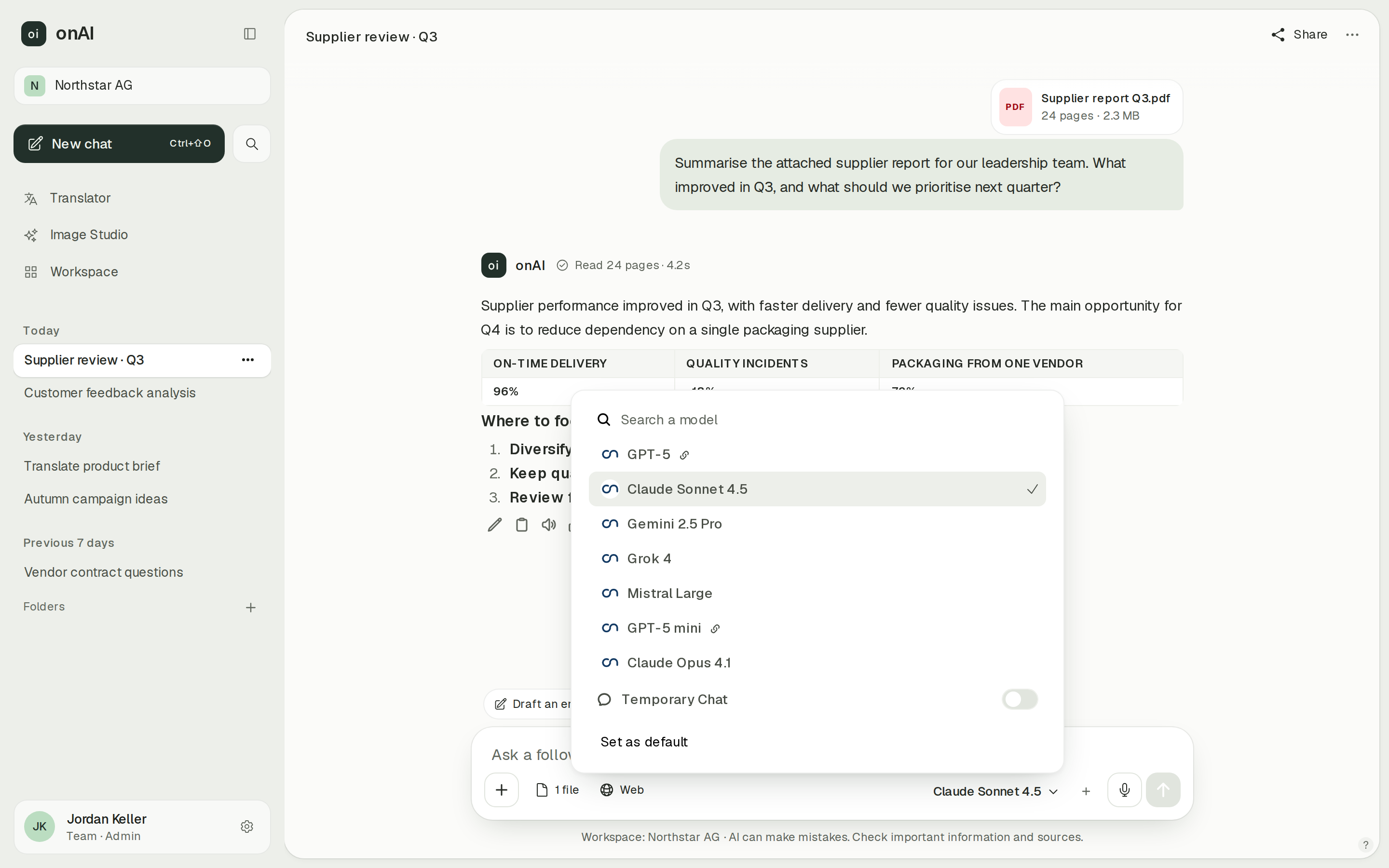
onAI lets employees choose among Claude, GPT, Gemini, Grok and Mistral models approved by administrators. Administrators decide which models each group can use. Your own provider contracts and API keys are possible on request, for example when procurement already has a provider agreement.
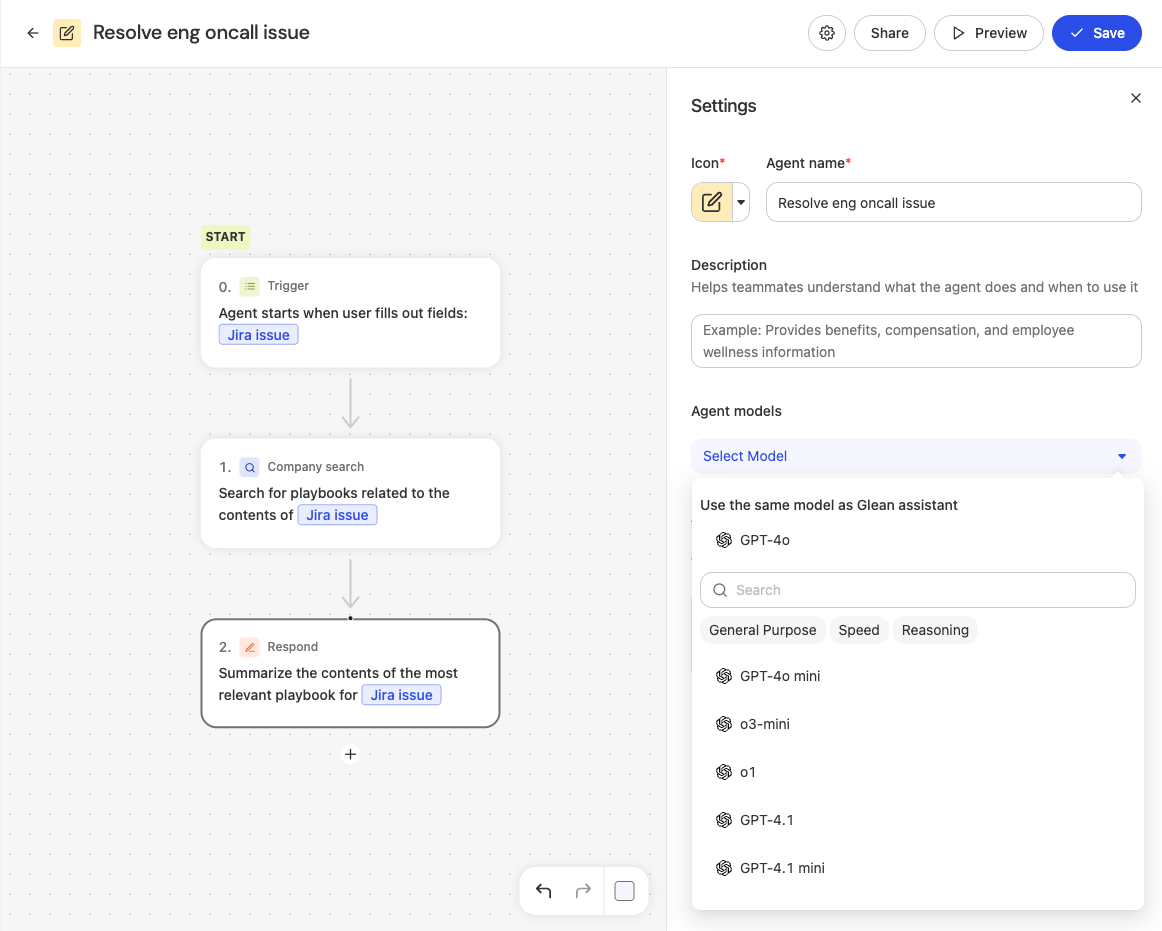
Glean also supports multiple providers. With Universal Model Key, users choose an enabled model or Auto; with Customer Key, configured defaults and separate availability restrictions apply. Its agent settings also allow model selection for workflow steps.
- onAI
- Models allowed per group Admins allow or block each model
- Glean
- Enabled model or Auto Universal Model Key; Customer Key has configured defaults and separate restrictions
Decide who can use and configure AI
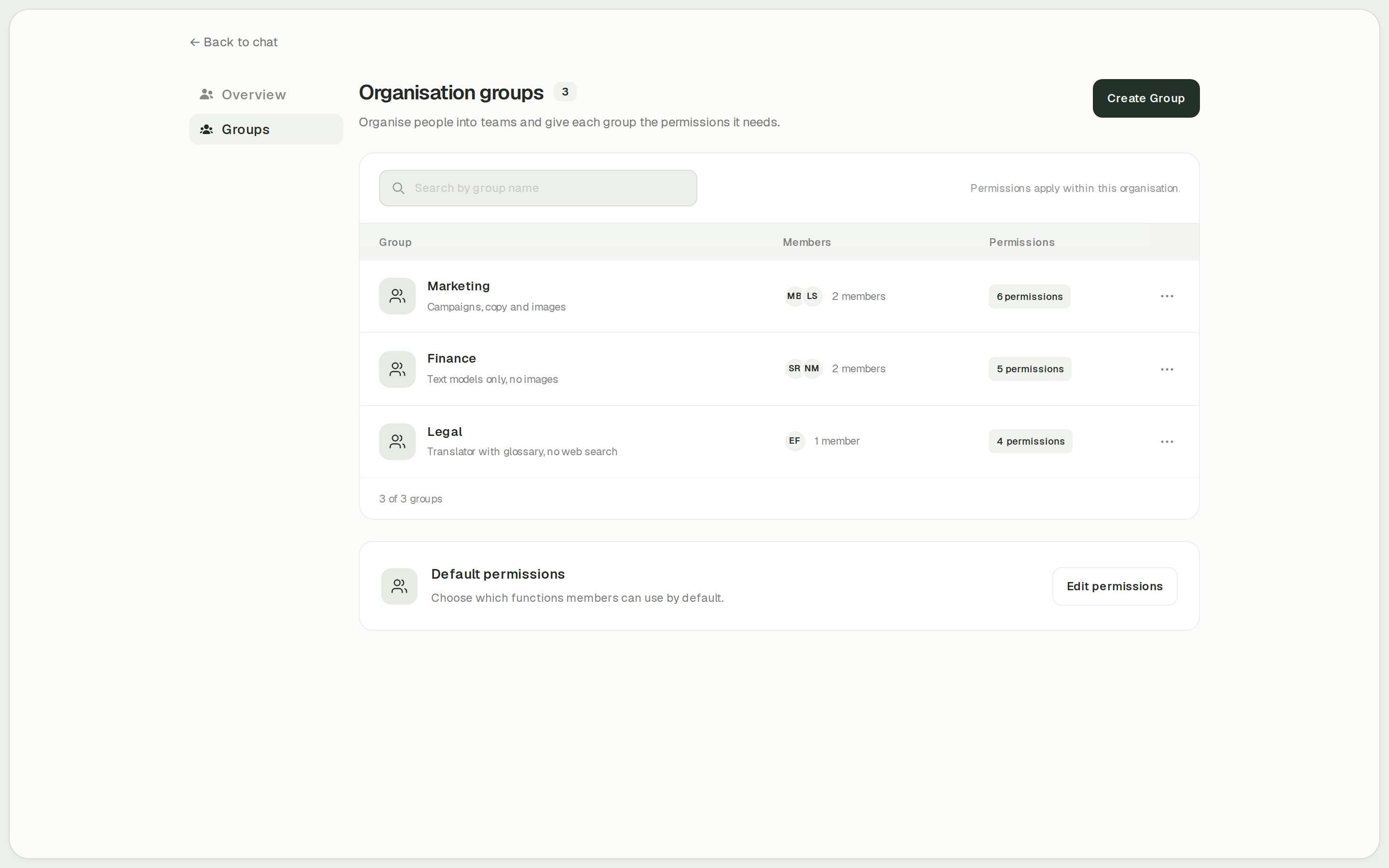
onAI administrators enable features such as Image Studio, translation and web search per group. Cost limits apply per organisation and person, and usage reports break activity down by model, feature and person. You can start with the functions a department needs and review its use before granting more access.
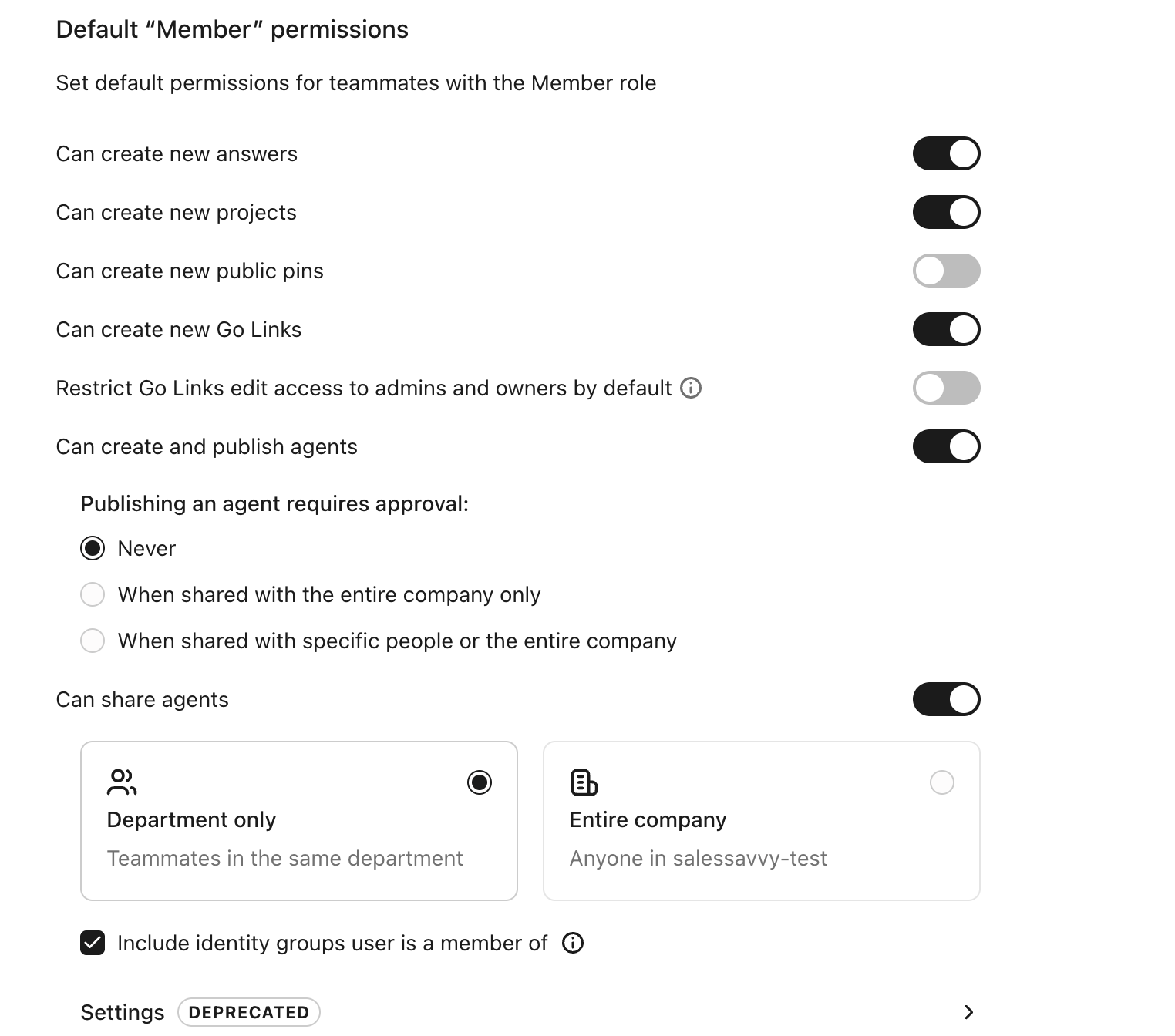
Glean separates Setup Admin, Admin, Super Admin and specialist roles. Member permissions control who can create, publish and share agents. Core Suite and Enterprise Flex also have usage limits with alert-only or blocking behaviour. Blocking applies after a running action finishes, so it can still leave some overage.
- onAI
- Roles and groups Features enabled per group, for example Image Studio, translator
- Glean
- Roles and member permissions Separate administrator roles; controls for creating, publishing and sharing agents
Case Study
Secure AI for 6,800 employees: how Manor established a privacy‑compliant alternative to ChatGPT across the company with onAI.
Thanks to the latest AI capabilities in onAI, our employees are more productive and use them securely and compliantly — at an affordable fixed price.
Where onAI fits better
onAI fits a company introducing AI for routine employee tasks and wanting direct help from the team during rollout.
Document translation and image creation
DeepL translates documents with their layout, glossaries and formal or informal address. Image Studio lets you compare up to three models on the same prompt and edit with up to ten reference images. You see estimated image costs before generation.
A direct line for rollout and custom work
You reach our team in German and English. We agree service levels and response times in the contract and build custom agents and workflows as a service. This fits a buyer who wants the provider involved in adapting the workspace to company tasks.
Where Glean fits better
Glean fits organisations making connected company knowledge and employee-built workflows central to the rollout. Core Suite includes native connectors and Agent Building. With Universal Model Key, model execution consumes Model Hub Usage.
Retrieve knowledge across connected systems
Glean documents Microsoft 365, Google Workspace and Atlassian connectors, with indexed or live retrieval depending on the source. Microsoft 365 indexing requires application permissions and administrator consent. Source permissions constrain retrieval; connecting the sources and granting the right scopes are part of the rollout.
Build and schedule multi-step workflows
Workflow mode supports steps, branches, loops and hand-offs. Published agents can run on schedules after administrator enablement, or respond to supported content changes. Core Suite includes building agents; with Universal Model Key, LLM execution consumes Model Hub Usage. Choose Glean if departments will maintain their own automations.
What onAI could do better
Custom workflows are a service
onAI focuses on the functions employees use daily and has fewer features than some platforms. We build custom workflows and agents as a service.
At a glance
Price and model use
- onAI
- From €17 per user/month Includes €5 of model use; lower for larger teams, or a fixed price
- Glean
- Quote plus model usage Core Suite seats and usage commitment; Enterprise Flex uses pooled credits
Application deployment
- onAI
- Swiss contracting party, servers in Europe On request a dedicated server or on-premises
- Glean
- Region-selectable single-tenant cloud Glean Hosted or Glean-managed customer GCP/AWS; model regions depend on route
Model choice
- onAI
- Claude, GPT, Gemini, Grok, Mistral Users choose from models approved by admins
- Glean
- Enabled model or Auto Universal Model Key; Customer Key has configured defaults and separate restrictions
Access administration
- onAI
- Roles and groups Features enabled per group, for example Image Studio, translator
- Glean
- Roles and member permissions Separate administrator roles; controls for creating, publishing and sharing agents
Custom assistants
- onAI
- Own assistants, shared with teams With instructions and knowledge
- Glean
- Agent Builder and library Instructions, models, knowledge and tools
Comparing onAI with Glean?
Book a demo. We show onAI with your own use cases and answer your data-protection questions.
Book a demoQuestions you might have
- Can we calculate a Glean company price from its model rates?
- No. Core Suite has a contracted seat fee and a usage commitment; Enterprise Flex has its own seat and credit terms. Ask for a quote covering your team and expected use. Compare that with onAI’s per-user offer or company fixed price, including the usage each offer covers.
- Will our data train the models?
- onAI does not use your data to train AI models and only uses providers that exclude training by contract. Glean’s AI Addendum also prohibits model training with customer data; for Glean-key services it requires provider commitments. With Customer Key, responsibility for the provider agreement sits with the customer.
- Can we try onAI with our team’s documents?
- A personal demo is followed by trial access for your team. Bring representative documents, a translation glossary and the tasks employees repeat most often. If you choose the company fixed price, onboarding and training are included.
How this page was made
Research date: • Method: the vendors' public sources, collected and checked by AI agents and assessed against the onAI comparison rubric v1.1.
AI agents collected and checked Glean’s public documentation and contract sources. onAI statements use owner facts and the reviewed model-family display text. Captures are unmodified documentation images or labelled onAI demo data. Contracted Glean prices and key-specific data flows remain separate.
Written by onAI. We make one of the two products compared here, so this is a vendor's comparison. We checked every statement about Glean against a public source; the sources are listed in this page's structured data.