Comparison
AnythingLLM alternative: onAI for your team
AnythingLLM offers self-hosted document chat. Choose onAI for built-in DeepL translation, an uncluttered browser interface and direct support in German and English.
Include the cost of operating your instance
onAI starts at EUR 17 per user per month, including EUR 5 of model use. Larger teams pay less, or choose one fixed price for the company. Onboarding and training are included in the fixed price.
Here we compare AnythingLLM's self-hosted Docker deployment for multiple users. Its MIT software has no per-seat licence fee. You provide the infrastructure and connected model accounts, whose usage charges are separate. Cloud and optional Desktop Pro are separate offers.
- onAI
- From €17 per user/month Includes €5 of model use; lower for larger teams, or a fixed price
- AnythingLLM
- No per-seat software licence fee Self-hosted MIT software; model accounts and infrastructure are separate
Keep deployment and model processing distinct
onAI runs on servers in Europe and has a Swiss contracting party. You can request a dedicated server or operation on your own servers. Local models can be connected with on-premises deployment, for example through Ollama.
AnythingLLM Docker can also run on customer-selected cloud servers or on-premises infrastructure. You choose application storage and the model and embedding services. A connected external provider has its own processing route; local application storage alone does not make every model call local.
- onAI
- Swiss contracting party, servers in Europe On request a dedicated server or on-premises
- AnythingLLM
- Self-hosted locations chosen by customer Application storage and connected providers need separate location checks
Ask questions about the files you work with
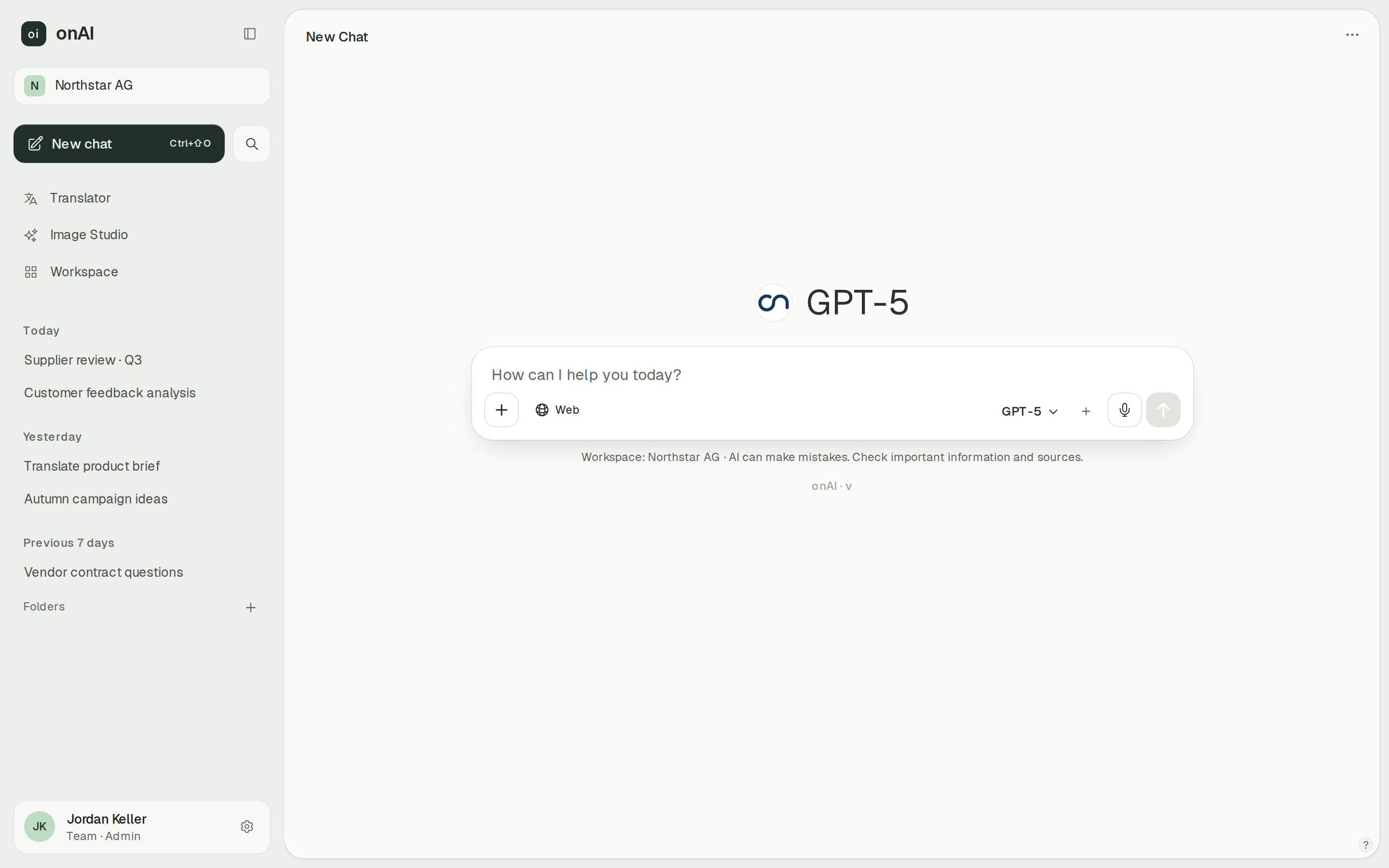
onAI gives employees an uncluttered browser interface without technical settings. Upload PDF, Word, Excel and other files directly in chat and ask questions about them.
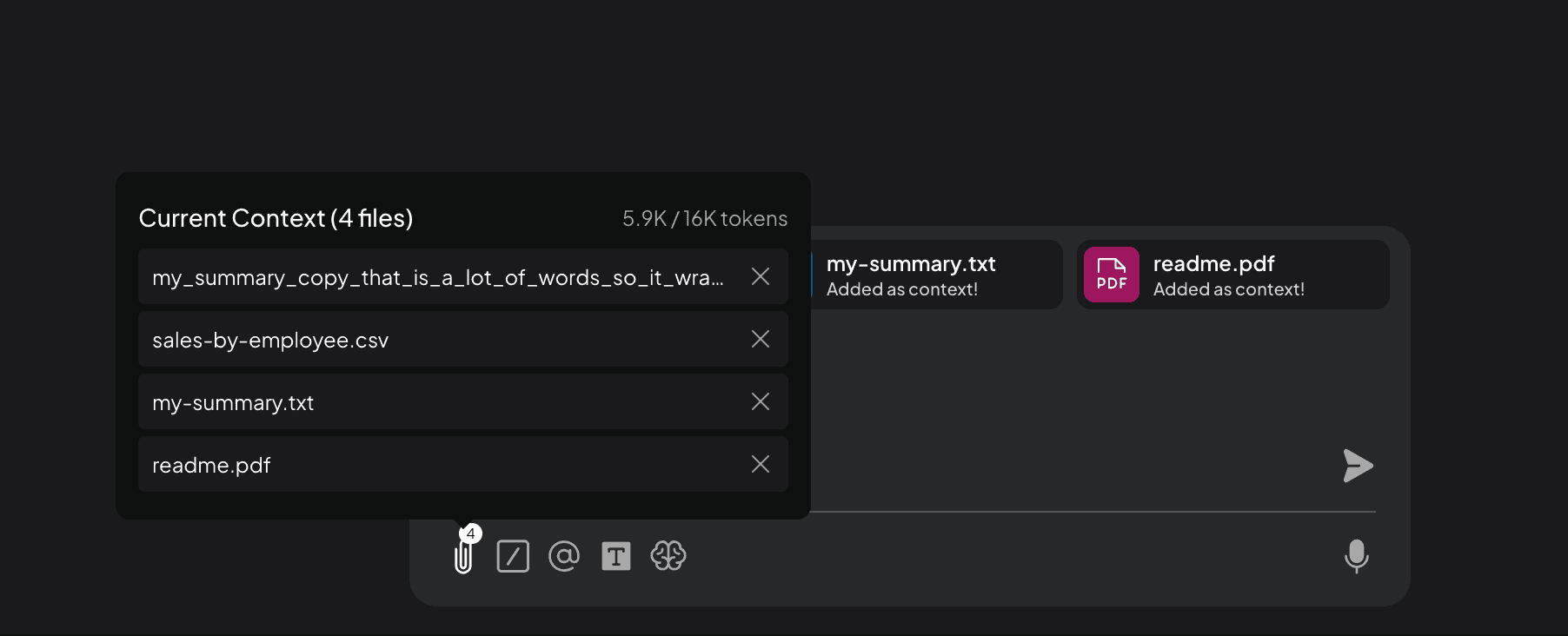
Docker serves a shared browser application. File attachments put full extracted text into the conversation context; indexed workspace documents provide relevant chunks through retrieval. In multi-user mode, Default users can chat only in workspaces they are assigned to.
- onAI
- Uncluttered interface in the browser No technical settings, nothing to install
- AnythingLLM
- File attachments or workspace retrieval Full extracted text in context; indexed documents retrieved in chunks
Choose how model settings are managed
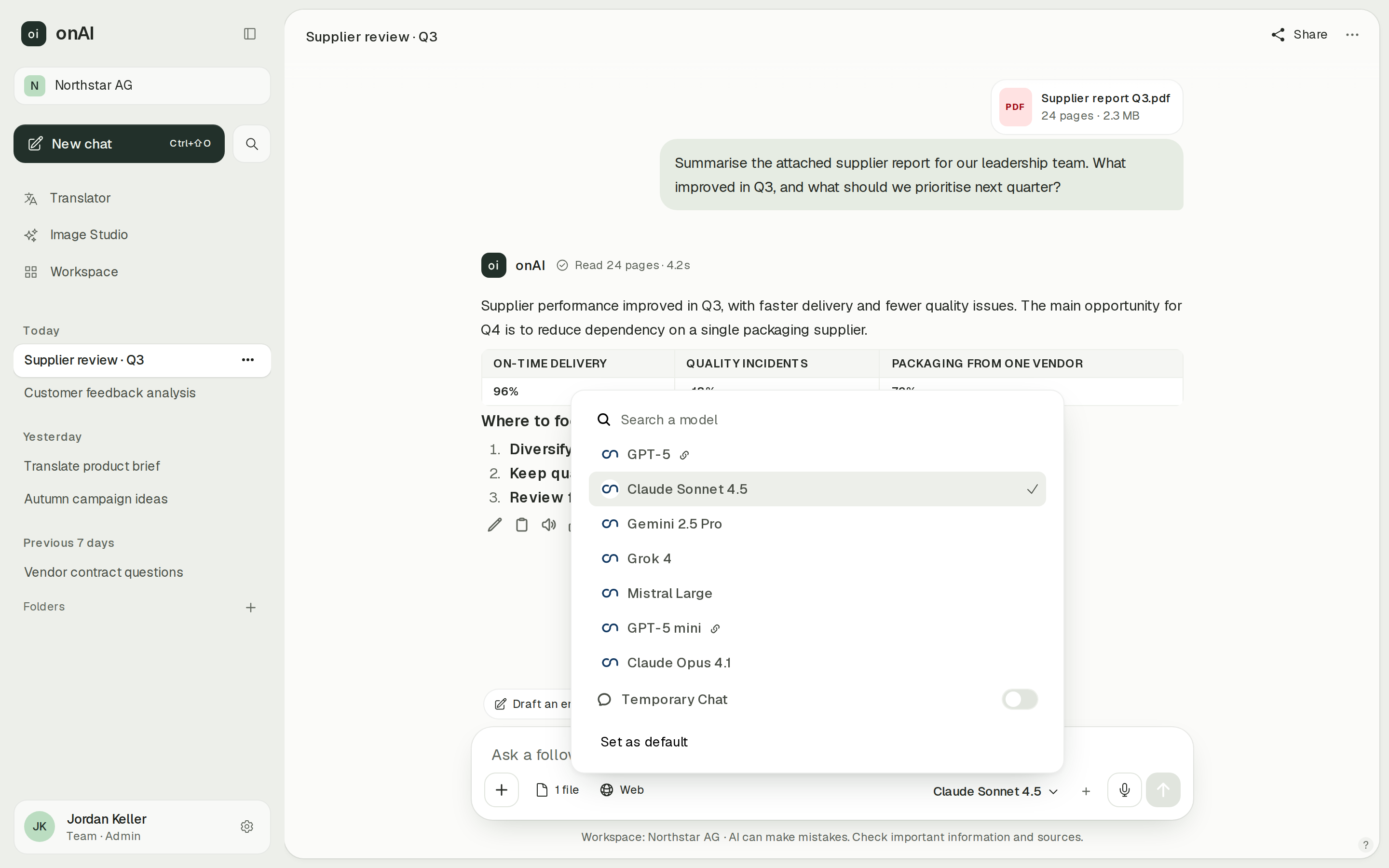
onAI administrators decide per group which models are allowed. We enable new models shortly after release, and your own provider contracts and API keys are possible on request.
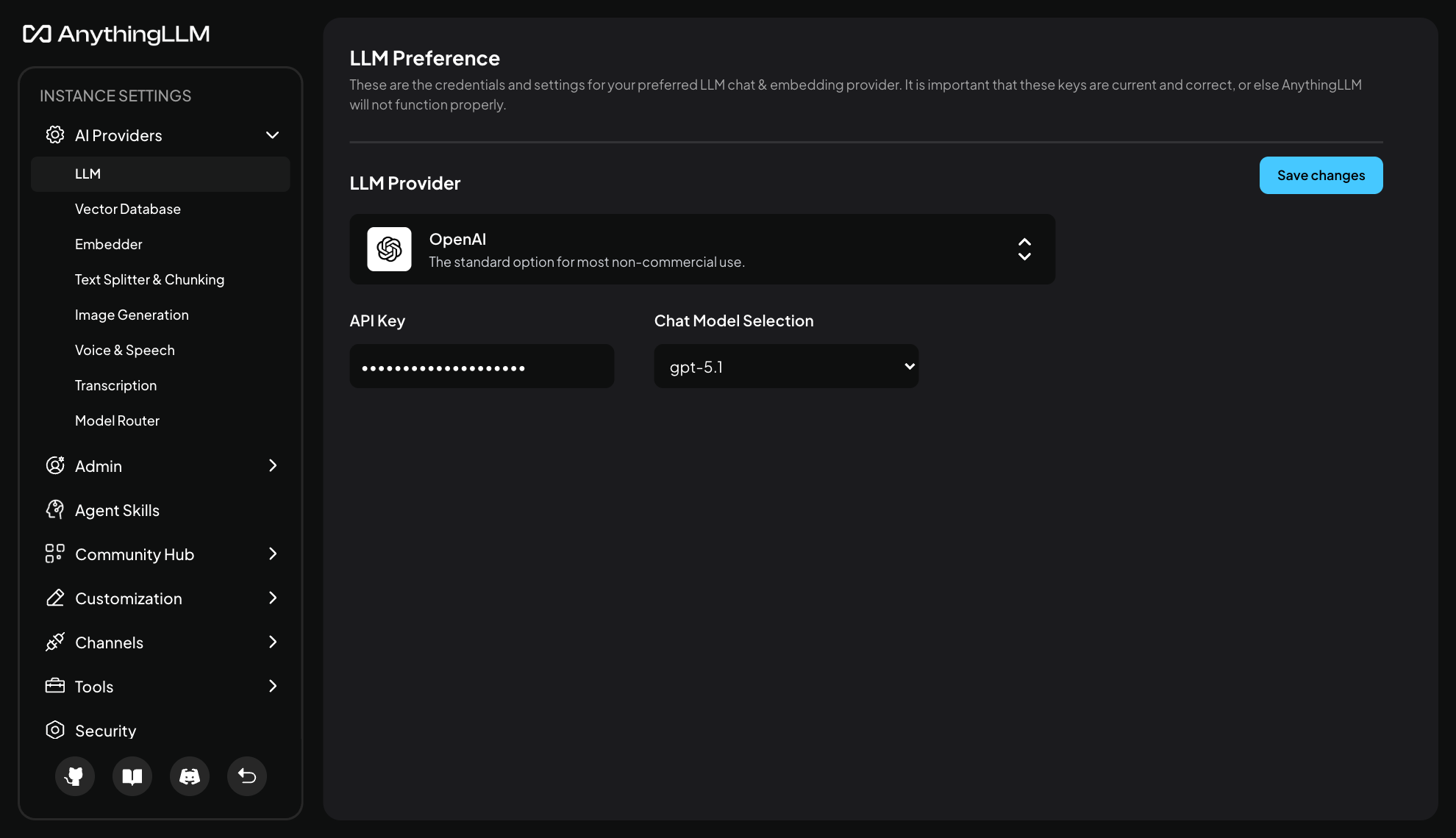
AnythingLLM Docker has Admin, Manager and Default roles. Managers manage workspaces but cannot change system model settings. Models are configured at system, workspace and Agent level. Available models still depend on connected provider accounts or local servers.
- onAI
- Models allowed per group Admins allow or block each model
- AnythingLLM
- System model settings controlled by Admins Managers manage workspaces; Default users chat only in assigned workspaces
Compare image creation in a studio and chat
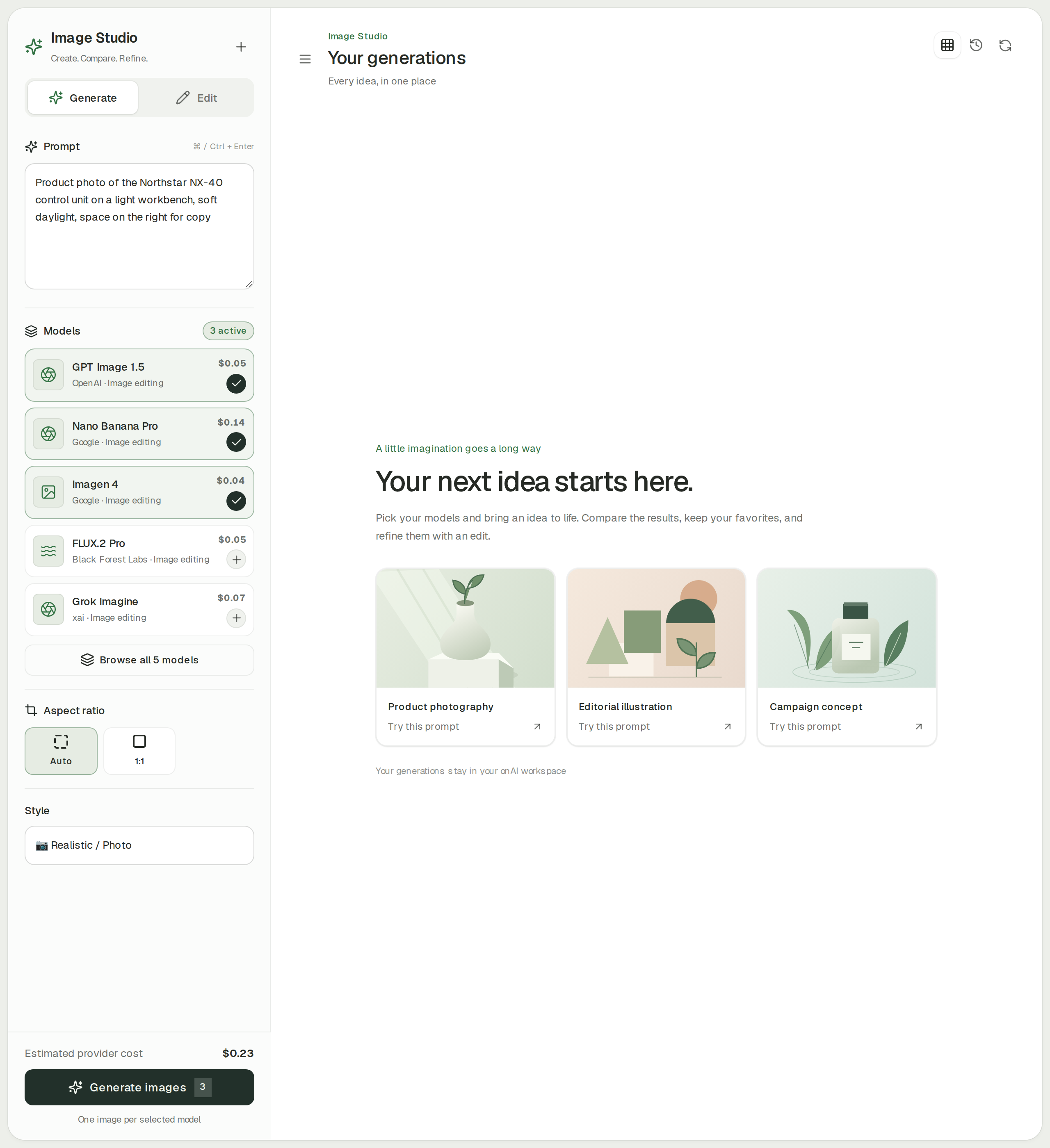
onAI Image Studio sends one prompt to up to three image models side by side. Styles can improve the prompt automatically, and editing accepts up to ten reference images. The estimated cost appears before generation.
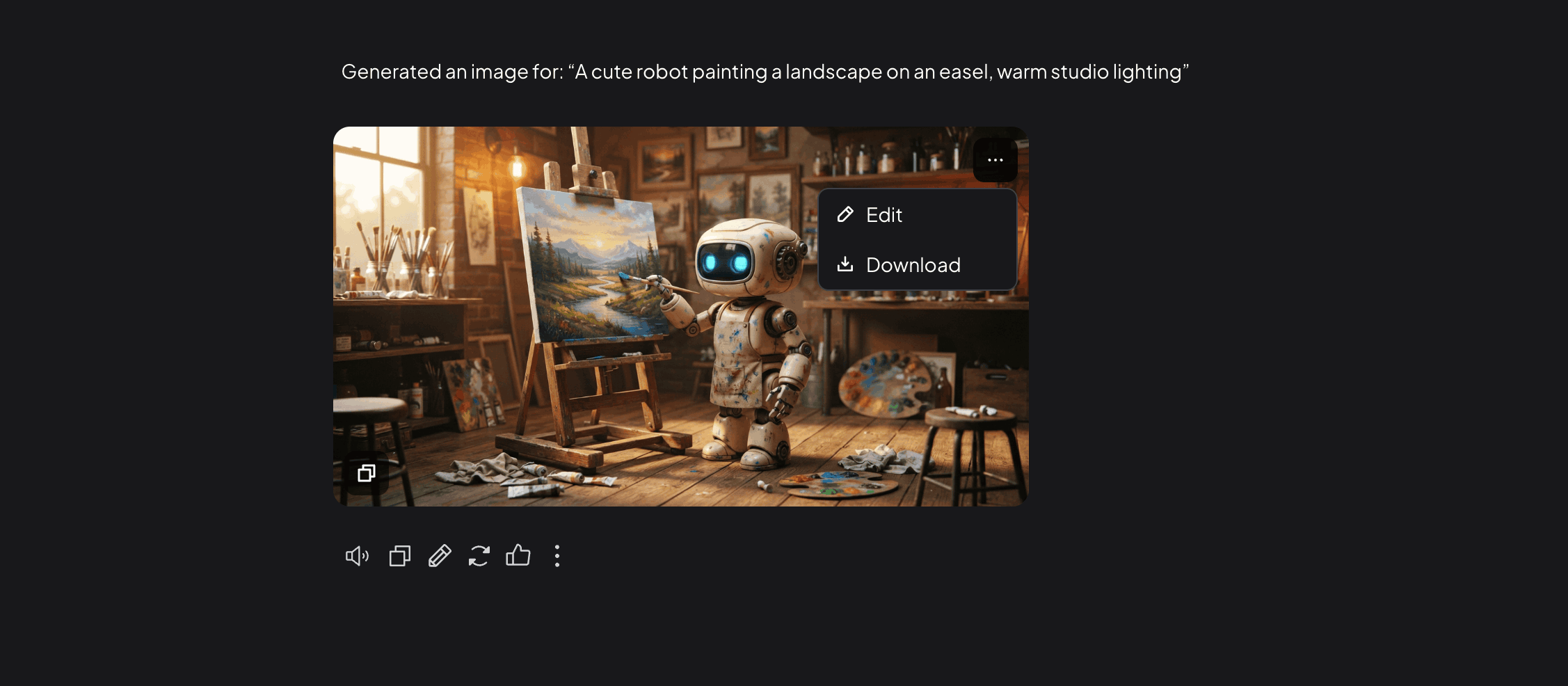
AnythingLLM generates images inside chat with the /img command after an administrator configures the provider and model. OpenAI and OpenRouter support reference editing, as do compatible Lemonade models. The documented Ollama route generates from the text prompt and does not use attached references.
- onAI
- Image studio with leading models Three models side by side, styles, editing with reference images
- AnythingLLM
- Images through the /img command Configured provider required; reference editing depends on provider and model
Case Study
Secure AI for 6,800 employees: how Manor established a privacy‑compliant alternative to ChatGPT across the company with onAI.
Thanks to the latest AI capabilities in onAI, our employees are more productive and use them securely and compliantly — at an affordable fixed price.
Where onAI fits better
onAI combines everyday employee tools with provider support. You can prepare group access rules and agree a company fixed price.
A dedicated DeepL workflow
The translator handles documents with their layout, company glossaries and formal or informal address. Style and tone can also be adjusted.
Group permissions and spending limits
Enable functions such as Image Studio, translation and web search per group. Set cost limits per organisation and person, then inspect usage by model, feature and person.
Direct support during rollout
Our team is available in German and English, with service levels and response times agreed in the contract. Onboarding and training are included in the company fixed price.
Where AnythingLLM fits better
AnythingLLM fits a team that wants to operate and adapt its own application, build reusable Agent skills and maintain model and tool connections itself.
Build visual Agent Flows
On Docker and Desktop, the no-code flow editor builds reusable Agent skills from API calls and web scraping. Scheduled Jobs are a separate feature restricted to single-user mode.
Run MCP tools in your installation
Self-hosted and Desktop installations support local and remote MCP servers with configured credentials and headers. Custom skills are another route for developers. These capabilities require your own tool setup; managed AnythingLLM Cloud explicitly excludes MCP and custom coded Agents.
Maintain your own source changes
The main repository is MIT licensed, allowing modification and redistribution with the required notices retained. Paid Cloud services and Desktop Pro entitlements remain separate from the main source licence.
What onAI could do better
Source code is not public
onAI is proprietary software and its source code is not public. If your procurement requires a maintainable fork of the whole application, include that requirement before choosing. Open-source components keep their own licences.
Integration work needs planning
onAI supports tools and custom OpenAPI actions, but no MCP. We build custom agents and workflows as a service.
At a glance
Software and service price
- onAI
- From €17 per user/month Includes €5 of model use; lower for larger teams, or a fixed price
- AnythingLLM
- No per-seat software licence fee Self-hosted MIT software; model accounts and infrastructure are separate
Storage and processing locations
- onAI
- Swiss contracting party, servers in Europe On request a dedicated server or on-premises
- AnythingLLM
- Self-hosted locations chosen by customer Application storage and connected providers need separate location checks
Model administration
- onAI
- Models allowed per group Admins allow or block each model
- AnythingLLM
- System model settings controlled by Admins Managers manage workspaces; Default users chat only in assigned workspaces
Image workflow
- onAI
- Image studio with leading models Three models side by side, styles, editing with reference images
- AnythingLLM
- Images through the /img command Configured provider required; reference editing depends on provider and model
Source licence
- onAI
- Proprietary, source not public Open-source components under their own licences
- AnythingLLM
- MIT-licensed main repository Paid Cloud and Desktop Pro entitlements are separate
Comparing onAI with AnythingLLM?
Book a demo. We show onAI with your own use cases and answer your data-protection questions.
Book a demoQuestions you might have
- Which edition should a shared employee rollout compare?
- AnythingLLM Desktop is a single-user application. Docker provides multi-user administration and a shared browser application; Default users chat only in assigned workspaces. This page compares that self-hosted Docker mode with onAI.
- Is every model call local when we self-host?
- No. AnythingLLM can use local servers or external model providers, and the processing route follows your selected configuration. onAI can also connect local models with on-premises deployment, for example through Ollama.
- Are model charges included in the MIT licence?
- The self-hosted software licence does not bundle your selected providers' usage charges. onAI starts at EUR 17 per user per month including EUR 5 of model use, with lower prices for larger teams or a company fixed price.
- How can our team evaluate both?
- You can self-install AnythingLLM without a software licence payment. onAI starts with a personal demo, then trial access for your team.
How this page was made
Research date: • Method: the vendors' public sources, collected and checked by AI agents and assessed against the onAI comparison rubric v1.1.
AI agents collected and independently checked public AnythingLLM documentation and pinned source evidence. onAI facts are owner statements. This comparison covers self-hosted Docker multi-user mode. Captures are unmodified public documentation-repository files; onAI demo data is labelled.
Written by onAI. We make one of the two products compared here, so this is a vendor's comparison. We checked every statement about AnythingLLM against a public source; the sources are listed in this page's structured data.